
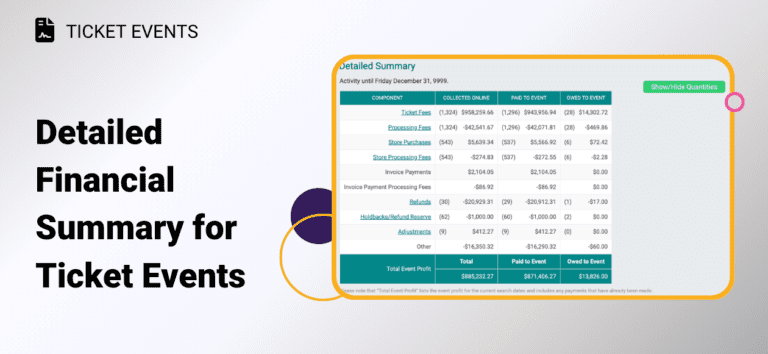
Reconciling your event finances just got easier. TicketSignup now offers a Detailed Financial Summary for ticket events. It’s a clear breakdown of exactly where your money comes from and where it stands, all in one view.
The Financial Summary gives you the big-picture totals. The new Detailed Summary breaks those numbers down by source, so you can see how each piece adds up to your bottom line. It lays out every financial component of your event side by side, including:
- Ticket Fees and Processing Fees
- Store Purchases and Store Processing Fees
- Donations
- Extra Fees and Transfer Fees
- Invoice Payments and their processing fees
- Refunds, Holdbacks/Refund Reserve, and Adjustments
…and any other components that apply to your event. Click View Detailed Summary under the Financial Summary (Financial >> Financial Summary). For each line item, you’ll see three columns: Collected Online, Paid to Event, and Owed to Event so at a glance you know what’s been collected, what’s already been paid out to you, and what you’re still owed. It all rolls up into a clear Total Event Profit line at the bottom.
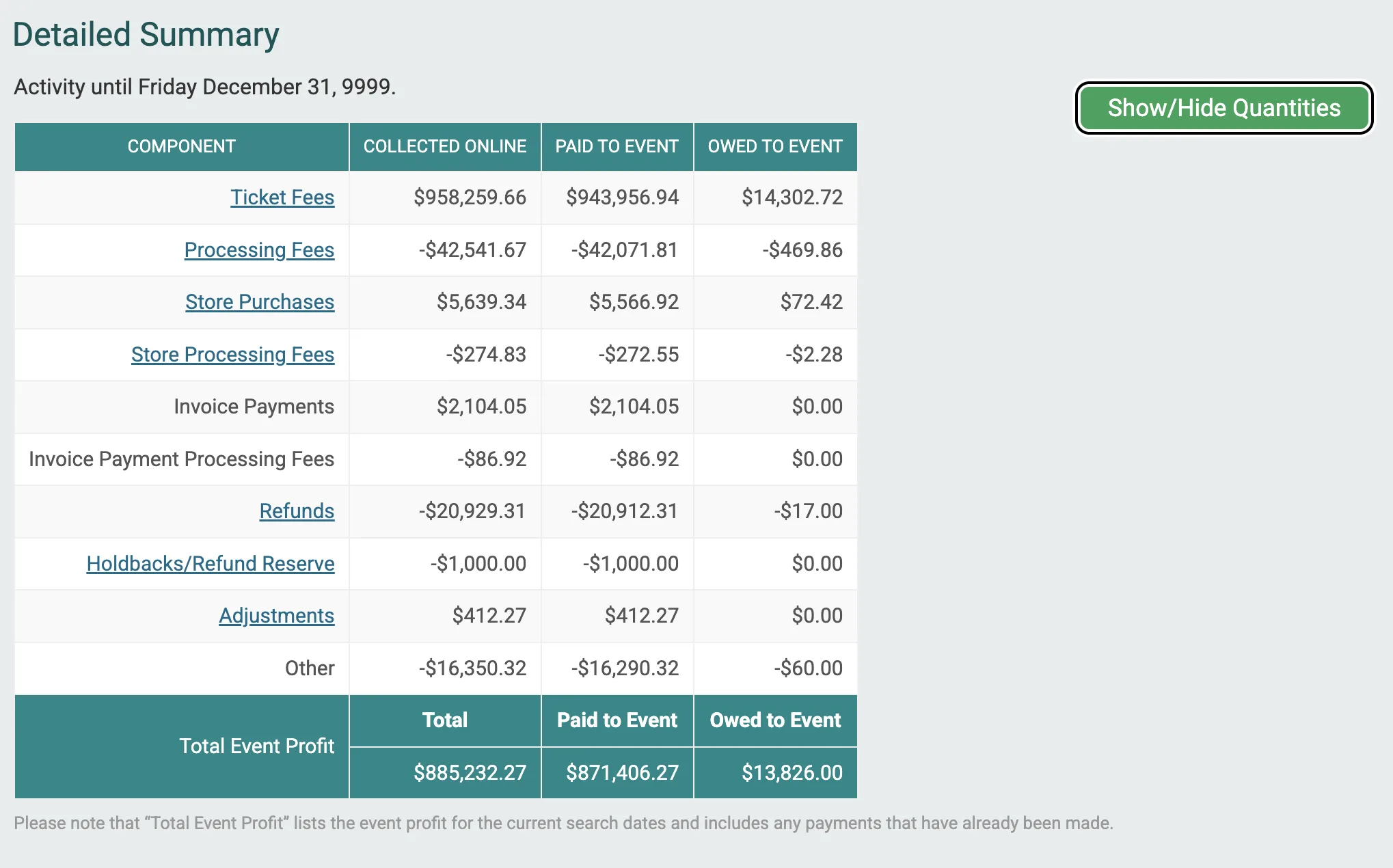
A few features that make it even easier and more flexible to work with:
- Drill in further. Many items are clickable, taking you to the supporting individual transactions report behind that number.
- Filter by date. Pull the summary for a specific time period to match a payout cycle or reporting window.
- Show/Hide Quantities. Toggle quantity counts on or off alongside the dollar figures.
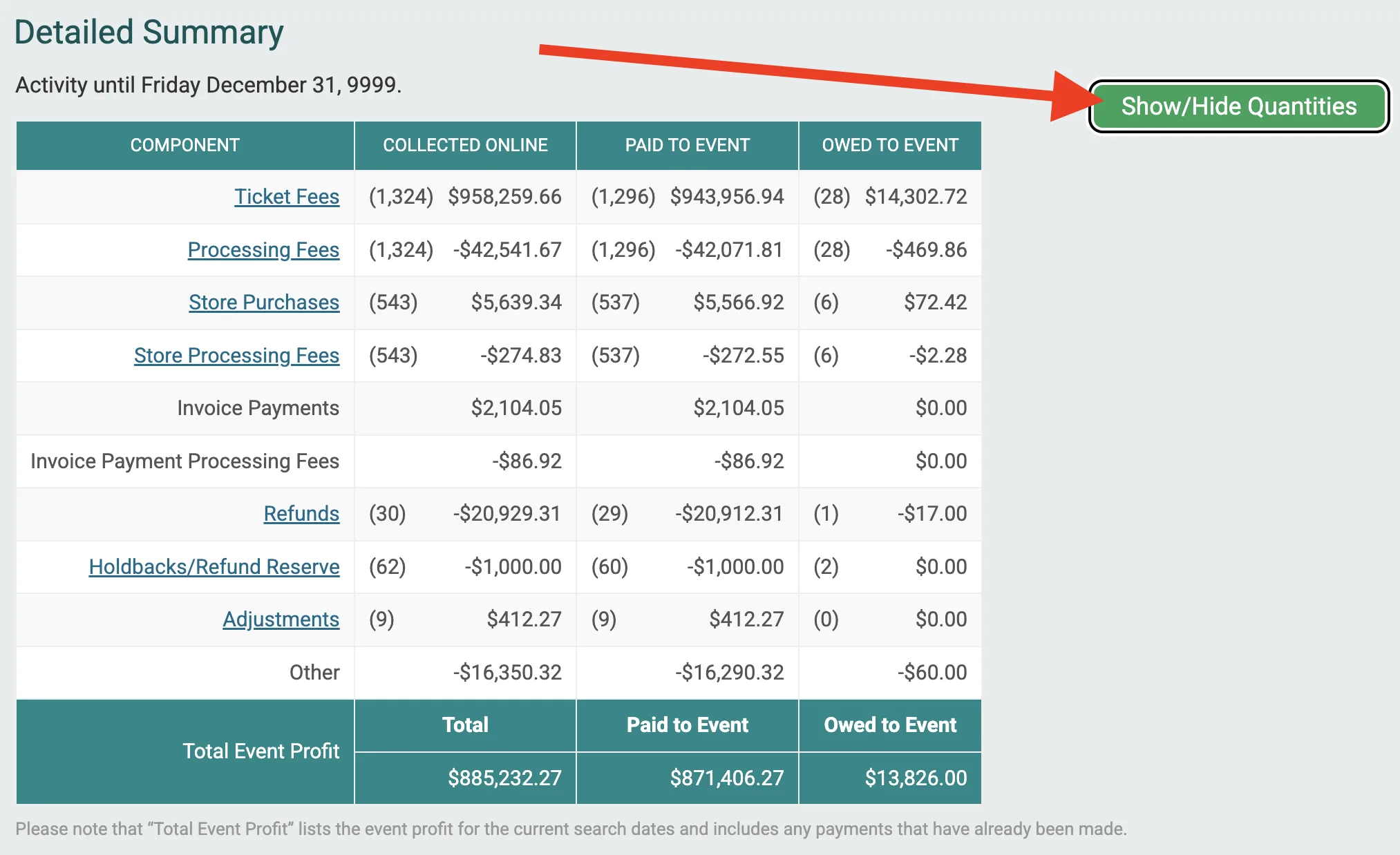
The numbers in the Financial Summary, Detailed Summary, and transactions reports always match because TicketSignup delivers reconciled financials with weekly payouts. With TicketSignup’s detailed financial summary for ticket events, your event can more easily:
- Reconcile with confidence. See exactly which sources make up your totals and tie them back to your payouts and accounting records.
- Know what you’re still owed. The Owed to Event column makes it clear what’s collected versus what’s already been paid to you via weekly deposit.
- Answer questions quickly. When a board member, finance team, or sponsor asks “where did this number come from?”, the breakdown is right there.