
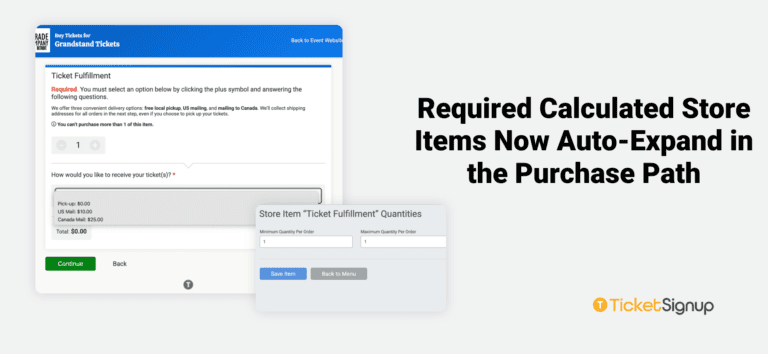
Calculated Store Items let events price add-ons dynamically based on custom question responses, while collecting the details they need at the same time. Now, when a Calculated Store Item is required, it starts selected and expanded in the purchase path. Purchasers see every related question right away and move through checkout faster.
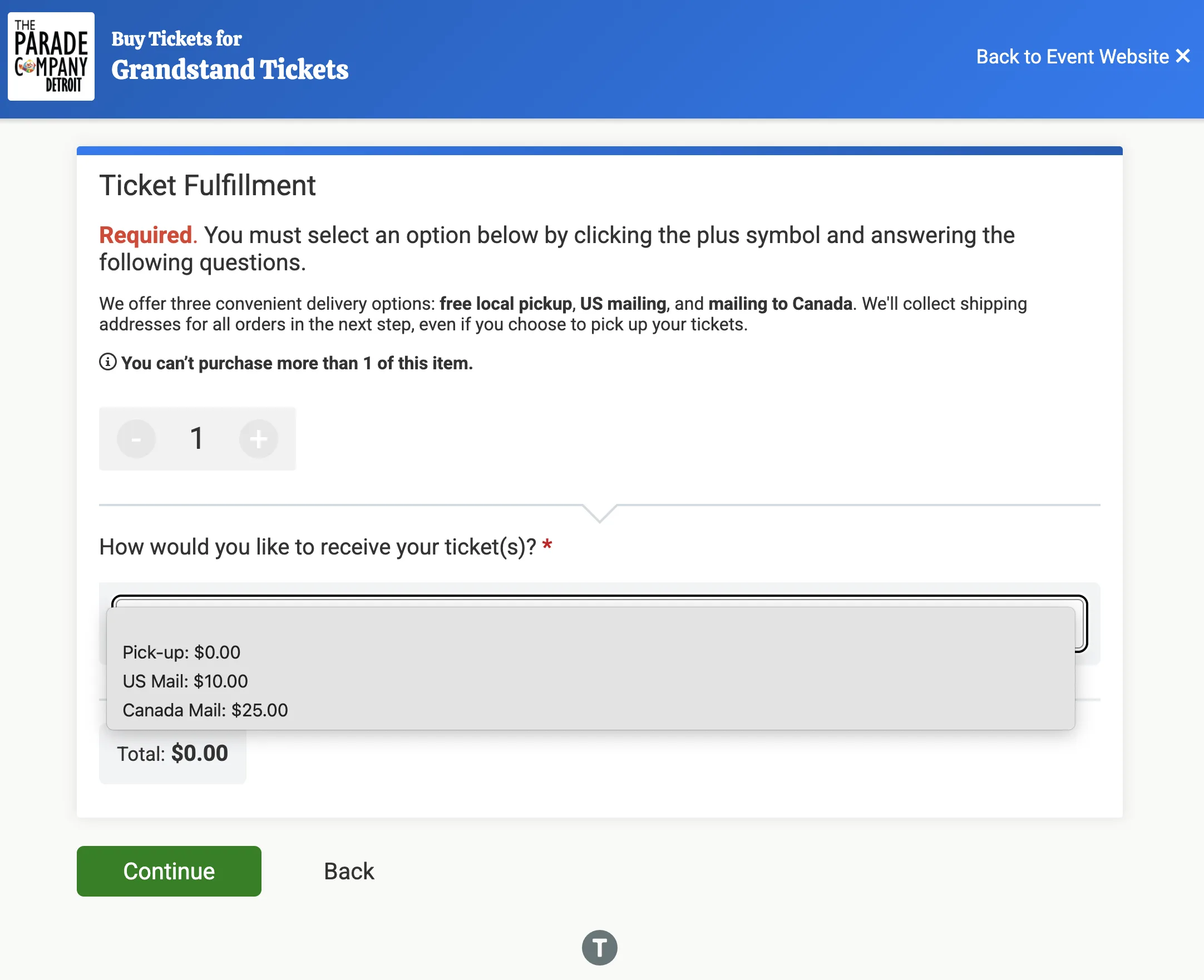
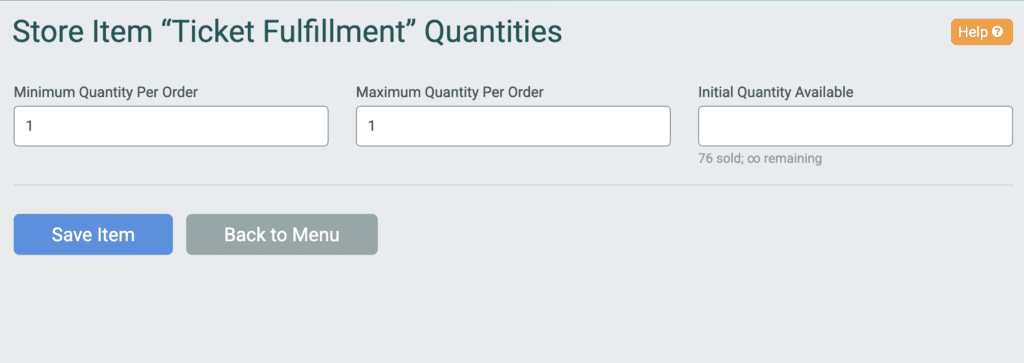
Set a minimum quantity per purchase of 1 or more on a Calculated Store Item to make it required. The item’s quantity selector now defaults to that minimum, and the item expands automatically to show its questions. Purchasers simply answer the questions and continue.
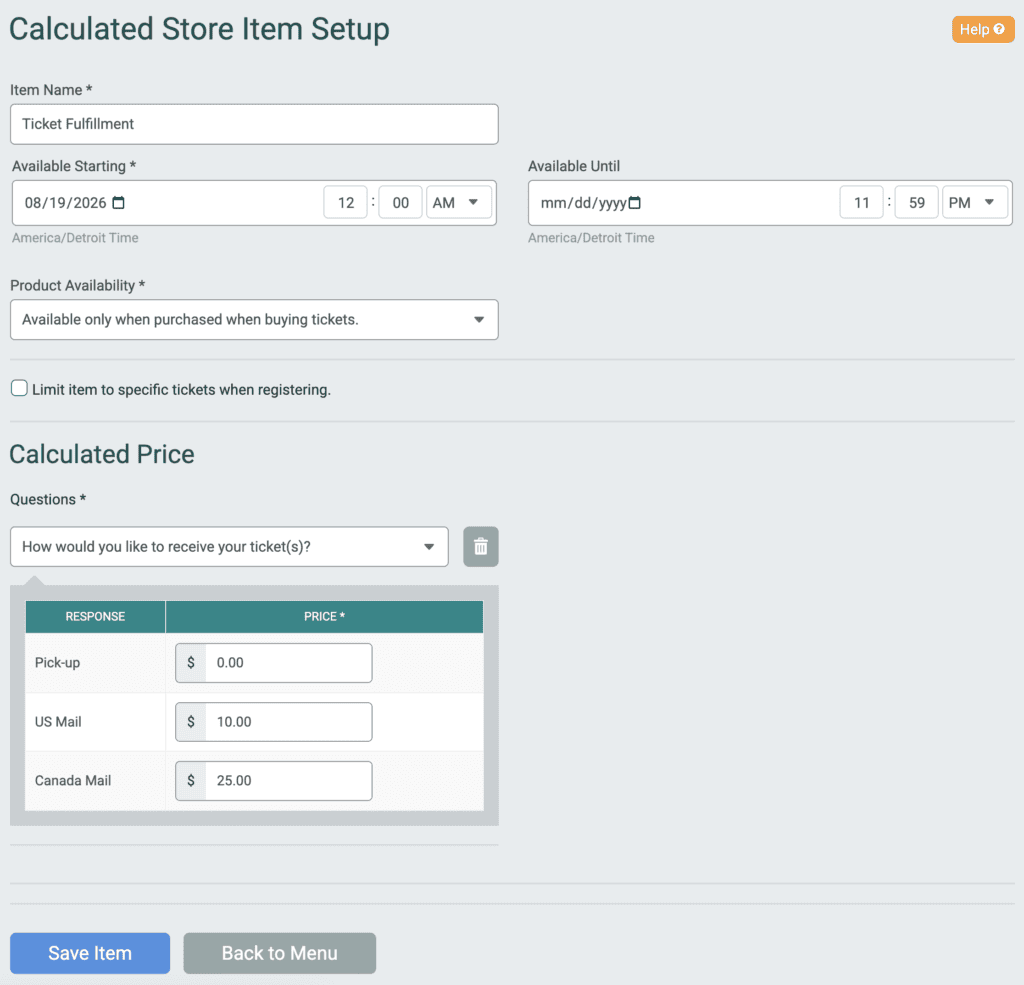
This works for Ticket Events and Membership Organizations.
Built for Vendor Registration
A large Jeep festival is setting up its 2027 vendor registration on TicketSignup. Vendors will sign up through a private vendor ticket, and every vendor is required to add a Calculated Store Item as part of the signup process. The item has a minimum and maximum quantity of 1 per purchase, so each vendor completes it exactly once.
With this update, that required item opens automatically on the store step. Vendors see all of the item’s questions right away, answer them, and complete registration. The festival collects complete, correctly priced details from every vendor.
More Ways to Use Required Calculated Store Items
Calculated Store Items combine pricing and data collection in one step, which makes them a strong fit for any required add-on:
- Vendor and exhibitor fees: Price booth options and collect business details in one item.
- Parking passes: Offer Standard or Valet parking and collect license plate numbers.
- Number-based pricing: Charge a set rate multiplied by a quantity the purchaser enters.
- Experiential add-ons: Price custom items based on purchaser selections, like the Glooms that Zozobra attendees buy and burn.
Learn more about setting up Calculated Store Items for Ticket Events and Using TicketSignup for Vendor Registrations.
To make a Calculated Store Item required, go to Store >> Store Setup, open the item, and set a minimum quantity per purchase under Quantities.