
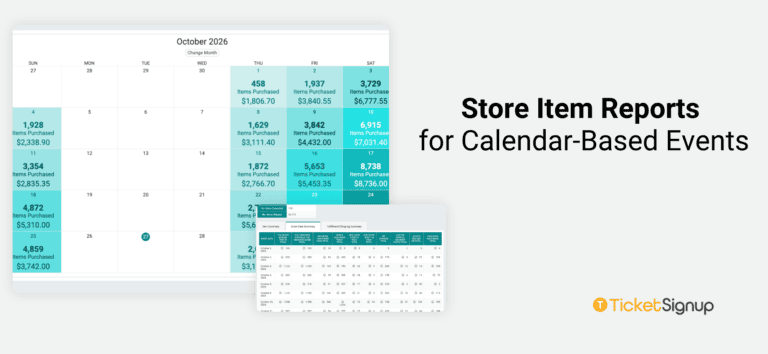
TicketSignup’s store lets you sell add-ons like parking passes, food vouchers, experiences, merchandise and upgrades alongside your tickets. Now you can see those purchases on a calendar with new calendar-based reporting options.
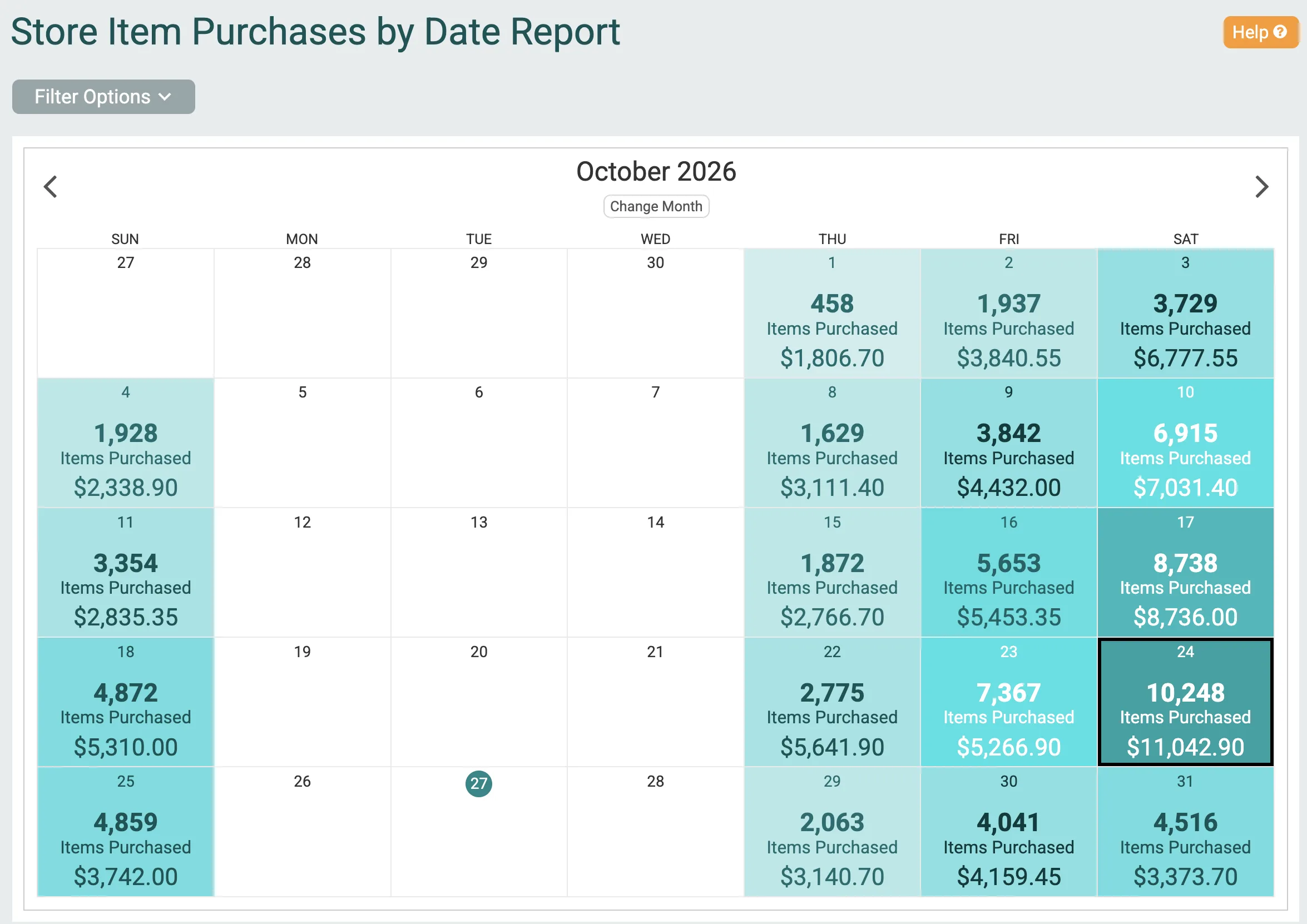
To view your add-on sales via a calendar report, use the Store Item Purchases by Date report. Go to Store >> Store Item Purchases by Date Report. Each day on the calendar shows the store items purchased for that date, so you can see what your team needs to prepare before guests arrive, as well as how much add-on revenue each date generated.
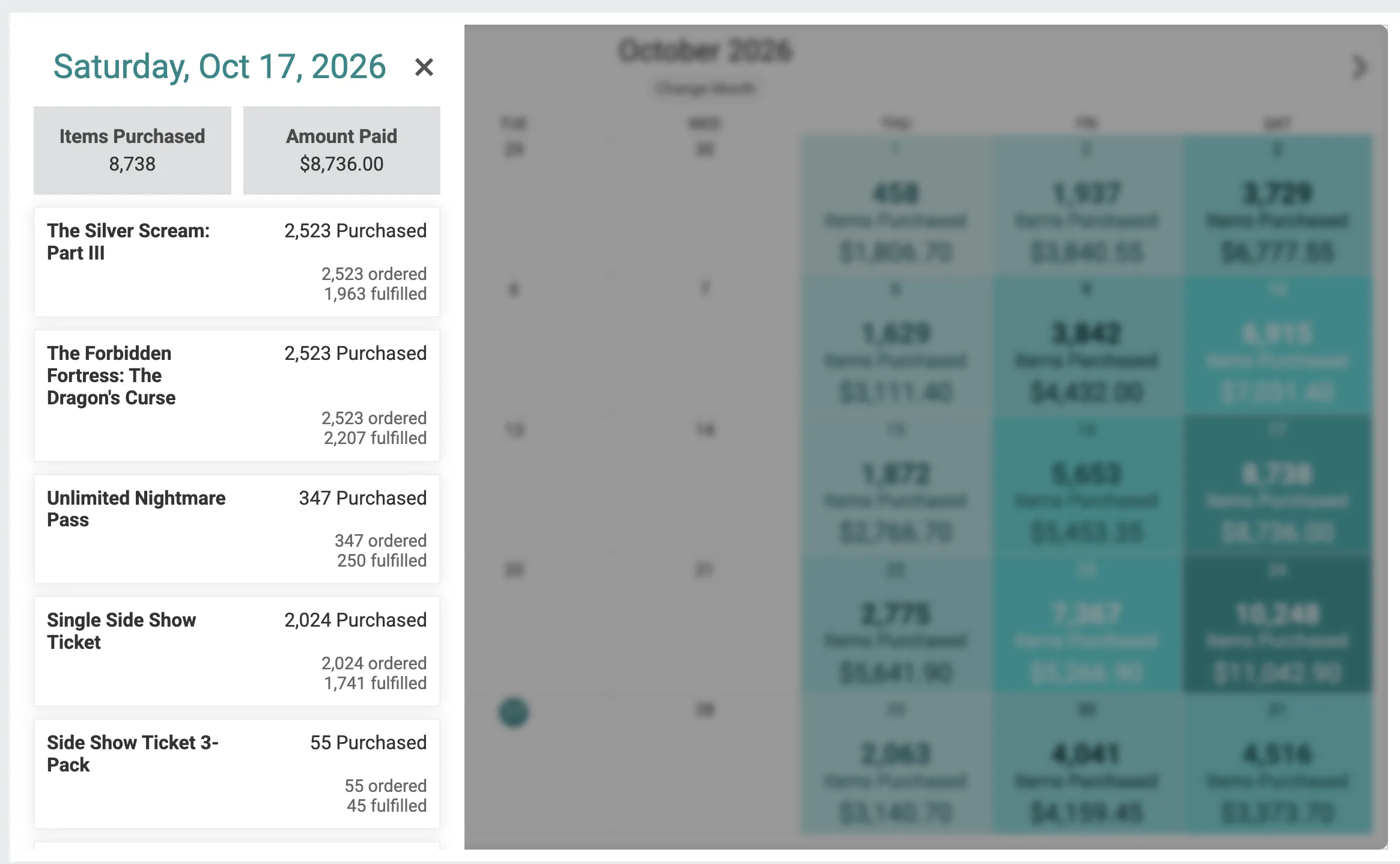
Click into a date to get the quantity and revenue breakdown by add-on.
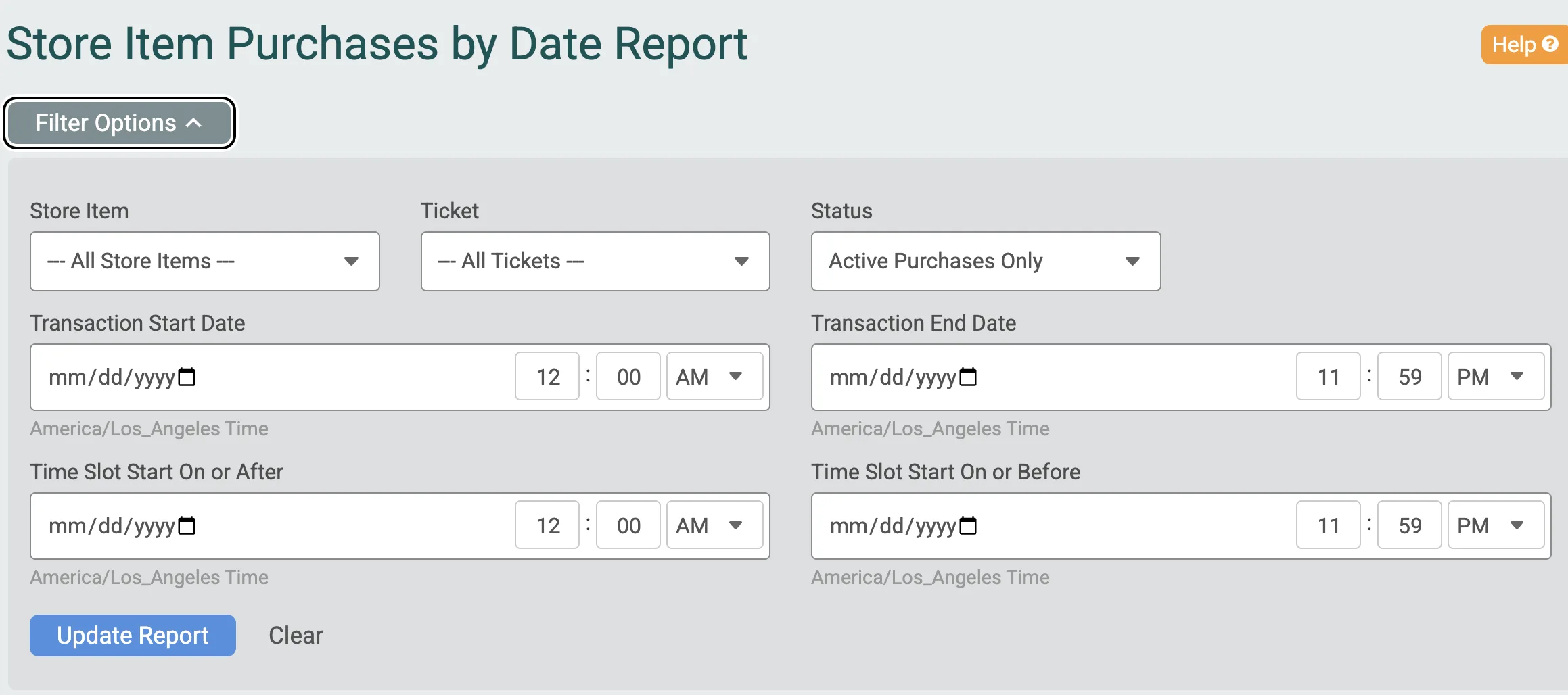
Filters let you drill into a specific store item, purchase range, or even narrow into an event date range.
You can also dig into a table report view by date and time slot by going to Store >> Store Item Purchase Summary. If you have many dates, use the date filter to narrow your search or use the breakdown by date. The table displays a breakdown by time slot and item type. Hover on the tooltip to dig into fulfillment details. There are easy options to export.
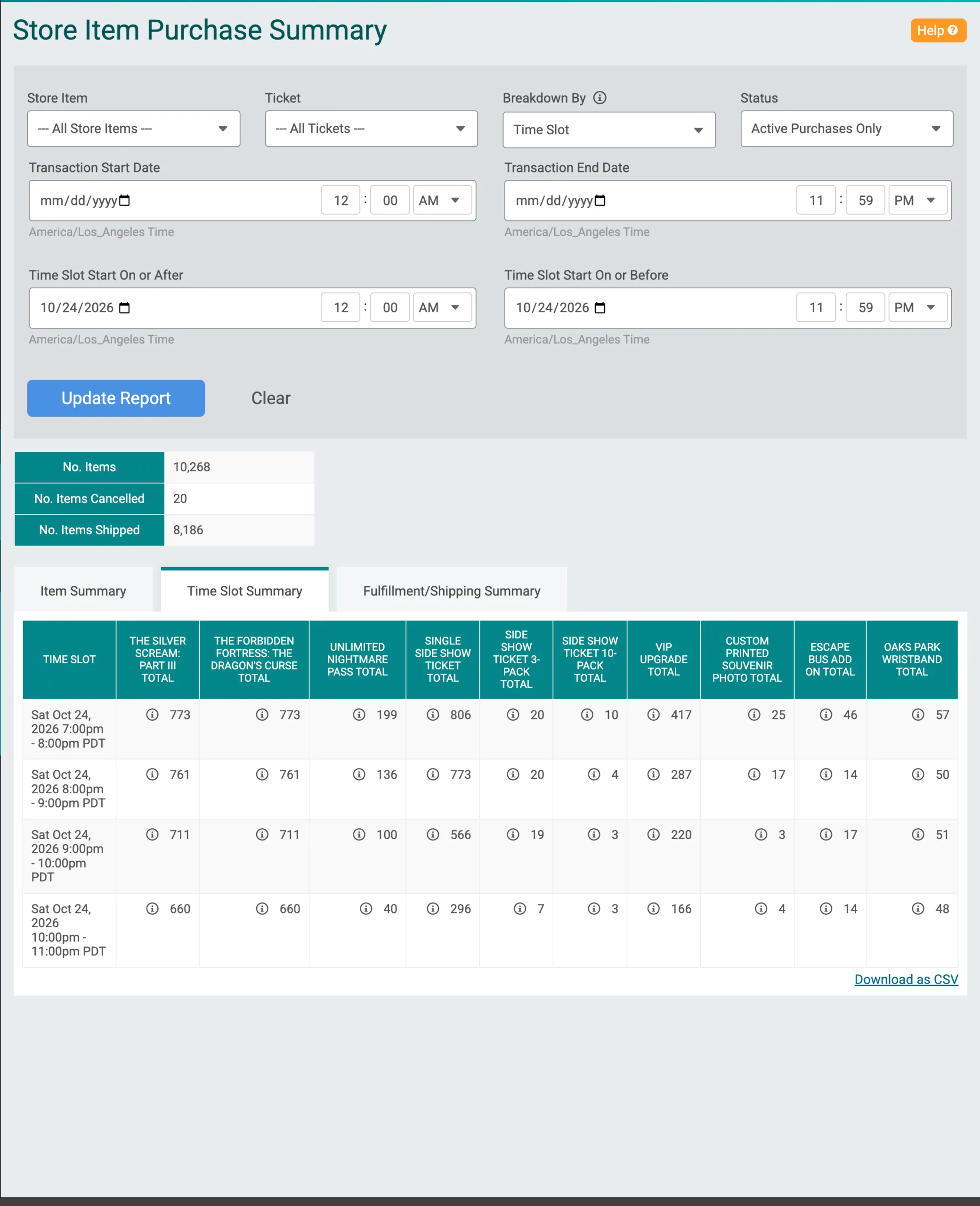
Here is the Store Item Purchase Summary broken down by event date.
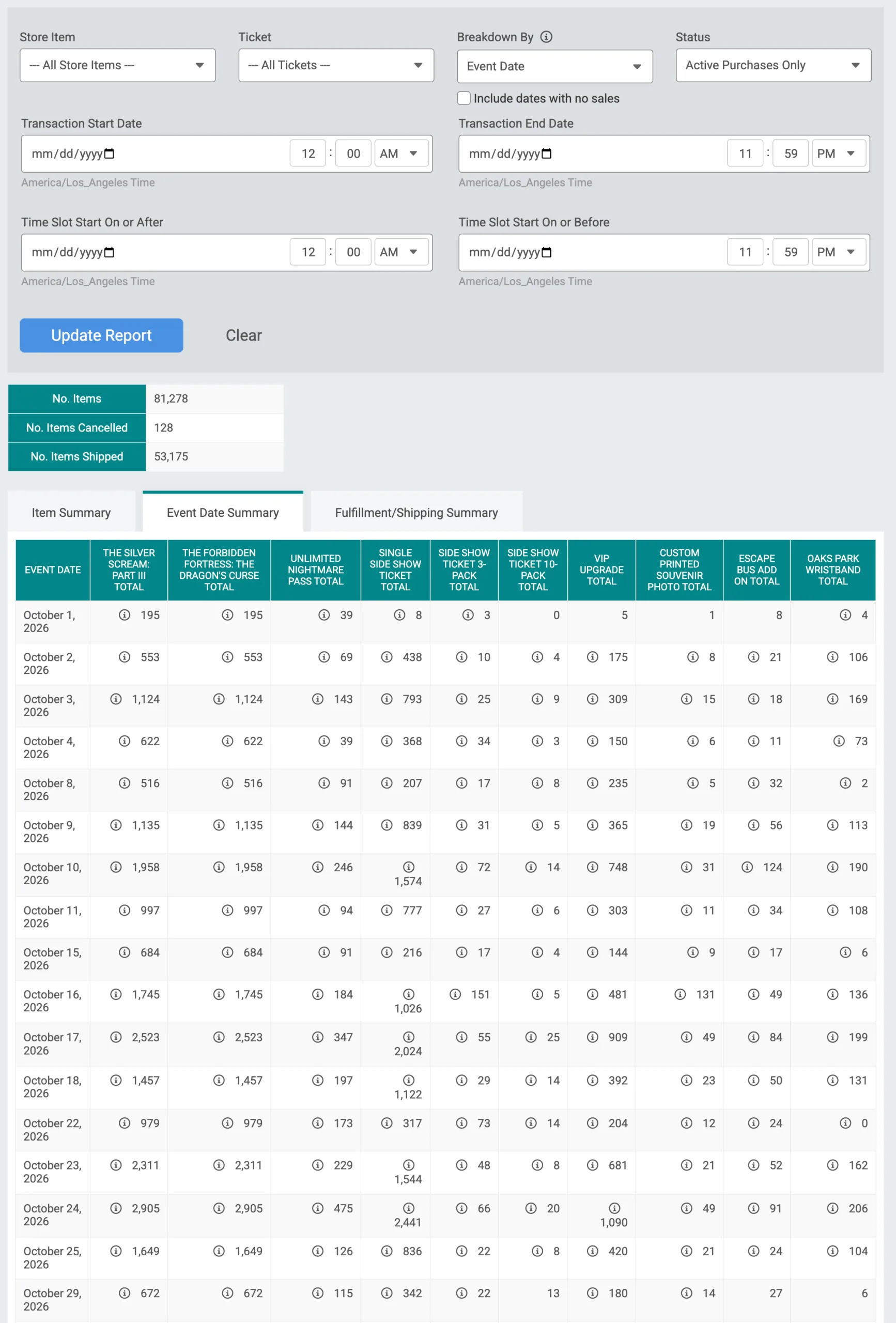
Your store already helps you earn more from every ticket. These reports help you deliver on and understand those sales. Know what’s coming each day, prepare your team and track the value-add from upsells at your event.
Find both reports under Store in your event dashboard: Item Purchases By Date for the calendar view and Item Summary for time slot and event date breakdowns.