
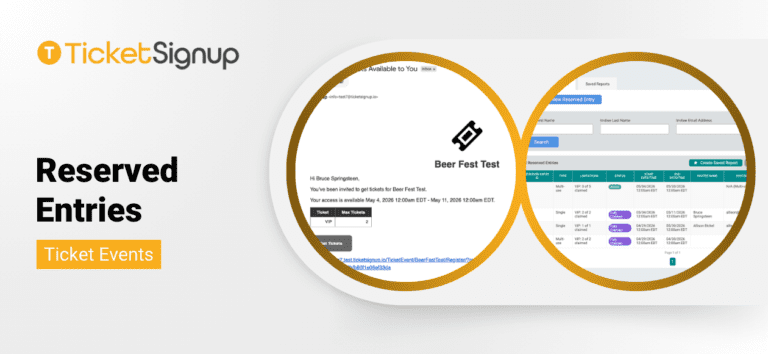
We released our first version of Reserved Entries for ticket events. In this initial release, Reserved Entries allow directors to generate unique or multi-use links to give attendees the ability to buy publicly sold out tickets. Whether you are managing VIP guests, sponsors, or internal allocations, Reserved Entries ensure you stay in control of distribution without disrupting your public ticket sales. Reserved Entries currently support Simple and Advanced ticket events, and are not currently available for Calendar-based ticketing.
What Are Reserved Entries?
Reserved Entries give you the ability to override public availability in a controlled way. Instead of holding inventory offline or managing exceptions manually, you can define:
- Who gets access
- Which ticket types they can purchase
- How many tickets they can claim
- When their access is valid
You can also include multiple ticket types within a single reserved entry, giving you flexibility to bundle access (e.g., VIP + General).
Creating a Reserved Entry
Reserved Entries are designed to be quick to configure while giving you precise control. Navigate to Tickets >> Reserved Entries in your Ticket Event dashboard and select Create New Reserved Entry.
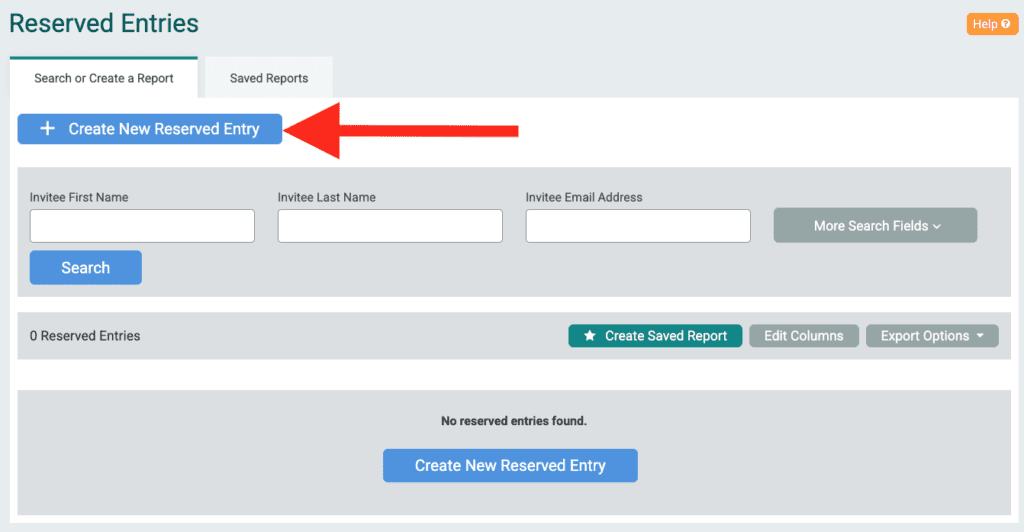
From there, you will define the structure of the entry:
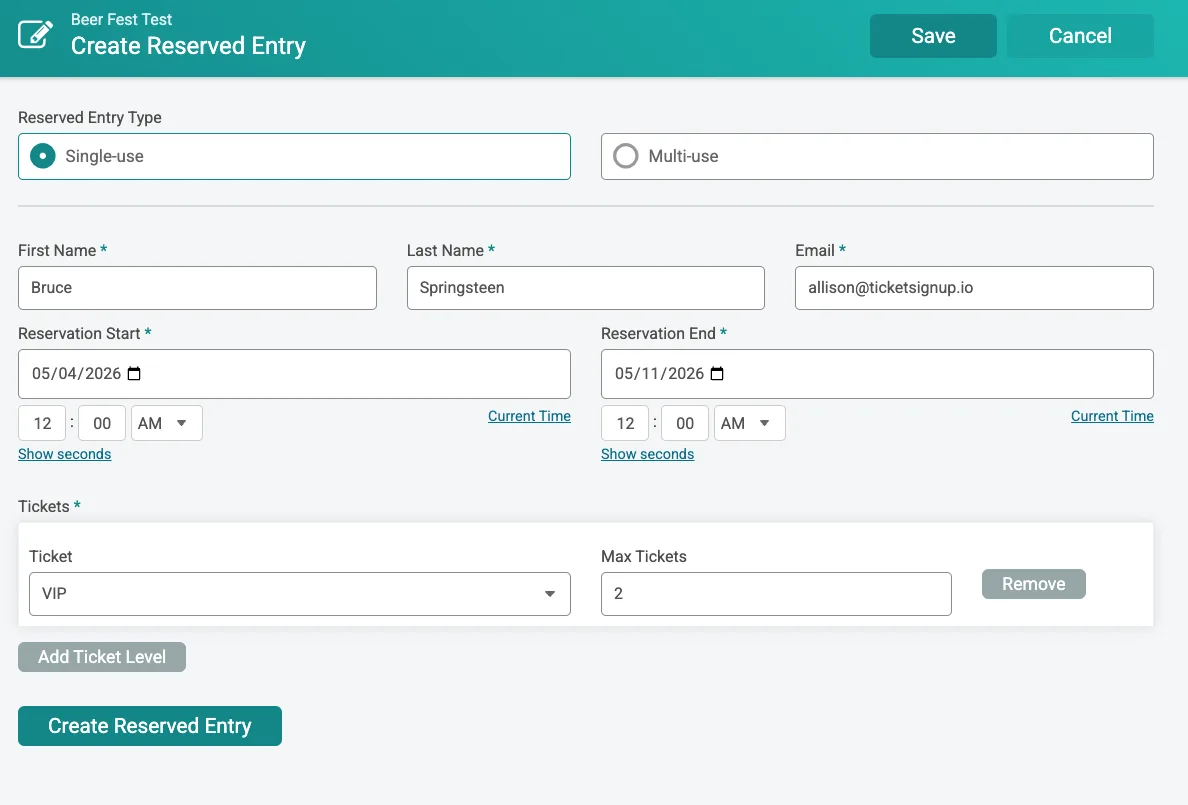
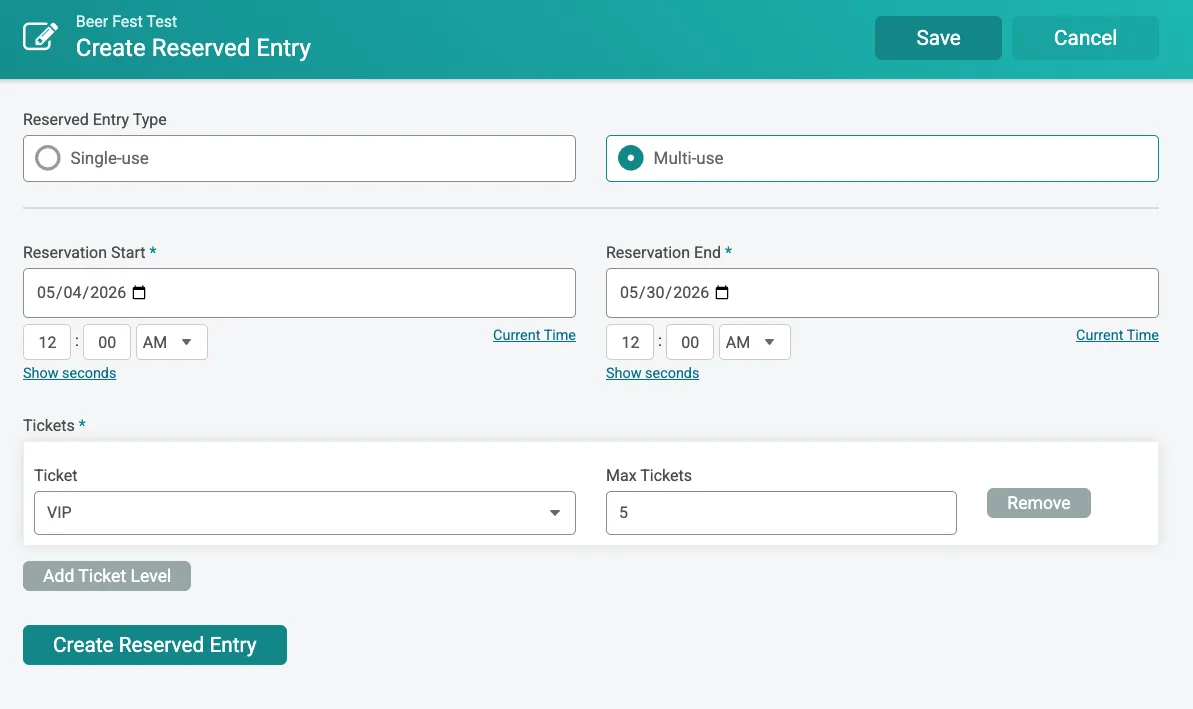
1. Choose the Entry Type. You have two options depending on your use case:
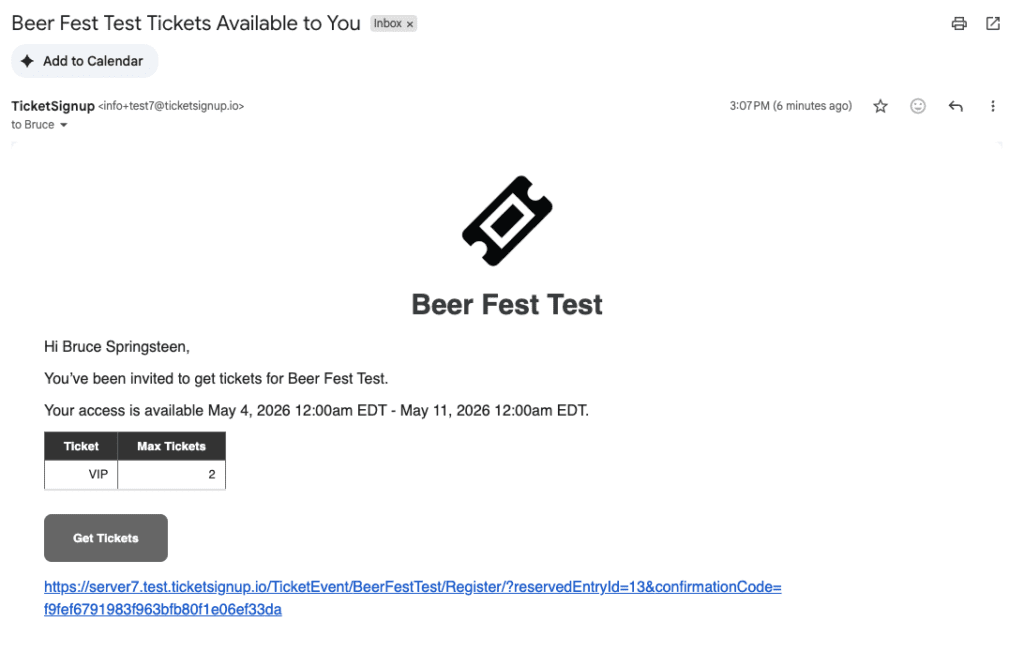
- Single-use: Designed for individual invites. You will enter the attendee’s name and email, and TicketSignup will automatically send them a personalized access email with their unique link.
- Multi-use: Designed for groups or shared access, perfect for Sponsors that get guaranteed entry. Instead of tying the entry to a person, TicketSignup generates a reusable link that you can distribute manually. Multiple people can use this link until the defined limits are reached.
2. Set the Access Window. Define when the Reserved Entry is valid by setting a start and end date/time. This ensures access is only available during your intended window.
3. Configure Ticket Access. Select one or more ticket types and assign maximum quantities for each. For example:
- VIP: 2 tickets
- General: 4 tickets
TicketSignup enforces these limits automatically during checkout.
4. Create and Share. Once saved:
- Single-use entries trigger an automatic email to the invitee
- Multi-use entries provide a shareable link you can copy and distribute as needed.

You can always return to the dashboard to resend emails, copy links, or make updates.
The Attendee Experience
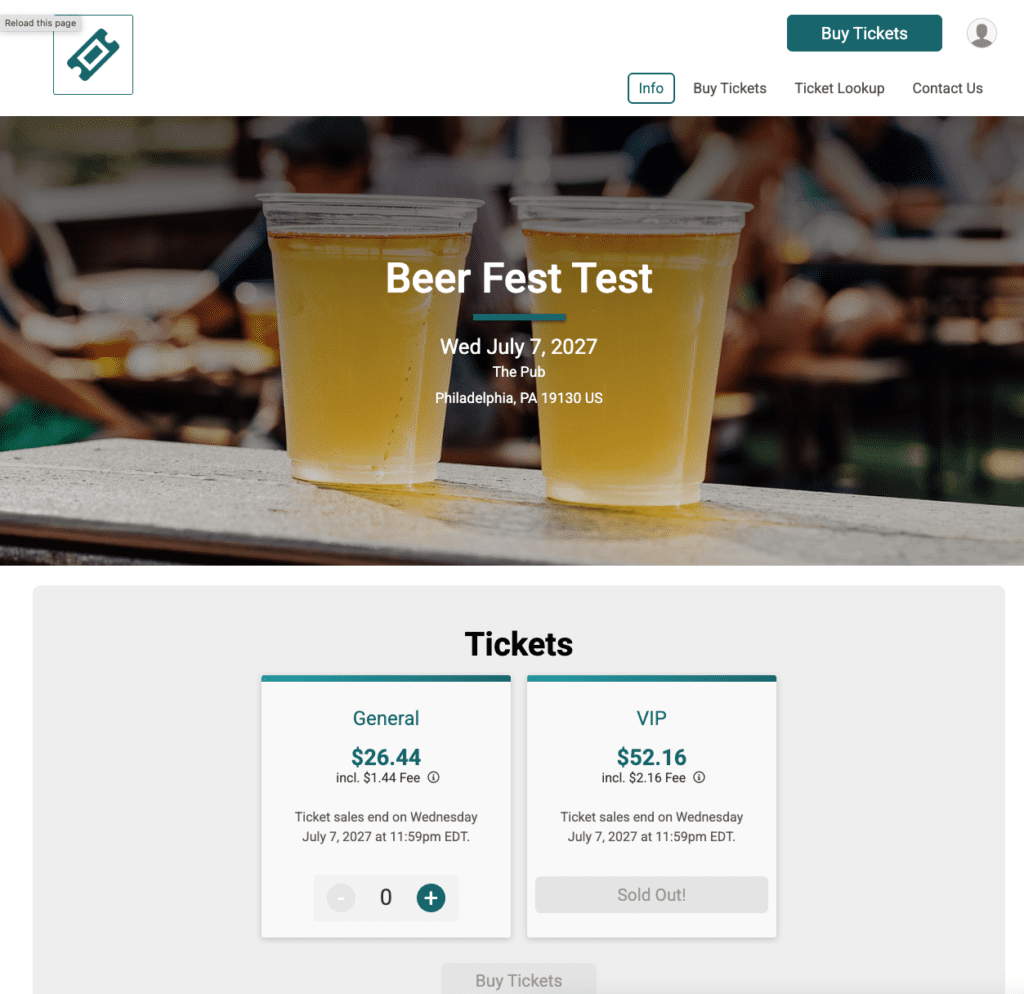
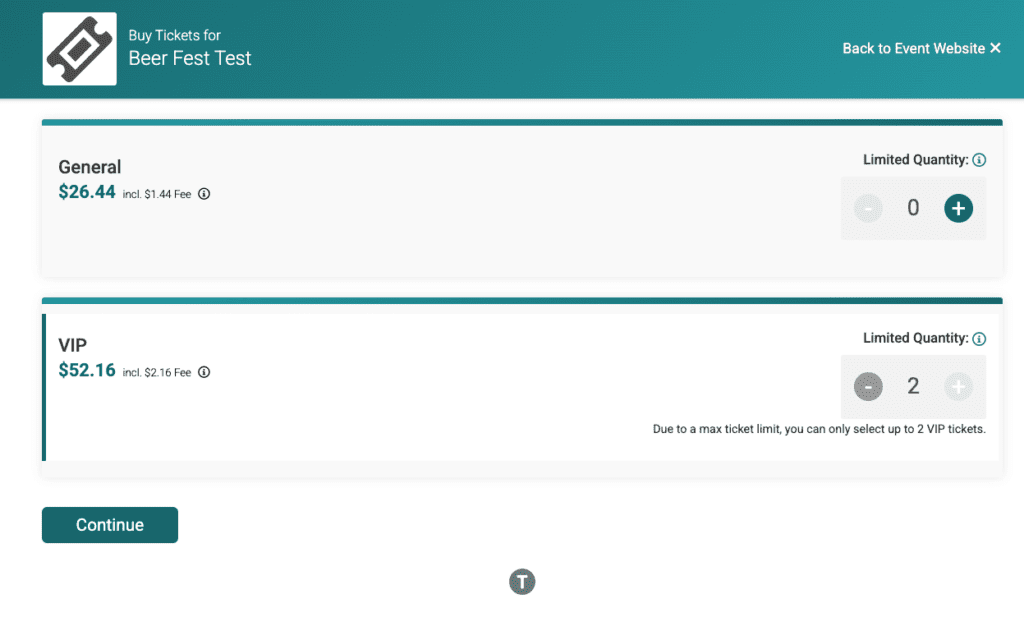
Reserved Entries integrate directly into your existing ticket purchase flow. When someone uses a Reserved Entry link, they land in the purchase path. Eligible ticket types appear, including when publicly sold out. Quantity limits are enforced in real time with clear messaging to explain any restrictions.
Managing Reserved Entries
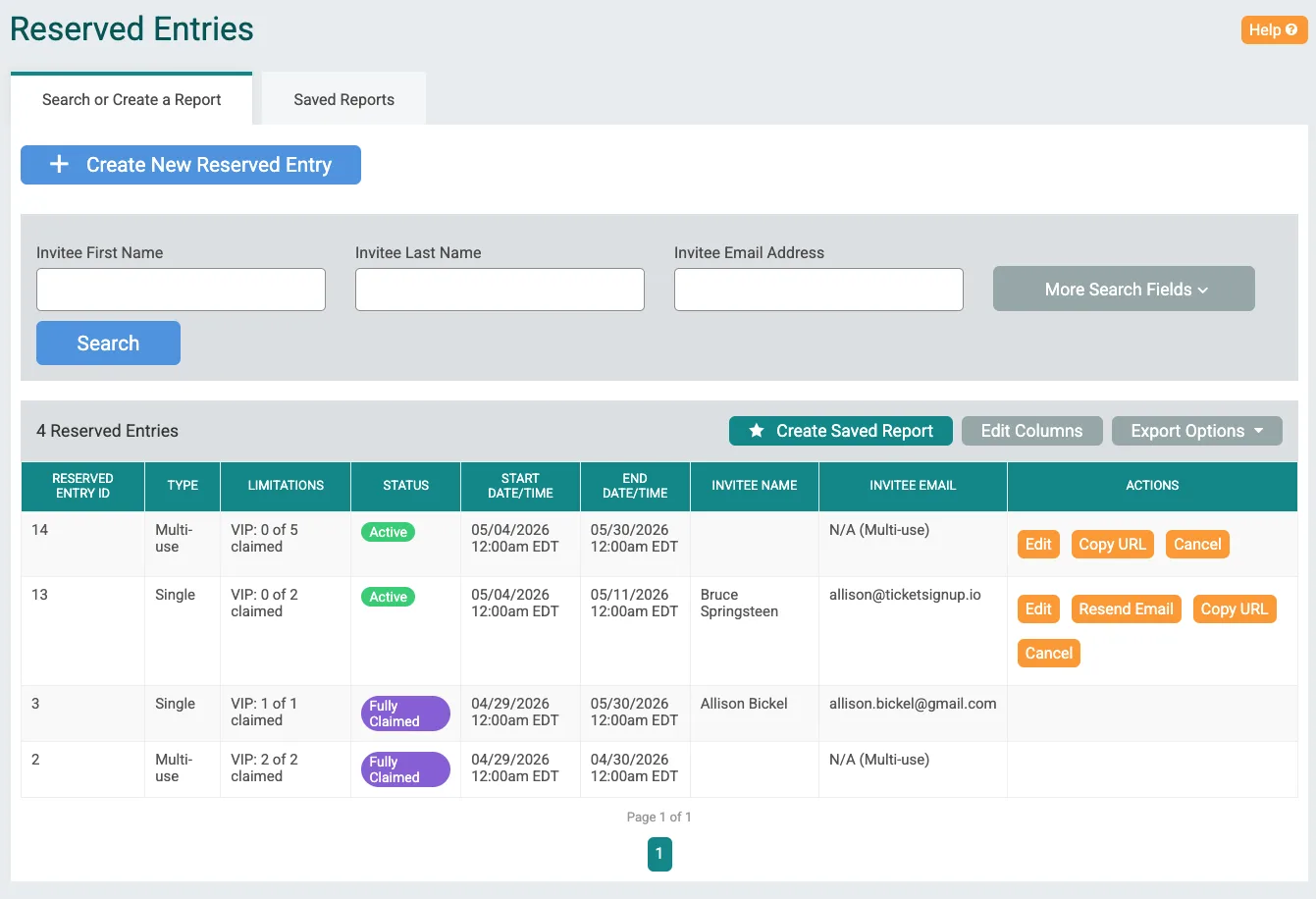
The Reserved Entries dashboard gives you a complete view of usage and status. You can:
- Track whether entries are Active or Fully Claimed
- Monitor how many tickets have been used vs. remaining
- View reservation windows and details
- Take actions like editing, resending emails, copying links, or canceling entries
This replaces spreadsheets and manual tracking with a centralized system.
The Foundation for What’s Next
This initial release lays the groundwork for more advanced capabilities. Reserved Entries will power automated Waiting Lists, where attendees receive time-limited access to claim and pay for tickets as spots become available based on the event’s Waiting List configurations. We expect Waiting Lists to be available for simple and advanced ticket events by Summer 2026.
In the future, we will add more capabilities to Reserved Entries, including support for calendar-based ticketing, purchase period overrides, and custom pricing.