
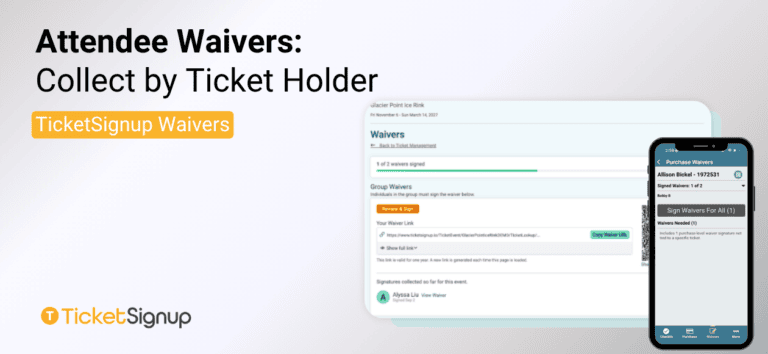
Collect by Ticket Holder is the recommended way to collect Attendee Waivers on TicketSignup. It gives every purchase one shareable waiver link, so any ticket holder can sign, including a substitute who’s stepping in for someone who can’t make it. If your event needs to collect individual waivers, using Collect by Ticket Holder gives you the most flexibility while still validating that everyone has a signed waiver.
How to Setup Attendee Waivers: Collect by Ticket Holder
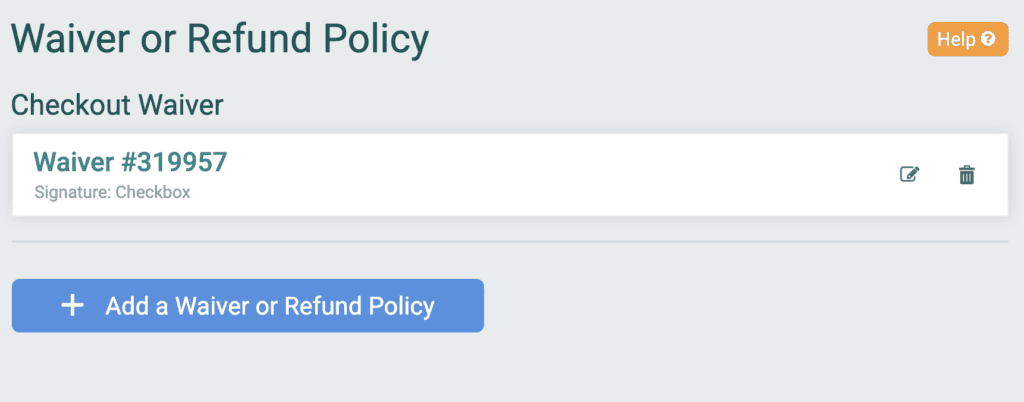
From your ticket event dashboard, go to Event >> Waiver/Refund Policy >> Add a Waiver of Refund Policy. You will see a checkout waiver already set up from the ticket wizard. To add attendee waivers, click the button.
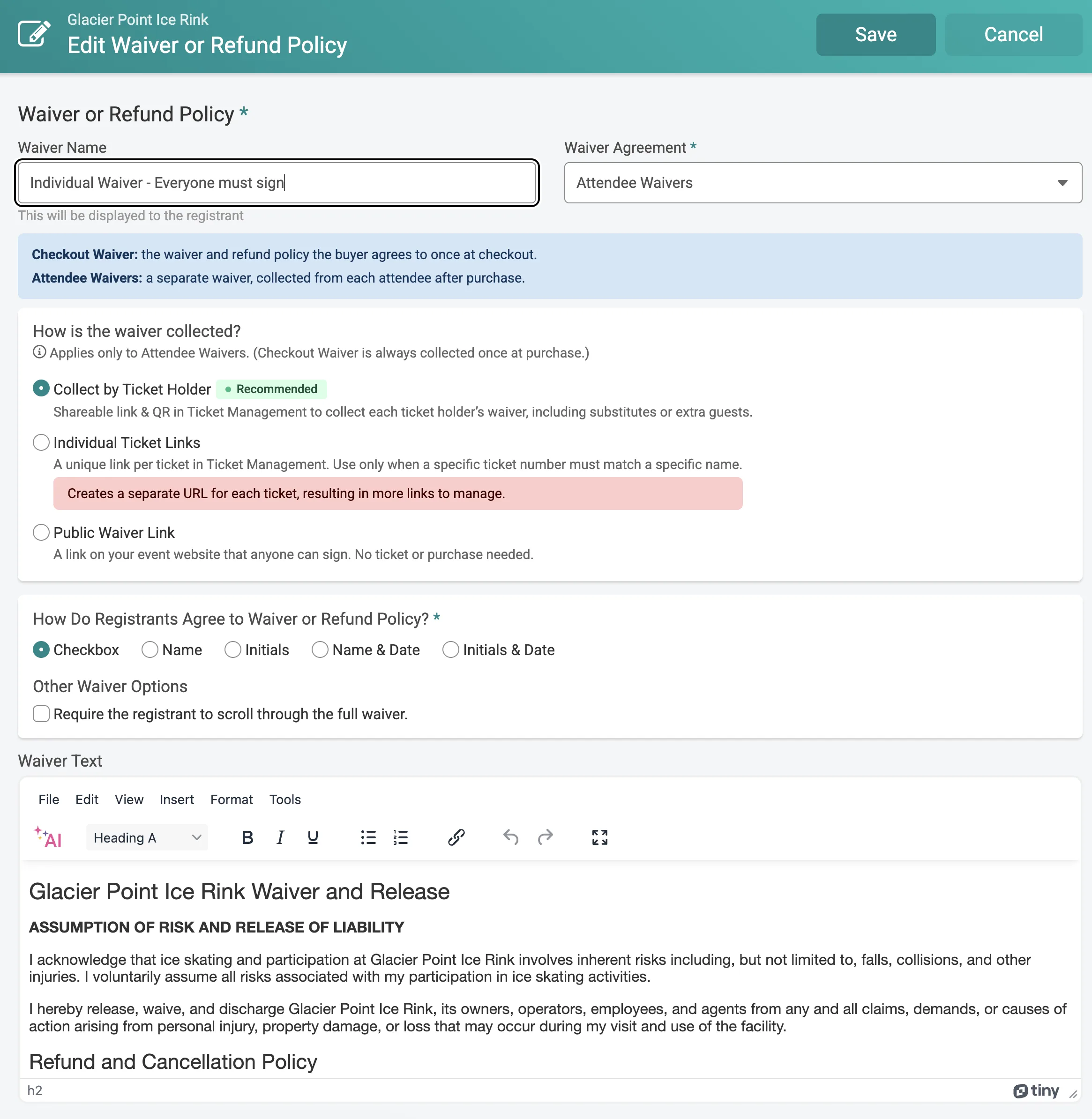
You can add a label to display for users when they sign. Under “How is the waiver collected?” choose Collect by Ticket Holder. Write your waiver text, choose how registrants agree (checkbox, name, initials, or name/initials with date), and decide whether to require a full scroll through the text before they can agree. Save, and the event is ready to collect attendee waiver signatures.
How Attendees Sign Waivers
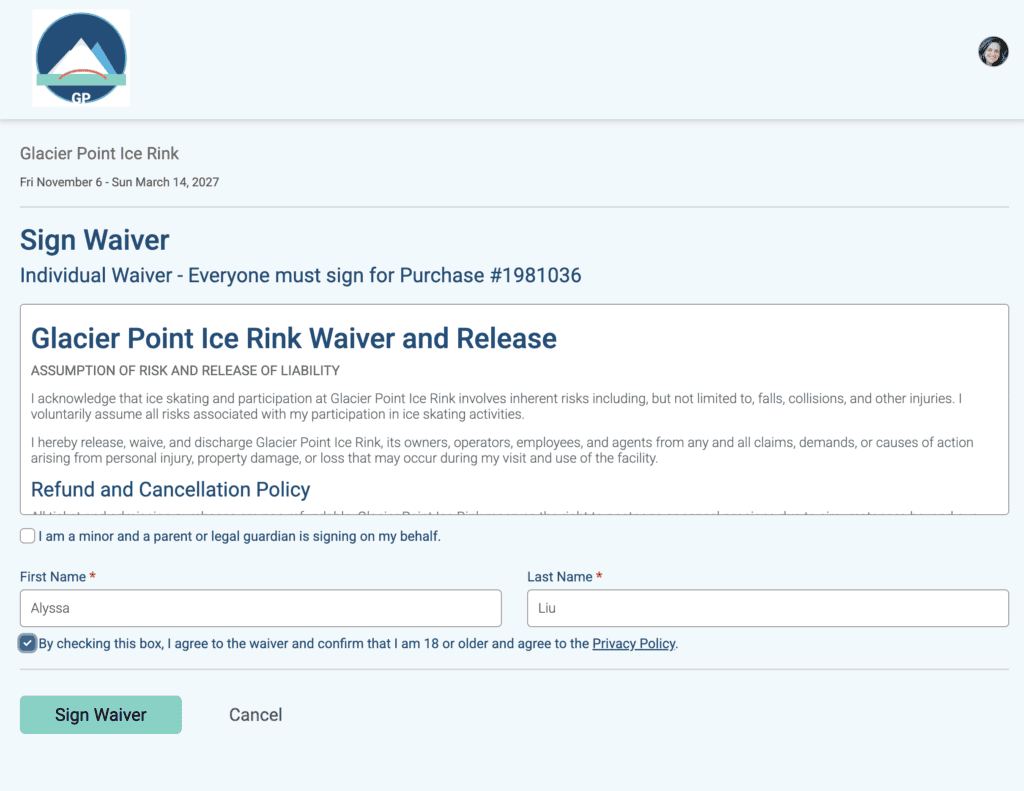
Each ticket purchase gets one shareable link and one QR code, both available on the purchaser’s Ticket Management page. Anyone in the party can use that link to sign, including a substitute or an extra guest who wasn’t part of the original purchase.
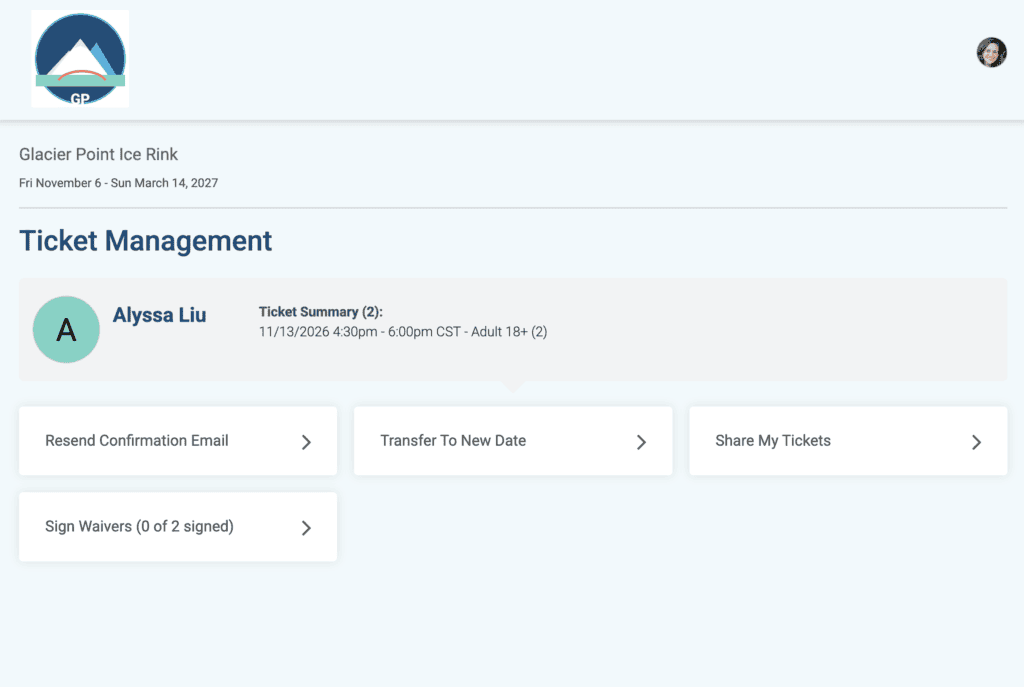
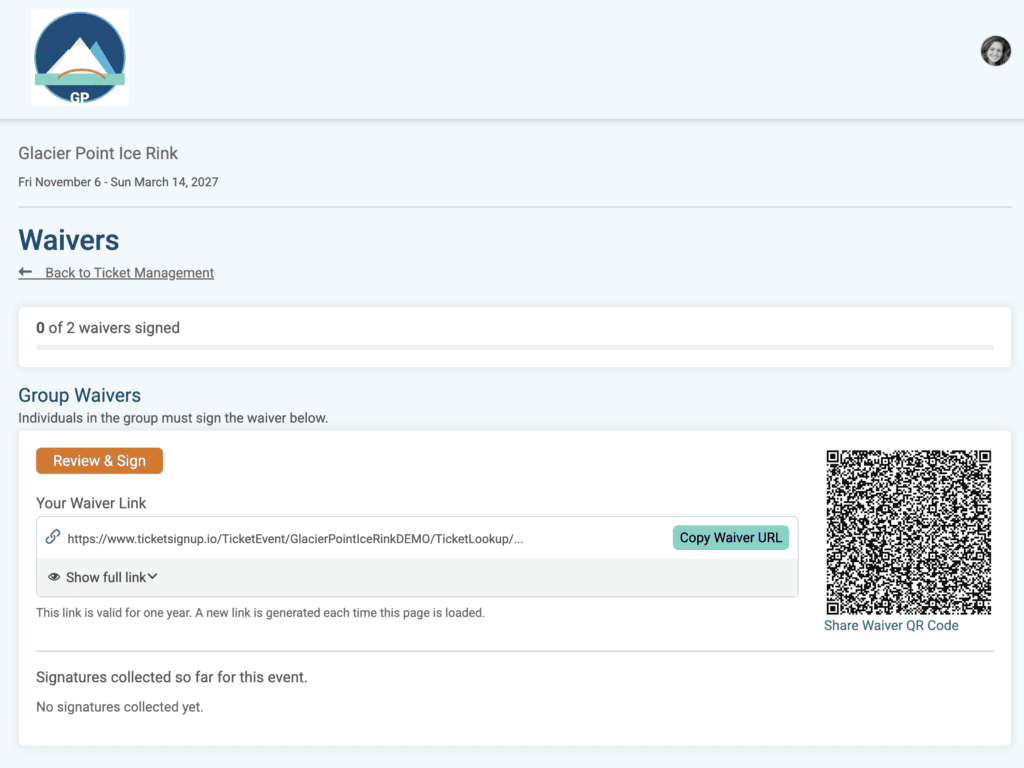
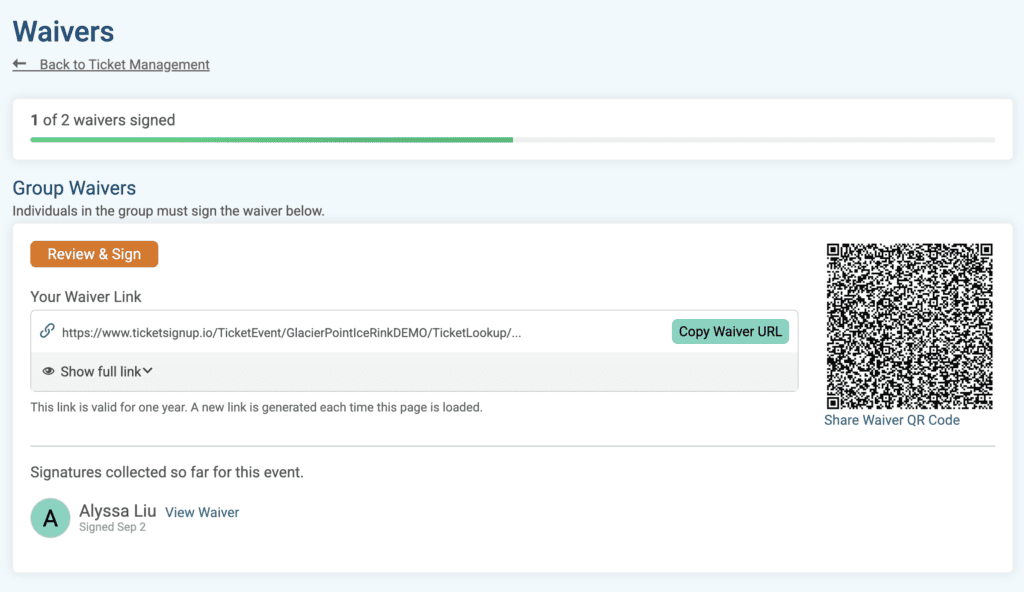
TicketSignup tracks a running Sign Waivers (X/Y) count so the purchaser and your team both know exactly how many signatures are still outstanding.
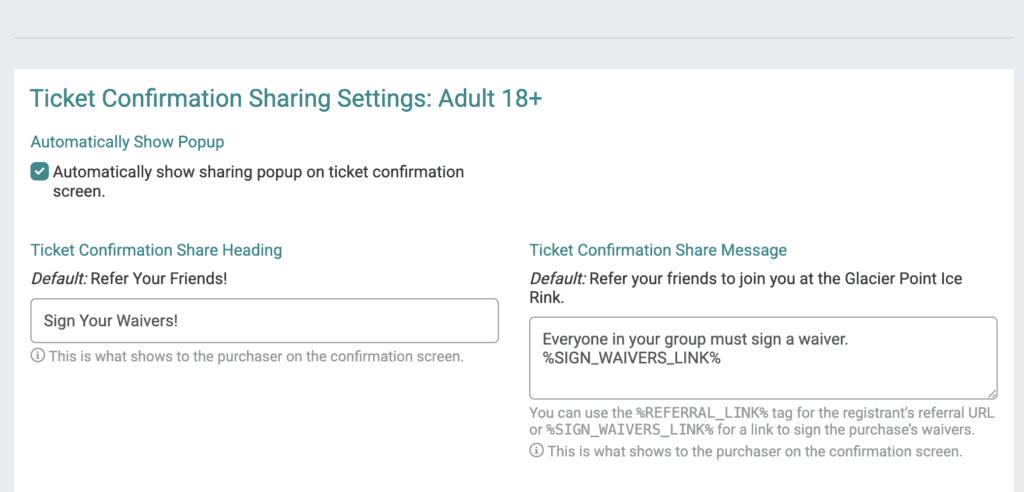
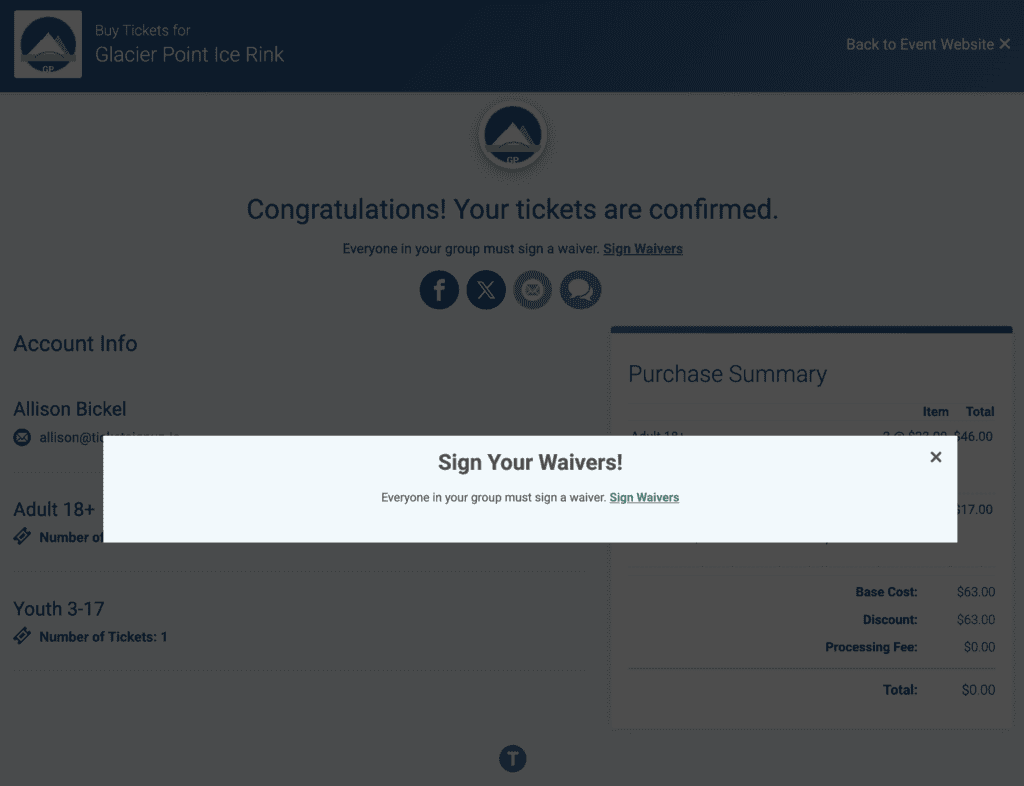
Feature a call to action when someone buys their tickets by editing the popup on the Ticket Confirmation page (Promotions >> Social Sharing)
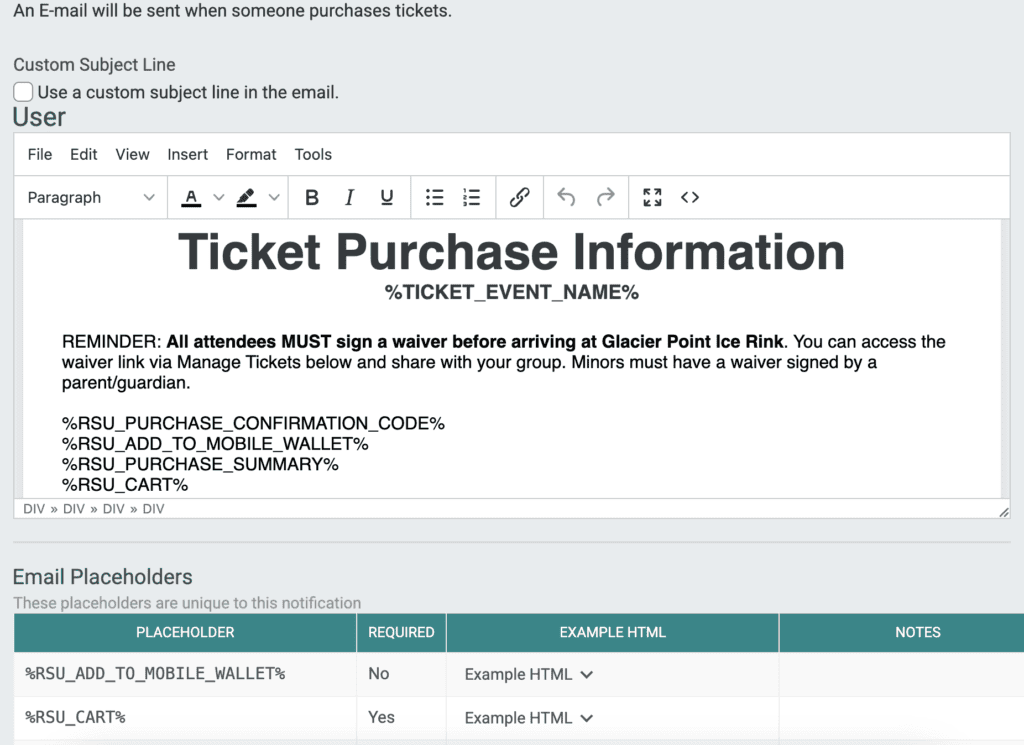
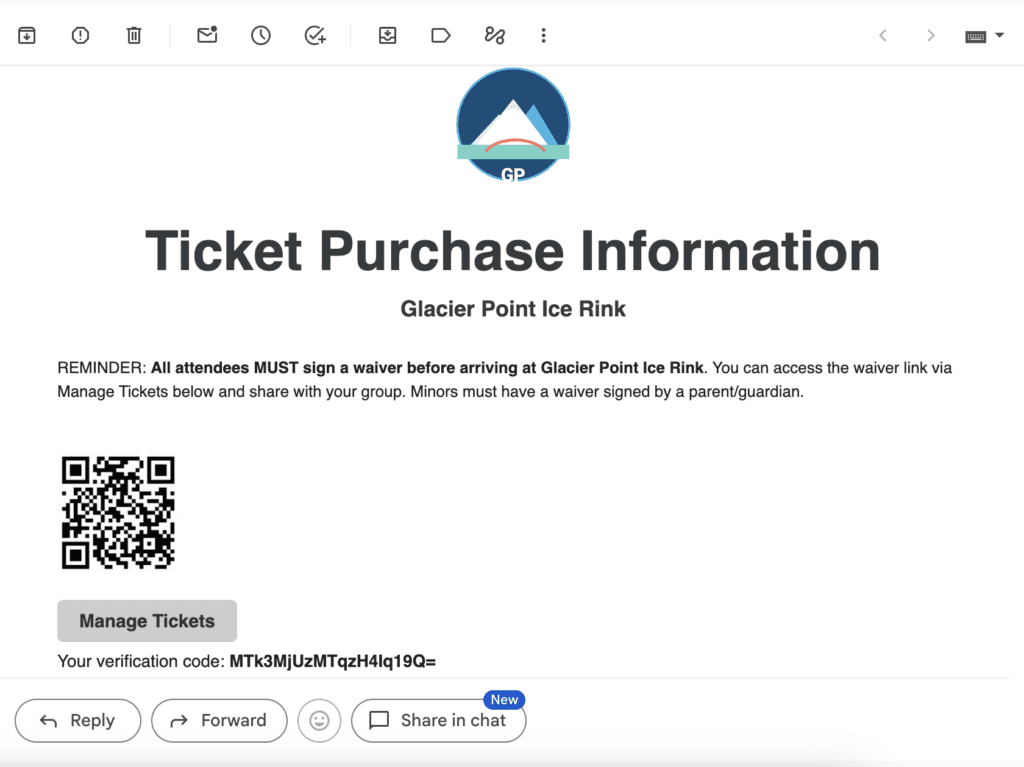
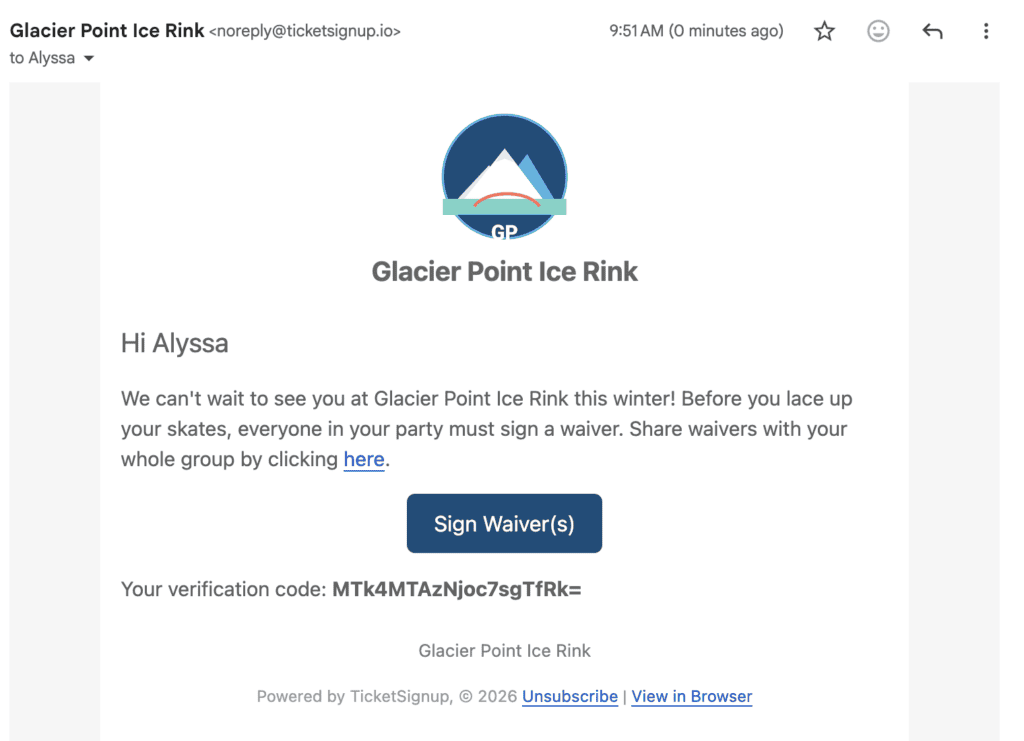
You can edit the confirmation email to include text and links to sign waivers (Event >> Notifications >> General Notifications).
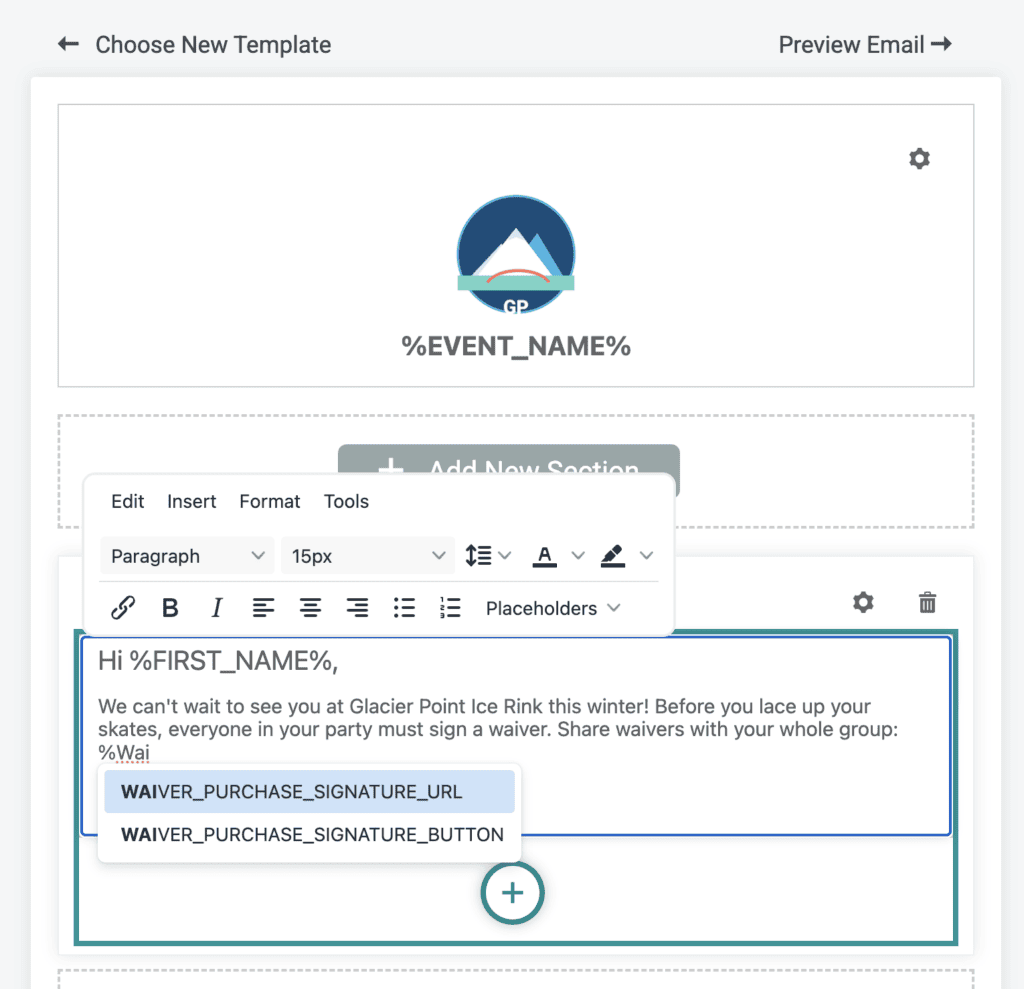
You can also schedule automated drip campaigns or send one-off emails to remind purchasers to get everyone in their group to sign a waiver (Email >> Automated Emails). Use the new %WAIVER_PURCHASE_SIGNATRUE_URL% or %WAIVER_PURCHASE_SIGNATURE_BUTTON% to send the reminder.
Ticket App: How to Collect Unsigned Waivers On Site
Unsigned waivers show right on the ticket details when staff pull up a purchase in theTicket App. Turn on waiver signing as a check-in flow step, and staff see how many waivers a purchase still needs the moment a ticket is scanned. From there, staff can hand over the app and let the attendee sign right on the device, or show a QR code so the attendee can scan it and sign on their own phone while the line keeps moving. Note: requiring attendees to sign on the device during check-in will take time, as each person needs to enter their name, sign, and agree to the waiver. We only recommend incorporating waiver signing into the checkin flow when you have a low volume of check-ins occurring.
Enable Waiver Settings, and those same two signing options work independently of check-in. A staff member can walk the line ahead of the gate, validating that every purchase has its waivers signed before anyone reaches check-in. Or set Waiver Mode up as a self-serve kiosk: attendees look up their own purchase, by scan or by name search, then either grab their QR code or sign right there on the kiosk, no line needed at all. Waiver mode options give you all the flexibility to validate and collect unsigned waivers before checkin so that no one holds up the line.
Attendee Waivers Reporting
Every signature collected through this link shows up in your Waiver Agreements report (Reports >> Waiver Agreements). Search by name to pull up a specific signer fast, or filter by Ticket Purchase ID or Waiver ID, and use the Waiver Type filter to isolate Collect by Ticket Holder signatures from your other waivers. Columns populate based on the data fields you collect, including optional email address.
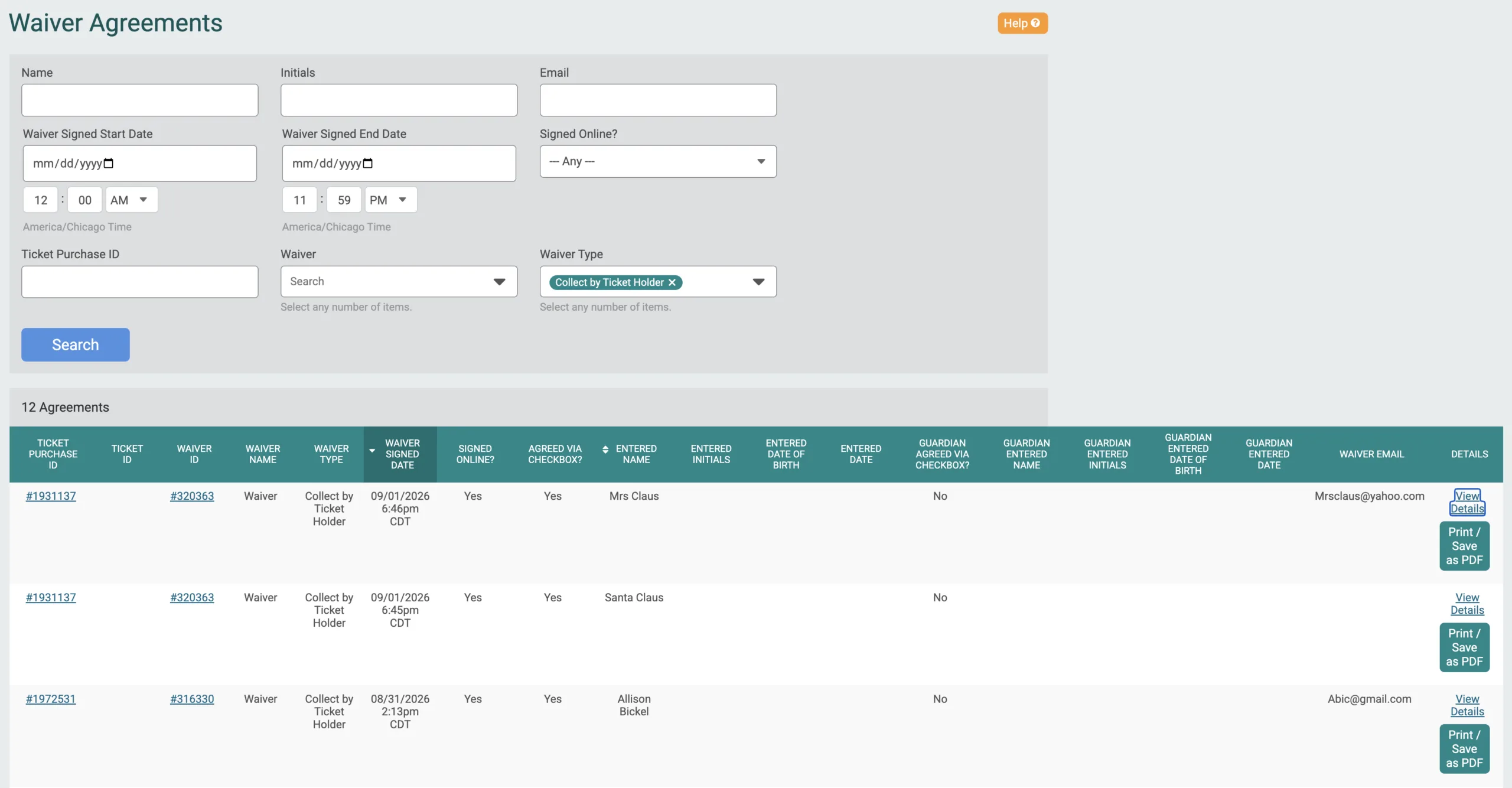
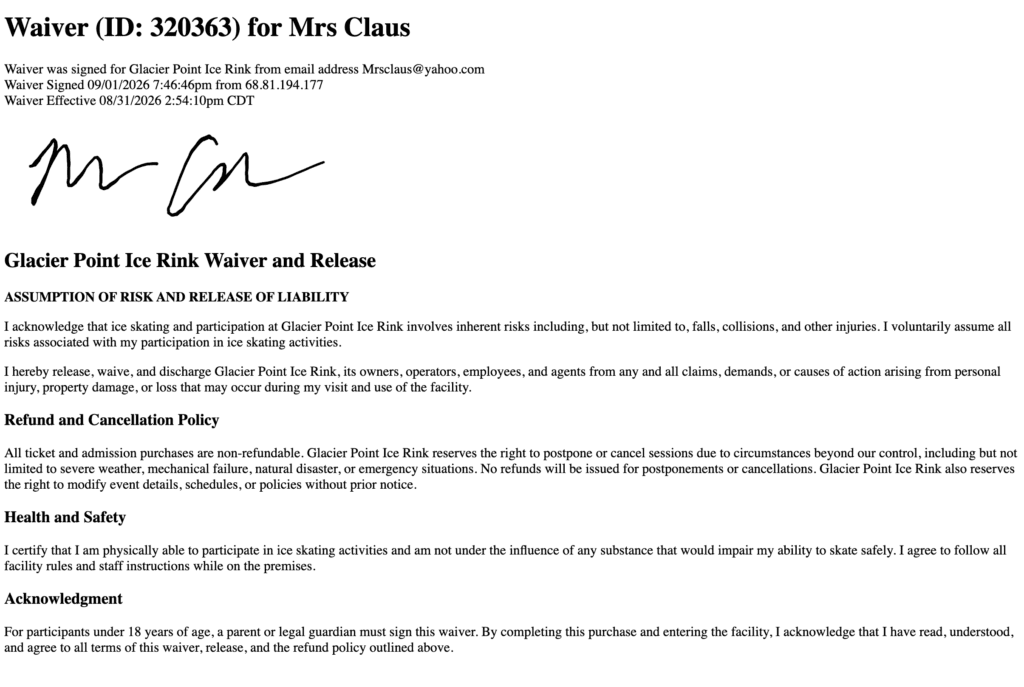
Each record includes the signer’s name, the date signed, their email if you collected one, and their IP address, plus a wet signature image if it was signed via the Ticket App. A print-friendly view is now available directly from the report.
More detailed attendee waiver reporting elsewhere on the platform, like a dedicated attendee column on the Ticket Purchases report, is currently in development and will be available soon.
TicketSignup offers a variety of free and flexible ticket waiver options. Learn more here.