
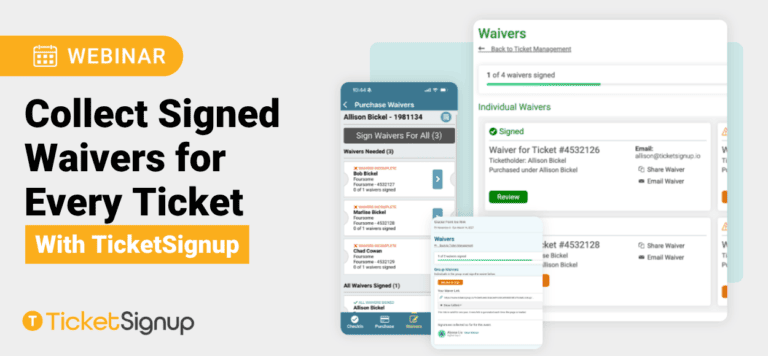
Liability waivers are critical for protecting your event, but chasing down signatures from every attendee can be a headache. Join us to learn how TicketSignup’s Attendee Waivers feature lets you collect signed releases from each participant online or at check-in, with no extra fees or third-party tools required.
This Webinar Covers:
- Checkout Waivers vs. Attendee Waivers, and when to use each
- Collect by Ticket Holder: the most commonly recommended method
- Individual Ticket Links: unique signing links for each ticket
- Public Waiver Link: an open, no-purchase-required signing link you can share anywhere
- On-site signing with the Ticket App, including standalone Waiver Mode and check-in verification
- Tracking signatures with the Waiver Agreements report, confirmation popups, and automated email reminders
Webinar Summary: Attendee Waivers in TicketSignup
This webinar covers how TicketSignup helps events create, collect, validate, and manage digital waivers both before an event and on site. The focus is on the expanded Attendee Waiver functionality and how event organizers can choose a workflow that fits their event operations.
Two types of waivers are available:
- Checkout Waivers are completed by the ticket purchaser during checkout. TicketSignup recommends having one for every event. These can include event terms, refund policies, and other language, and the recorded agreement can also help TicketSignup provide evidence when disputing chargebacks.
- Attendee Waivers are optional and allow an event to collect an agreement from each individual attending, even when one purchaser buys multiple tickets. Event organizers should work with their insurance provider or legal counsel to determine whether individual attendee waivers are necessary.
Attendee Waiver Collection Options
TicketSignup offers three primary ways to collect attendee waivers:
- Collect by Ticket Holder: One waiver link is generated for the entire ticket purchase. The purchaser can share the same link with everyone in their group and see who has signed. This is TicketSignup’s recommended option for most events that need individual attendee signatures.
- Individual Ticket Links: Each ticket holder receives a unique waiver link. This works well when the event already collects the name of every individual ticket holder and needs the waiver tied specifically to that person.
- Public Waiver Link: A universal link can be shared on an event website, in emails, or through a QR code. These waivers are not connected directly to a ticket purchase.
Organizers can customize the waiver agreement requirements, require attendees to scroll through the complete waiver before signing, and optionally collect an email address during the waiver process. For minors, the platform supports collecting a parent or guardian’s agreement.
Getting Waivers Signed Before the Event
TicketSignup provides several ways to encourage attendees to complete waivers in advance, including:
- The attendee’s Ticket Management page
- A customizable post-purchase popup
- Confirmation emails
- Automated drip campaigns with personalized waiver links
- Event website messaging and printed signage
The webinar recommends getting as many waivers signed online as possible before the event to reduce lines and friction on site.
On-Site Waiver Collection
For attendees who arrive without completed waivers, the free Ticket App can be configured specifically for waiver validation and collection.
Staff can scan or search for a ticket purchase, see how many waivers have been completed, and either:
- Let the attendee sign directly on the event’s phone or tablet, including a wet signature, or
- Display a QR code that the attendee scans to complete the waiver on their own phone.
The webinar outlines several possible event-day setups, including self-service waiver kiosks, dedicated staff performing a waiver check before the main check-in line, or integrating waiver validation directly into check-in. Using QR codes and having attendees sign on their own devices can help move higher-volume lines more efficiently.
Waiver Reporting
All waiver agreements are available from the event dashboard. Organizers can search and filter agreements by criteria such as waiver type, date, or attendee name.
The waiver record can include the attendee’s information, exact signing timestamp, IP address, wet signature when applicable, and the exact version of the waiver text they agreed to. Individual waivers can be viewed and printed, and organizers can also bulk download waivers from the reporting system.
Key Takeaway
The biggest theme of the webinar is that waiver management needs to connect the online experience with the event-day workflow. Organizers should determine how they want attendees to sign before the event, how unsigned waivers will be handled when attendees arrive, and what staffing and devices will be available. TicketSignup’s different waiver collection methods can then be configured around that process.
The webinar also notes that TicketSignup’s waiver tools, event websites, Ticket App, and email marketing tools are included without additional feature fees.