
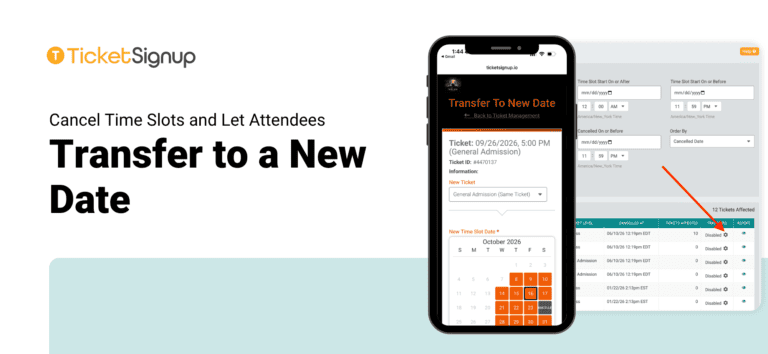
Rain, extreme weather, and staffing gaps happen. When a night or a block of time slots has to close, TicketSignup timed entry events can cancel those time slots and let attendees move their tickets to a new date on their own all in the same easy flow. Your team avoids a flood of support emails, and your attendees keep their plans with your event instead of asking for refunds.
How It Works
1. Cancel the time slots
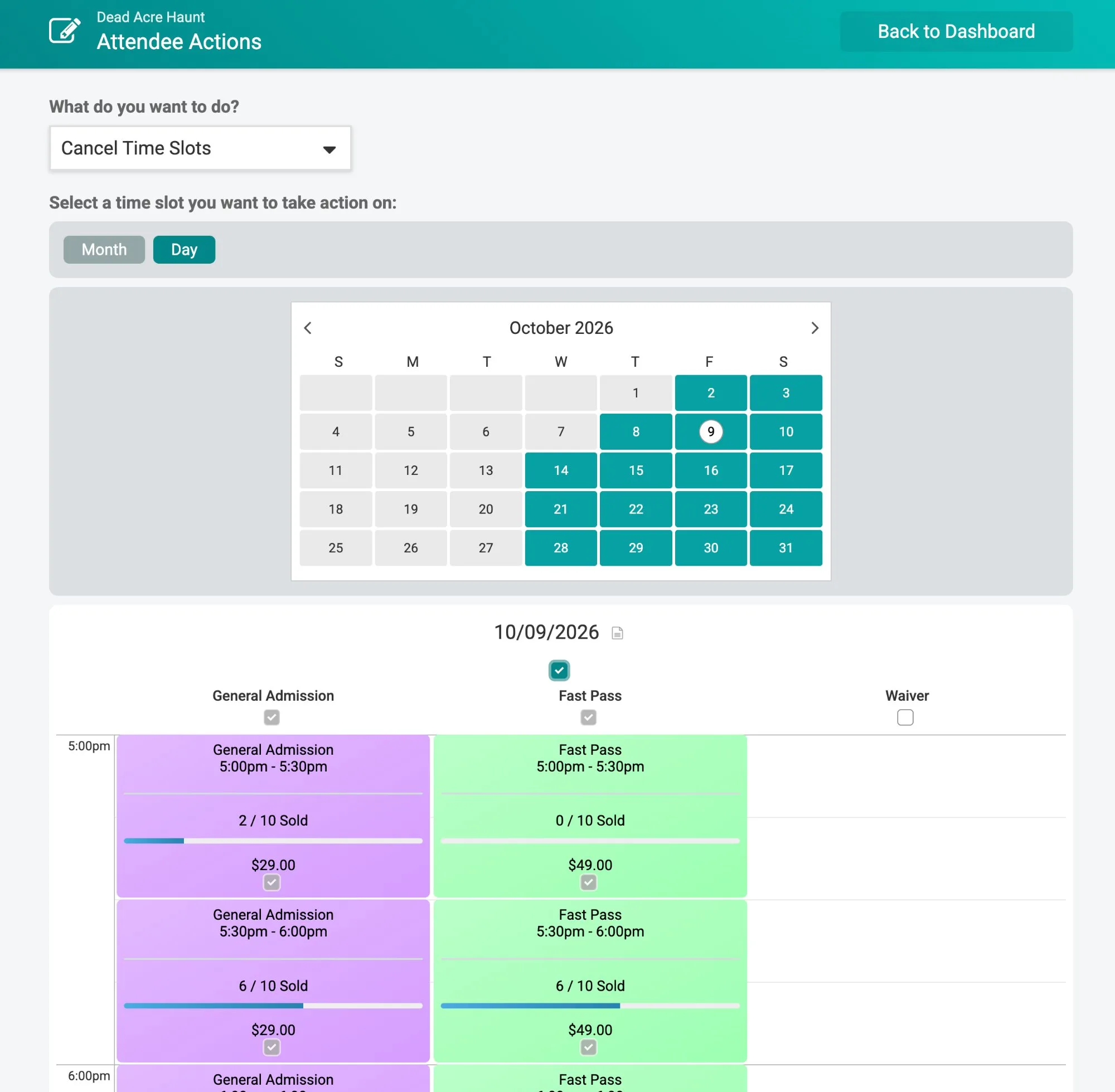
From Attendee Actions, choose Cancel Time Slots. Pick a full day or select individual time slots by ticket level on the calendar.
2. Turn on transfers in the same step
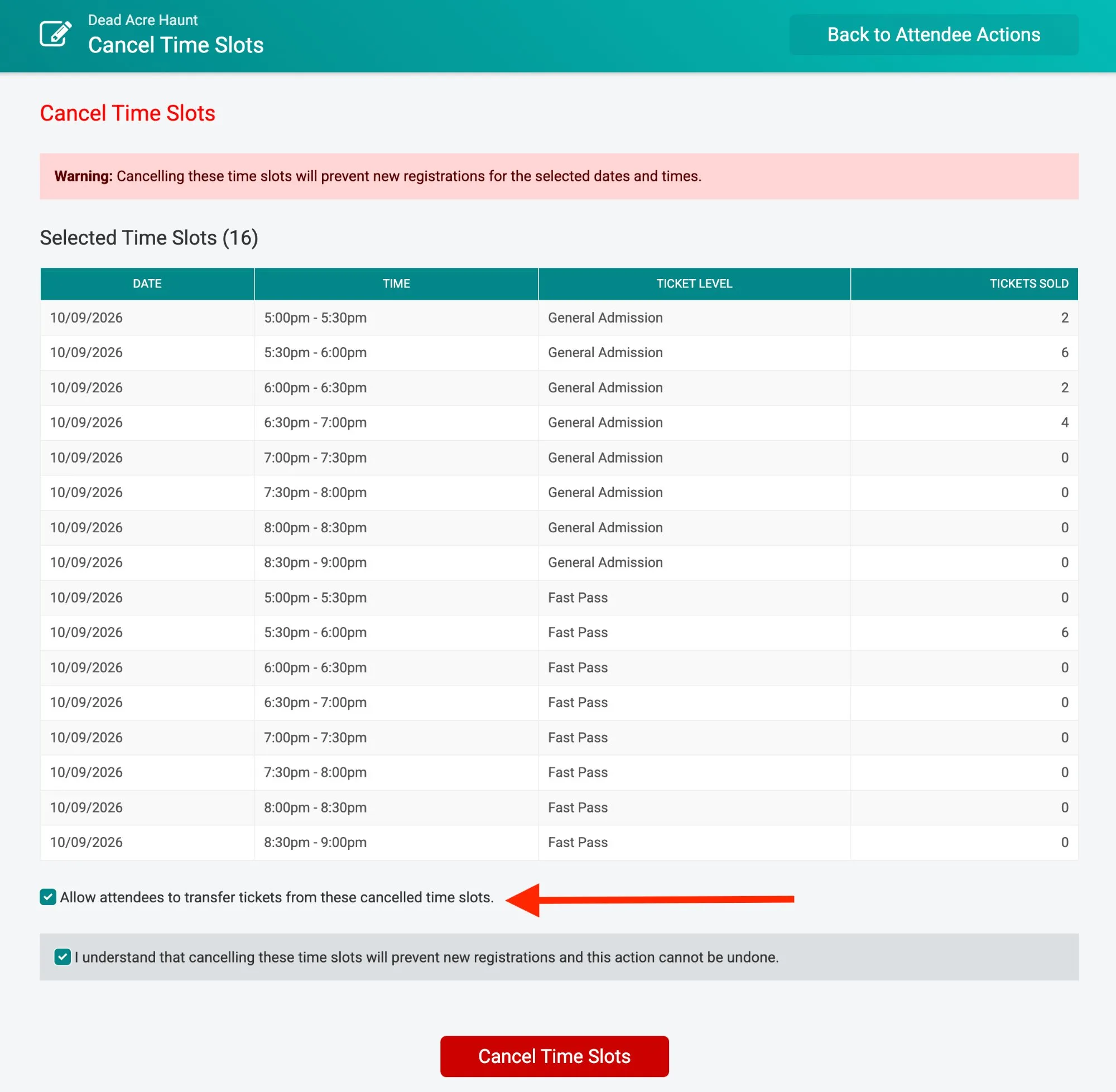
The confirmation screen lists every selected time slot and how many tickets were sold in each. Check Allow attendees to transfer tickets from these cancelled time slots and confirm.
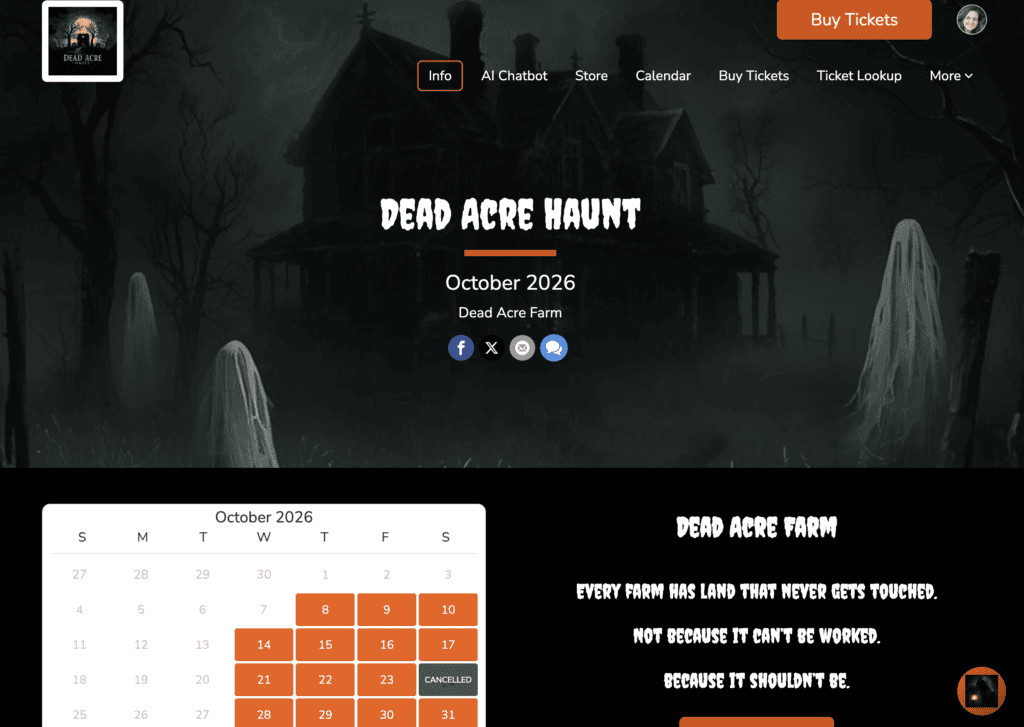
New purchases stop for those times right away, and your website calendars and purchase path reflect the cancelled status immediately – no manual updates needed.
3. Adjust transfer settings anytime
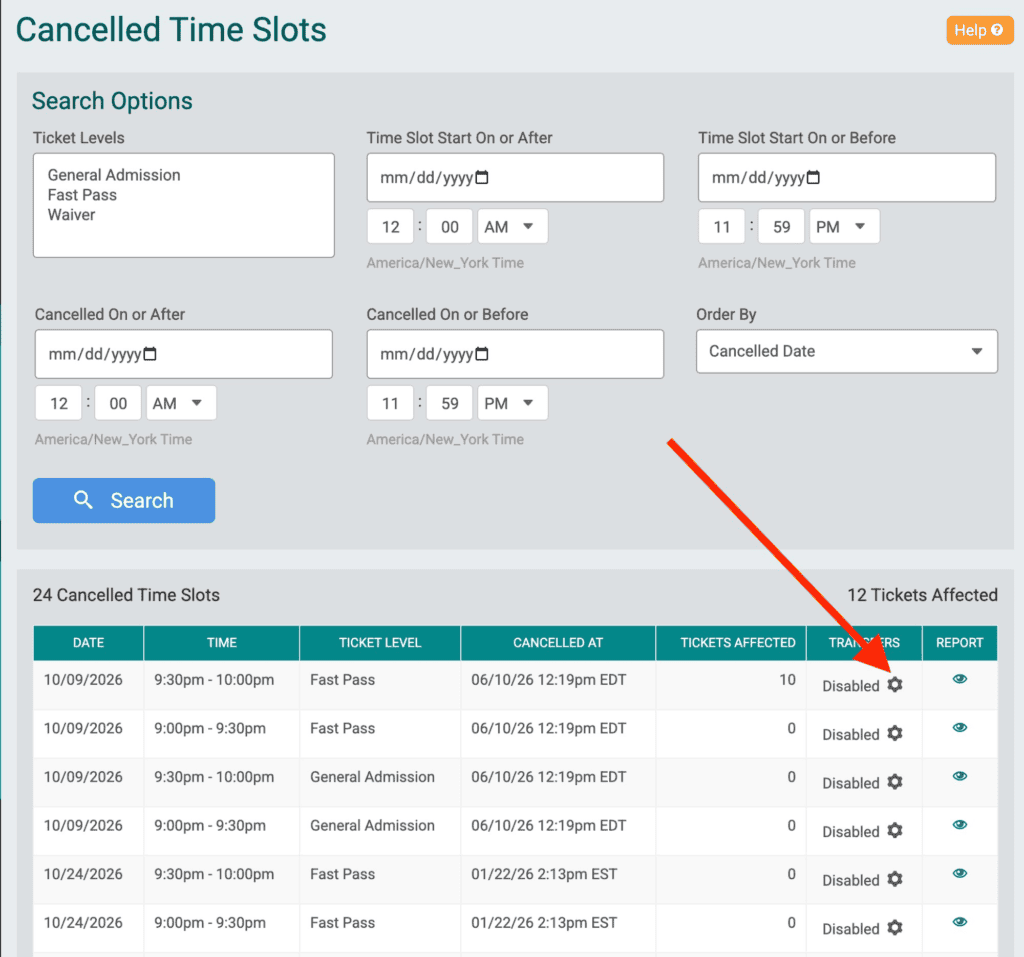
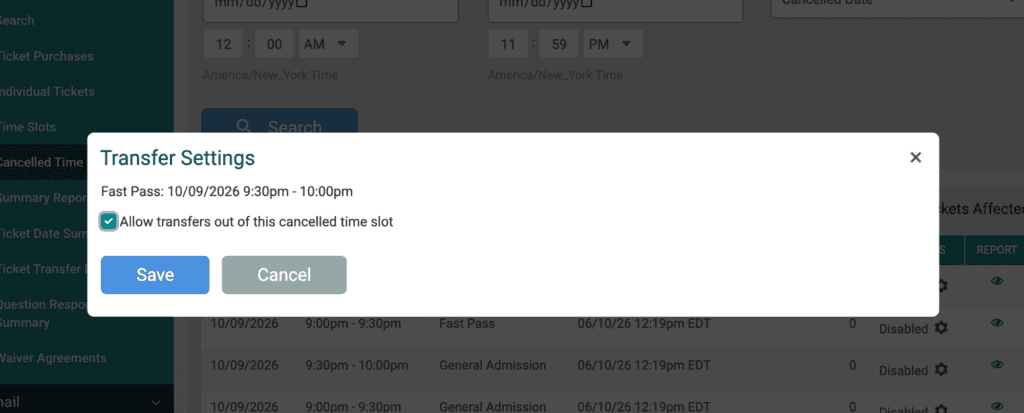
Go to Reports » Cancelled Time Slots to see every cancelled time slot, when it was cancelled, and how many tickets it affected. Click the gear icon in the Transfers column to turn self-serve transfers on or off for any cancelled time slot. Directors can always transfer these tickets from the dashboard, whether or not self-serve transfers are on.
4. Attendees pick a new time
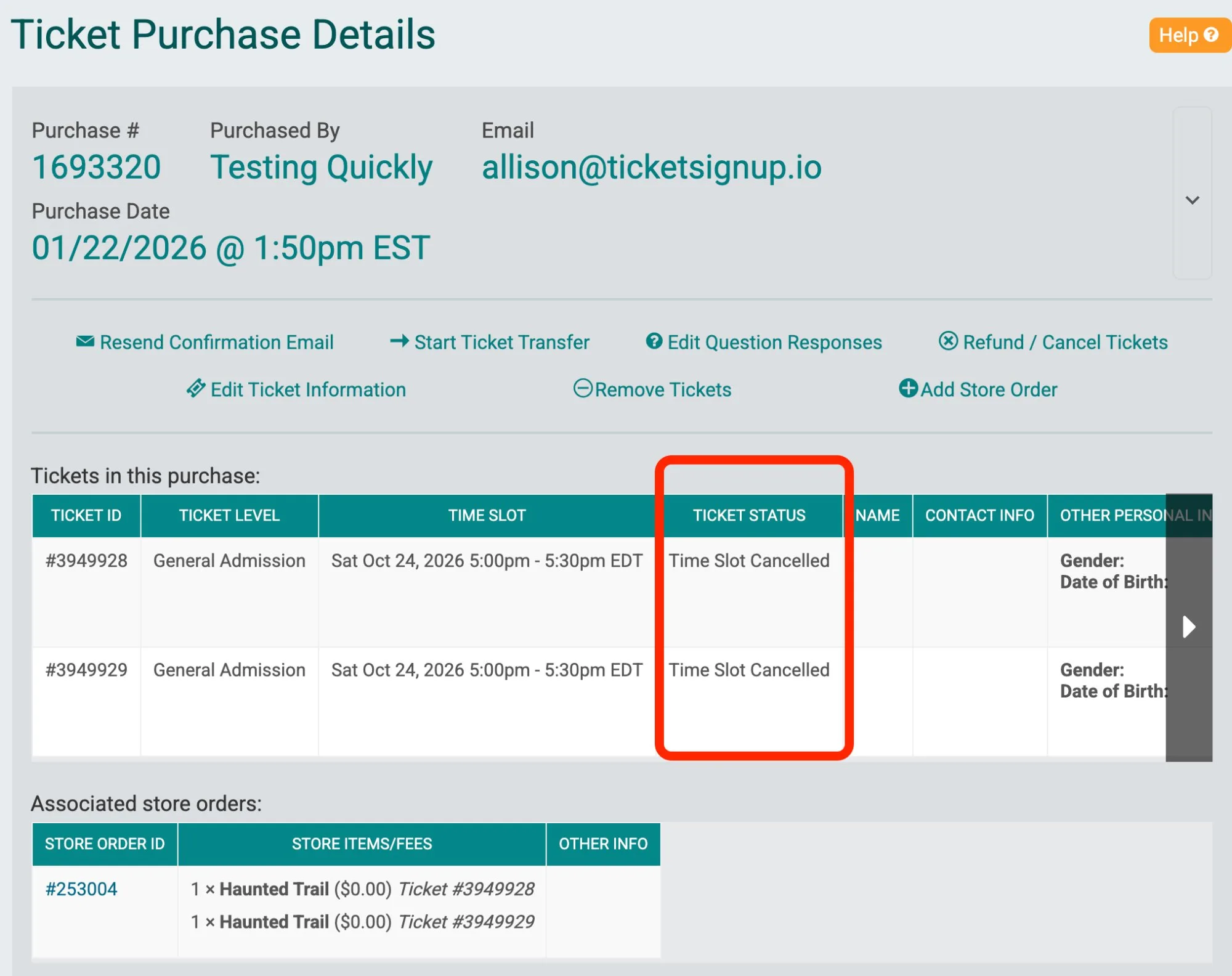
Affected tickets show a Time Slot Cancelled status on the purchase details page, so your team can see at a glance who still needs to rebook.
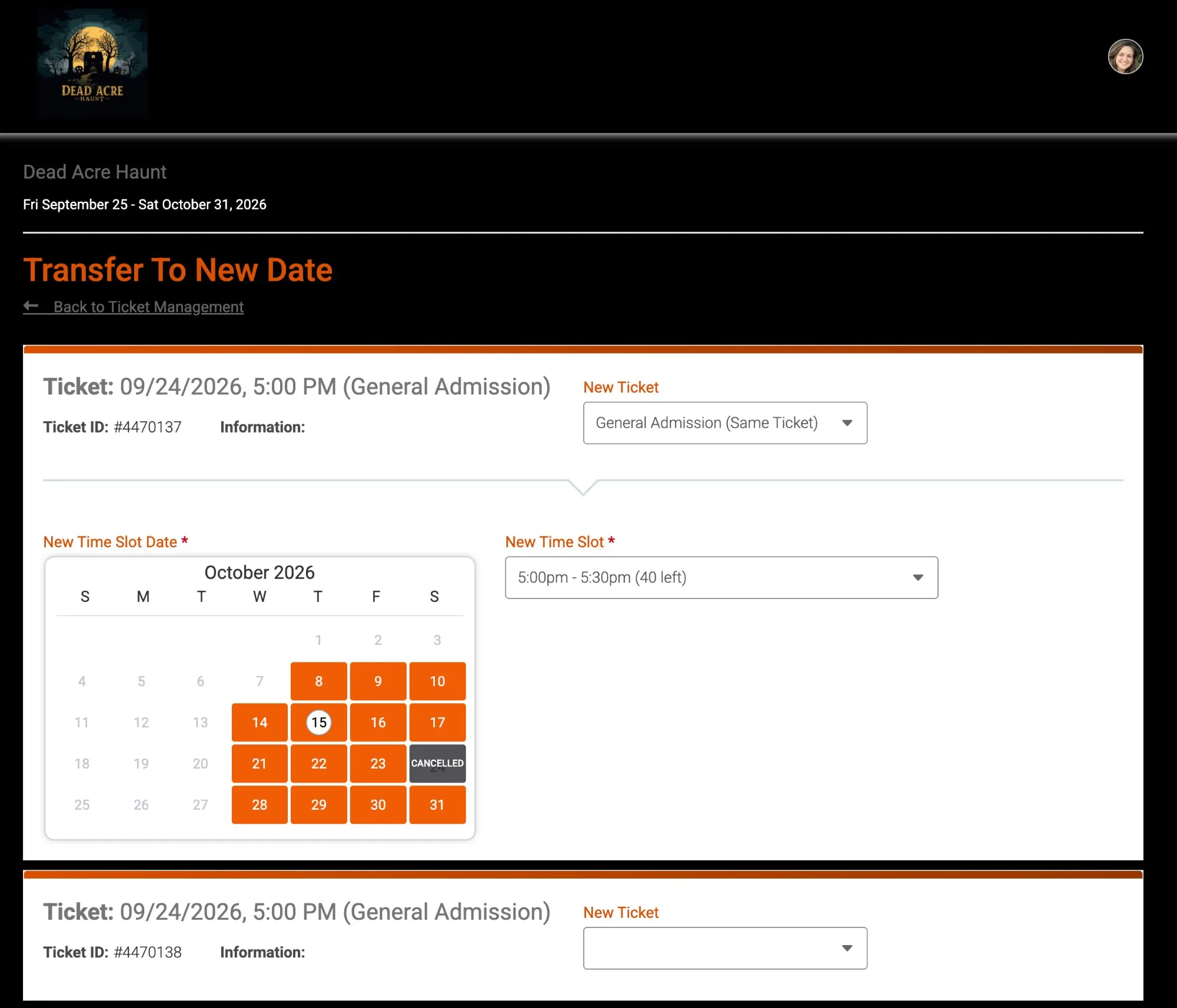
Attendees open Ticket Management from their confirmation email or your cancellation email with a link to manage tickets, and choose Transfer To New Date. No account login is needed. The calendar marks cancelled dates so attendees choose an open date and time slot with available capacity.
Set Special Ticket Transfer Rules for a Rained-Out Night
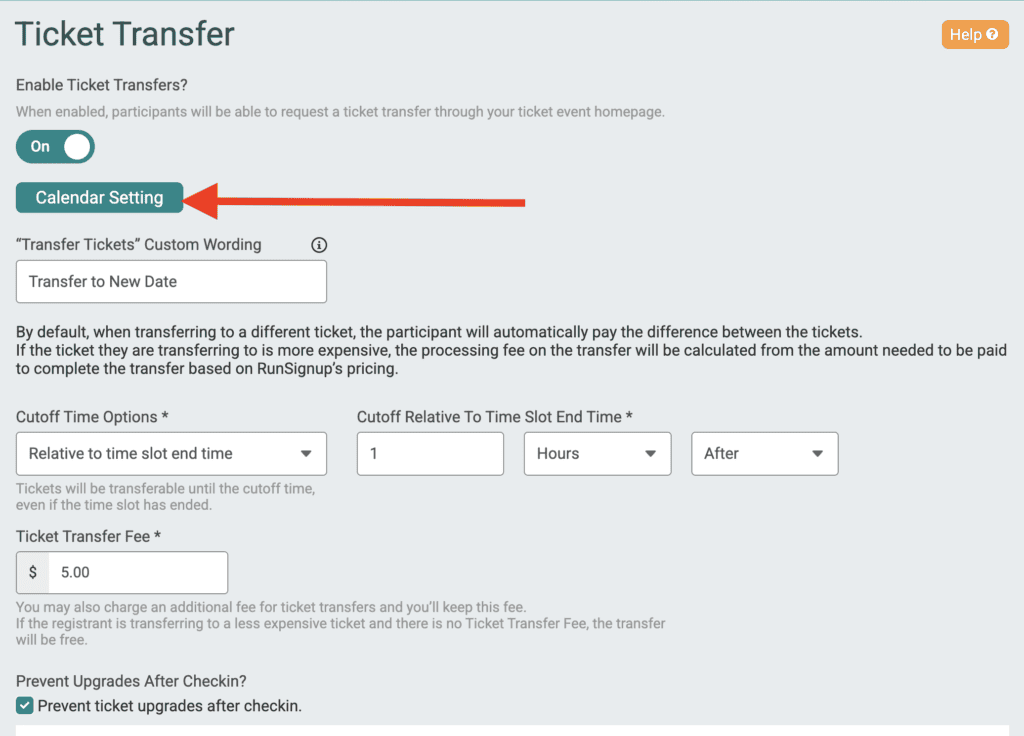
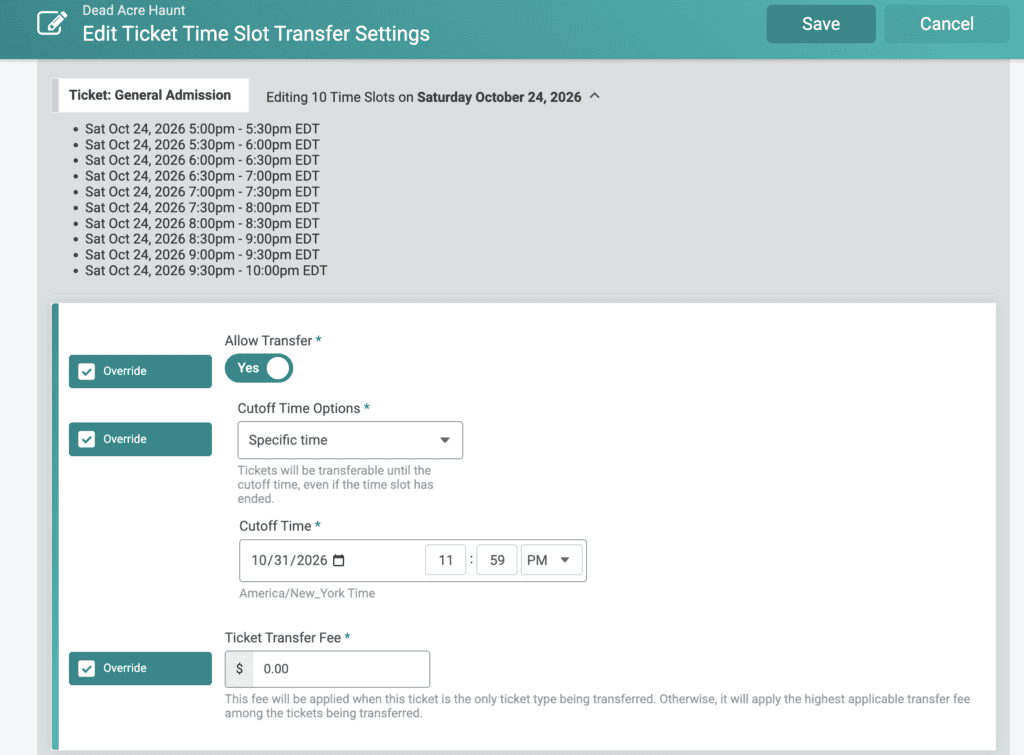
Pair cancelled time slot transfers with calendar-based ticket transfer settings to set different rules for the dates you cancel.
Say you normally charge a $5 transfer fee and stop transfers after the date on the ticket. For a rained-out night, override the transfer settings for that date or time slot to:
- Make transfers free for affected attendees
- Extend the transfer cutoff to the end of your season so guests have plenty of time to pick a new night
Your standard policy stays in place for every other date. Guests from the cancelled night get a generous, hassle-free option to come back.
With easy to manage cancellations and subsequent attendee transfers, TicketSignup helps operators get through the most difficult cancellation decisions:
- Keep revenue. Attendees rebook instead of requesting refunds.
- Cut support time. Attendees move their own tickets in a few clicks.
- Protect capacity. Transfers only go to time slots with open spots, so your caps stay intact, and cancellation updates automatically shut down ticket sales and update your website – no need to make manual updates.
- Stay flexible. Turn self-serve transfers on or off per cancelled time slot, and set custom fees and cutoffs for the dates you cancel.