TicketSignup gives you a wide range of settings to control how tickets appear on your event homepage, including options for sold out, tickets remaining, and past ticket groups. Simple and advanced ticket events now have one more: display settings for ticket groups that aren’t currently on sale.
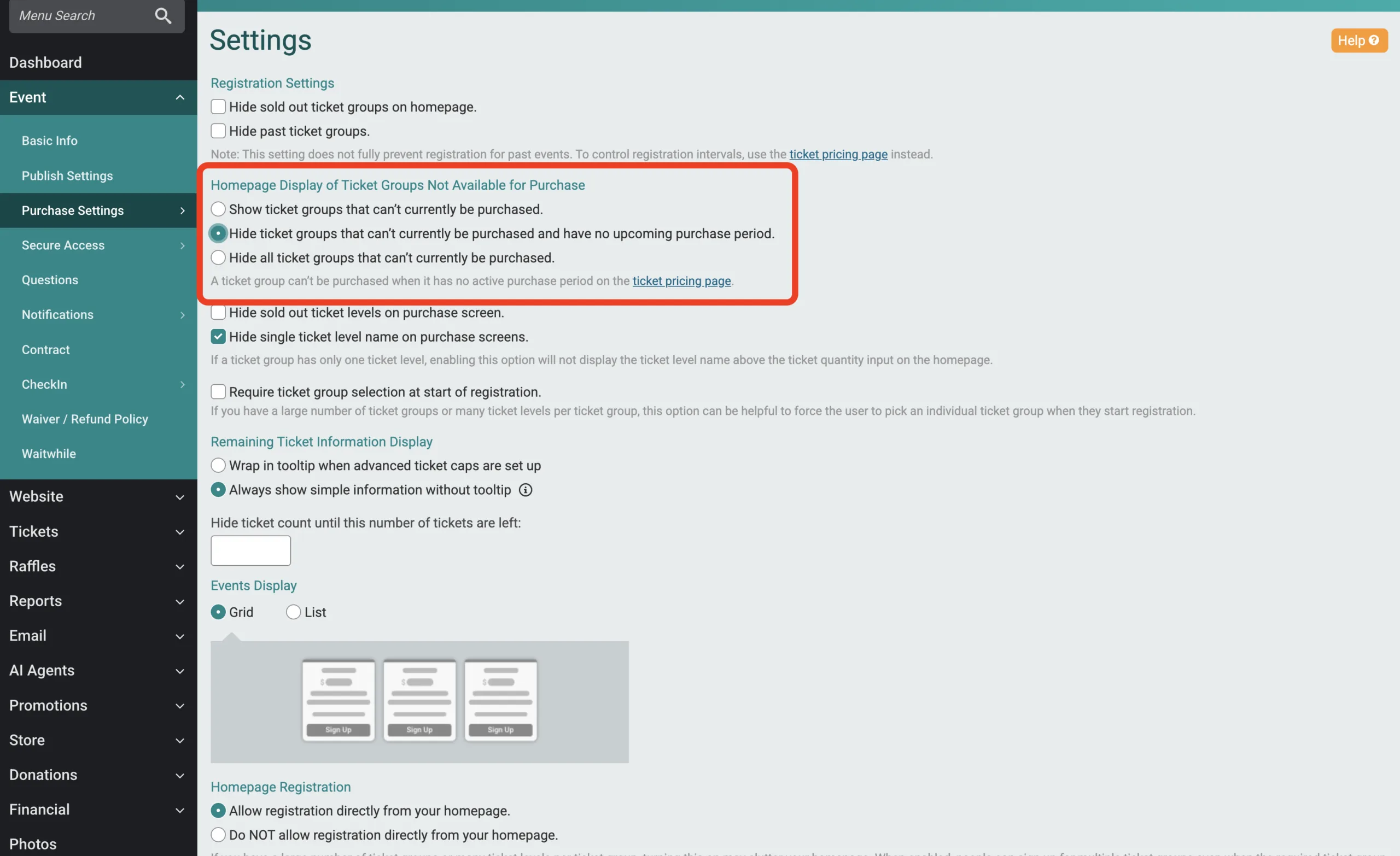
The three new ways to display tickets that aren’t on sale include:
- Show all ticket groups. This is the default.
- Hide ticket groups that can’t currently be purchased and have no upcoming purchase periods. A group hides once its final purchase period ends. Groups that haven’t gone on sale yet stay visible. This works for early sales windows that close before reopening for a later sales window.
- Hide all ticket groups not currently on sale. Groups that haven’t opened yet also stay hidden until their sales start.
You can edit these settings by going to Event >> Purchase Settings >> Settings.