TicketSignup Attendee Waivers let you collect signatures online and on site. Two new attendee waiver reporting tools make it easier to see who has signed and to help guests finish up before they arrive.
1. Attendee Waivers Signed Column in Ticket Reports
You can now add an Attendee Waivers Signed column to the Individual Tickets and Ticket Purchases reports. Turn it on from the report’s column options to see waiver status alongside the rest of your ticket data.
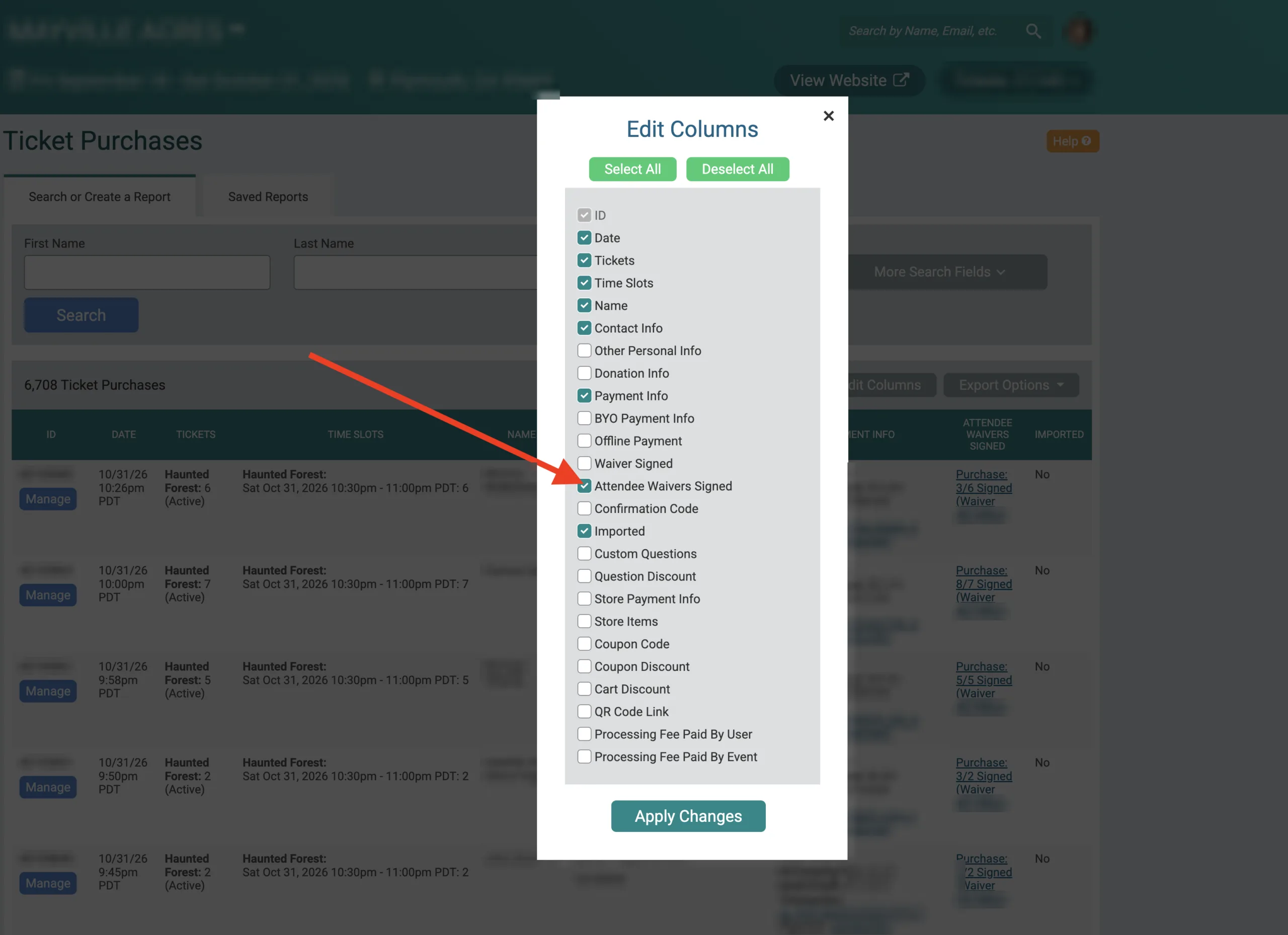
The column fits the report you’re viewing:
- Individual Tickets: Waivers collected per ticket holder appear for each ticket.
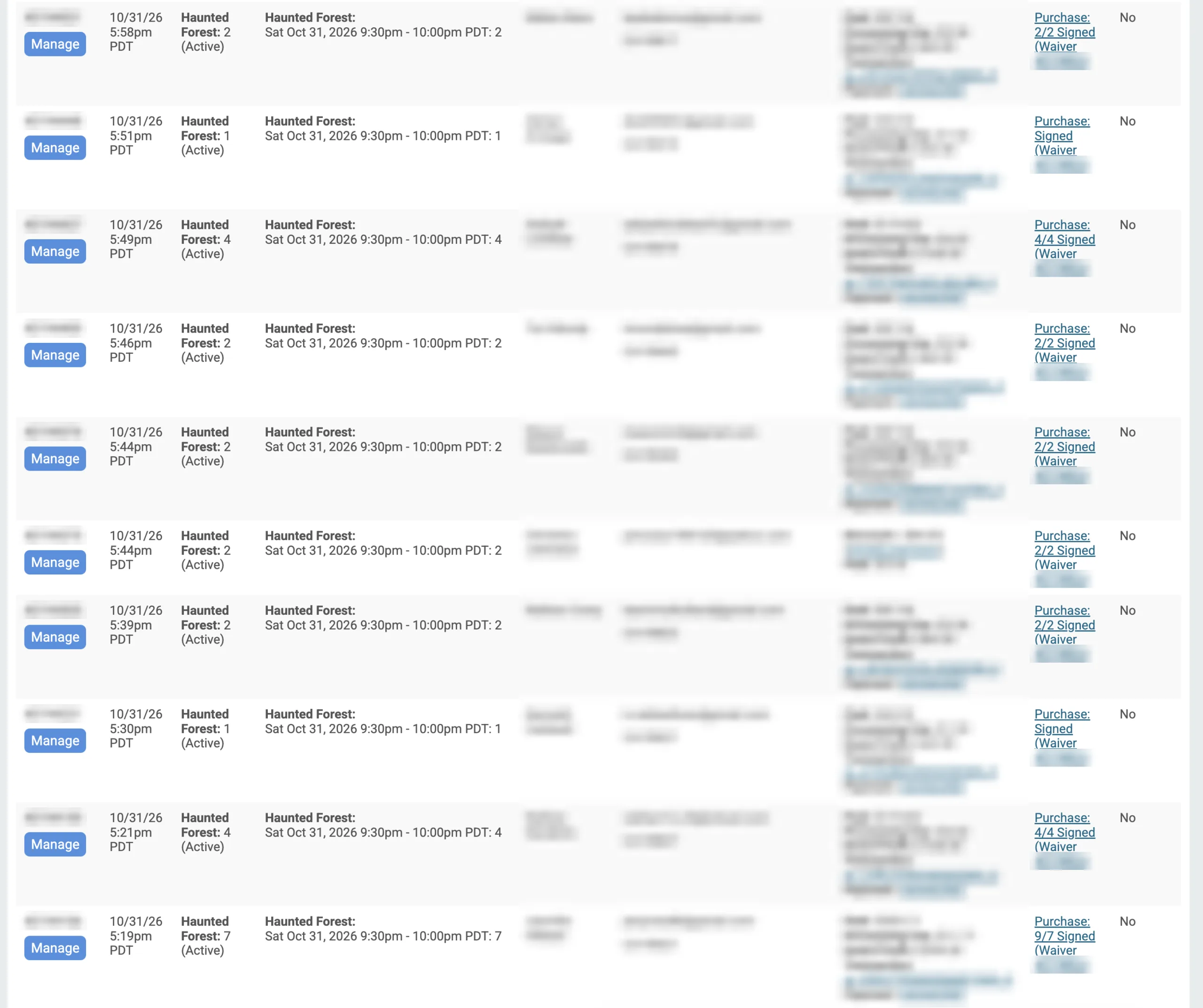
- Ticket Purchases: Waiver signings are grouped by purchase, giving you one view per order.
Each entry links to the Waiver Agreements report, filtered to the matching signed waivers. Click through to review a guest’s signed waivers without searching.
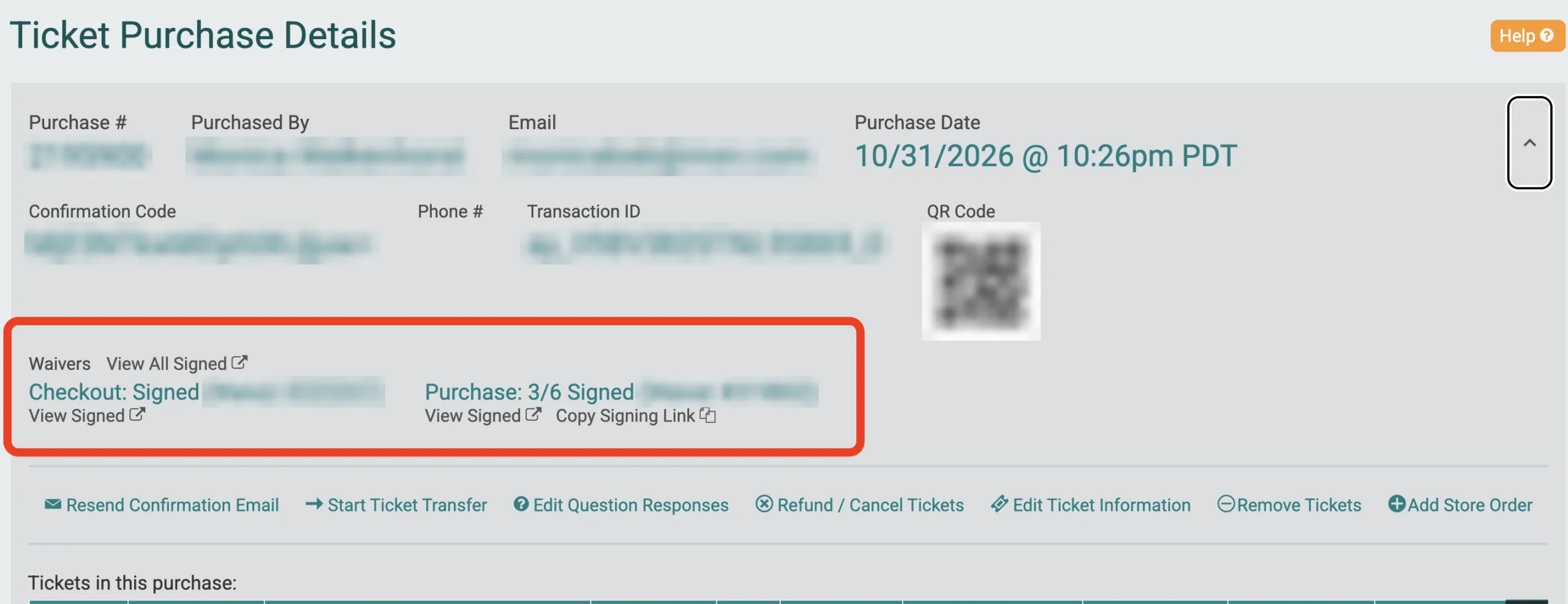
2. Waiver Links on the Ticket Purchase Details Page
The ticket purchase details page now includes a Waivers section. To find it, go to Reports > Ticket Purchases and click Manage on a purchase.
The Waivers section shows the signing status for each waiver on the purchase. From there, you can:
- Click View All Signed to see every signed waiver for the purchase
- Click View Signed to see signatures for a specific waiver
- Click Copy Signing Link to grab the purchaser’s waiver link when signatures are still missing
The signing link appears only when a waiver has unsigned spots, so it’s easy to spot purchases that need attention. Paste it into an email or text to help a guest complete their waivers before event day.