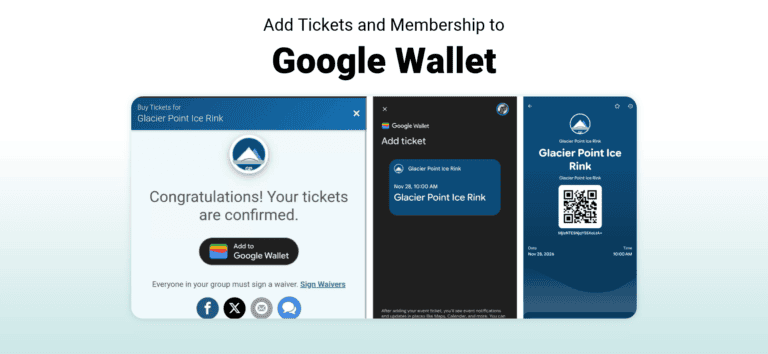
Most attendees walk up to your gate with their phone already in hand. Now their tickets can be waiting for them in Google Wallet.
TicketSignup now offers Add to Google Wallet alongside Apple Wallet for ticket purchases and memberships. The Google Wallet button shows on every device, so attendees on Android, iPhone, or desktop can save their tickets in one tap. Google Wallet is live for all ticket events and memberships with no setup required.
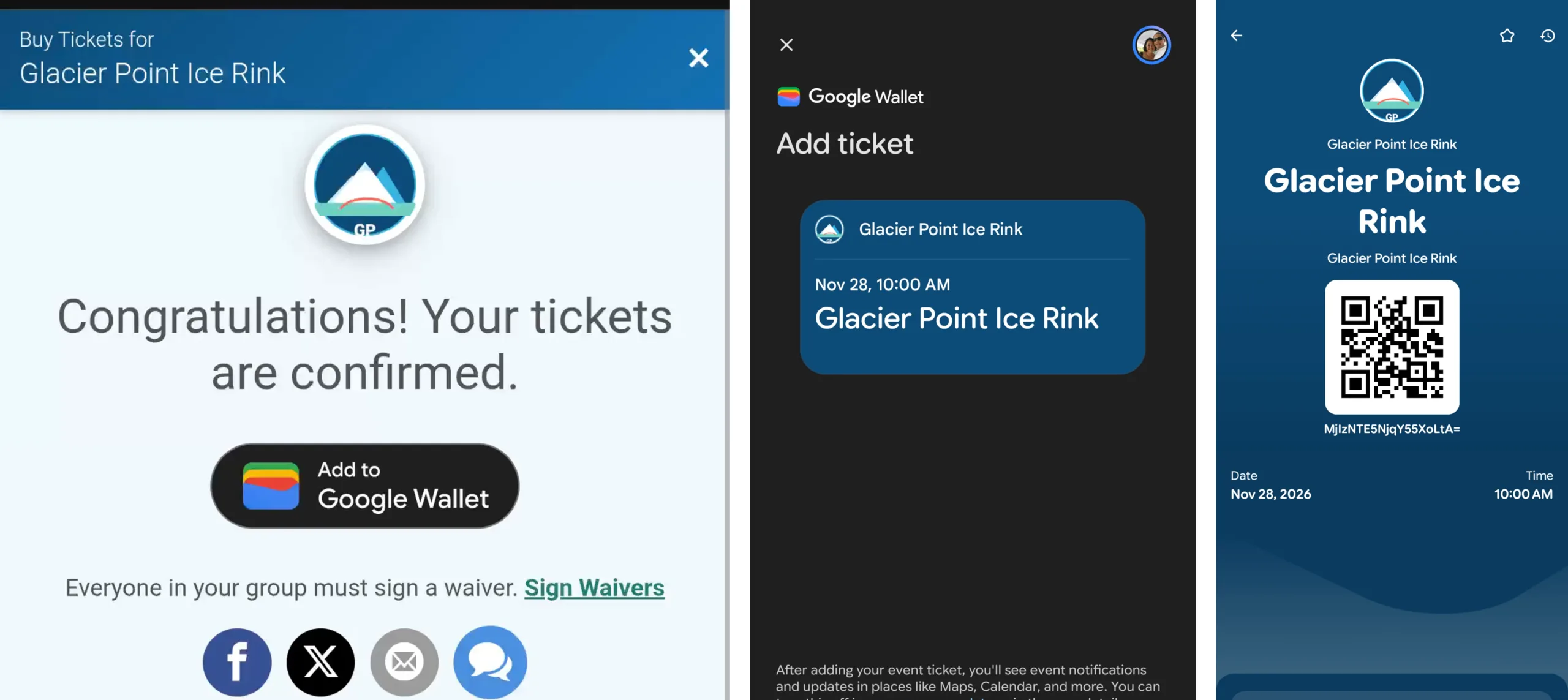
After checkout, attendees see the Add to Google Wallet button on the confirmation page and in their confirmation email. One tap opens Google Wallet, and one more tap on Add saves the ticket.
The pass is branded with your event logo and includes the event name, date, time, and a QR code ready to scan at entry.
The button also appears in more places across the attendee experience:
- Ticket management page: attendees can add their tickets anytime after purchase
- Ticket transfers: recipients get the button in their transfer email
- Standalone store: purchases include the button when Include in mobile wallet is turned on
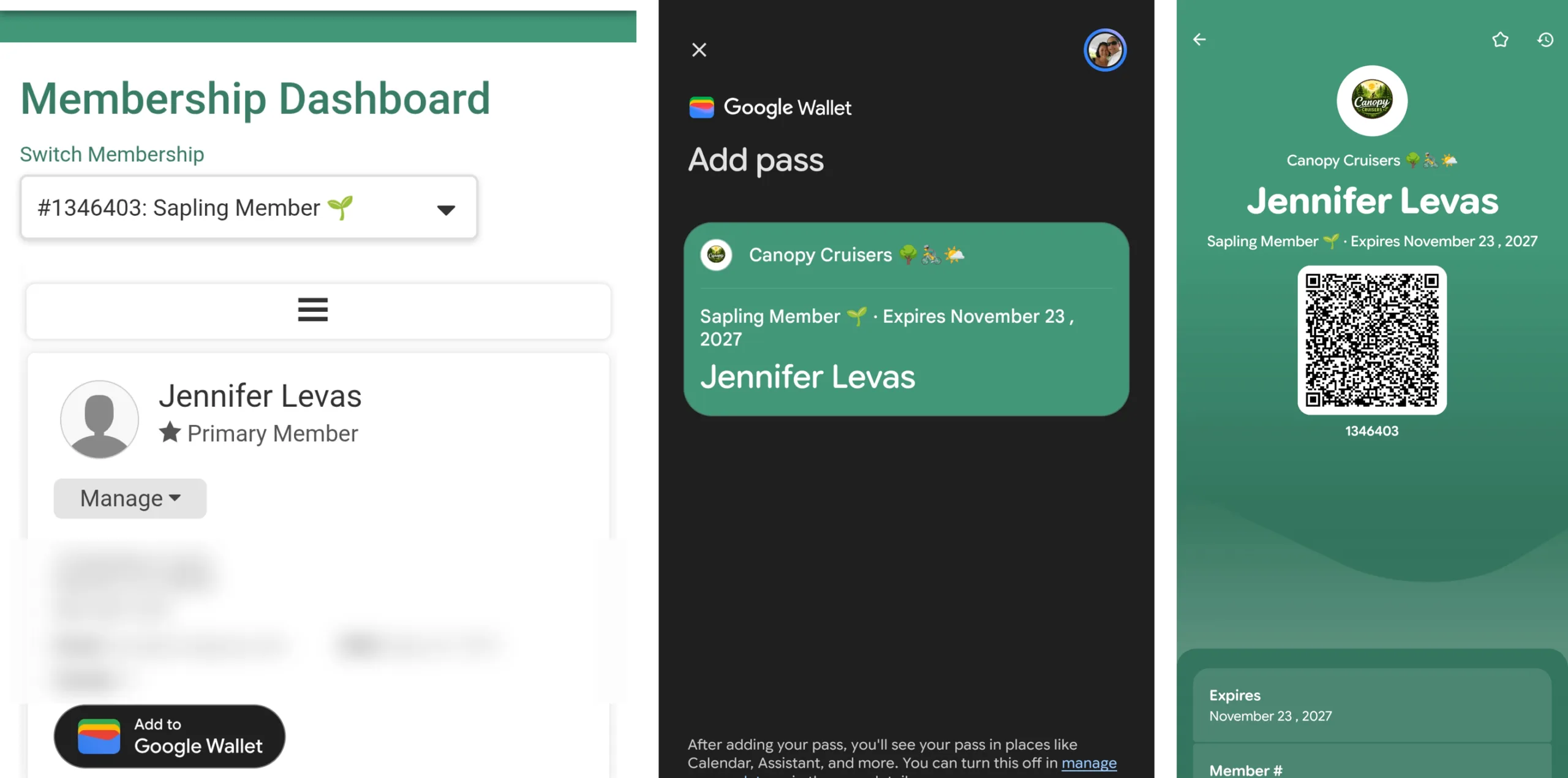
Members can add their membership card to Google Wallet from the membership confirmation page, the confirmation email, or anytime from their Membership Dashboard. The pass shows your logo, the member’s name, membership level, expiration date, member number, and a QR code.
Add the Button to Your Emails
Confirmation emails include both wallet buttons automatically, with a note to open the email on a phone to add the pass.
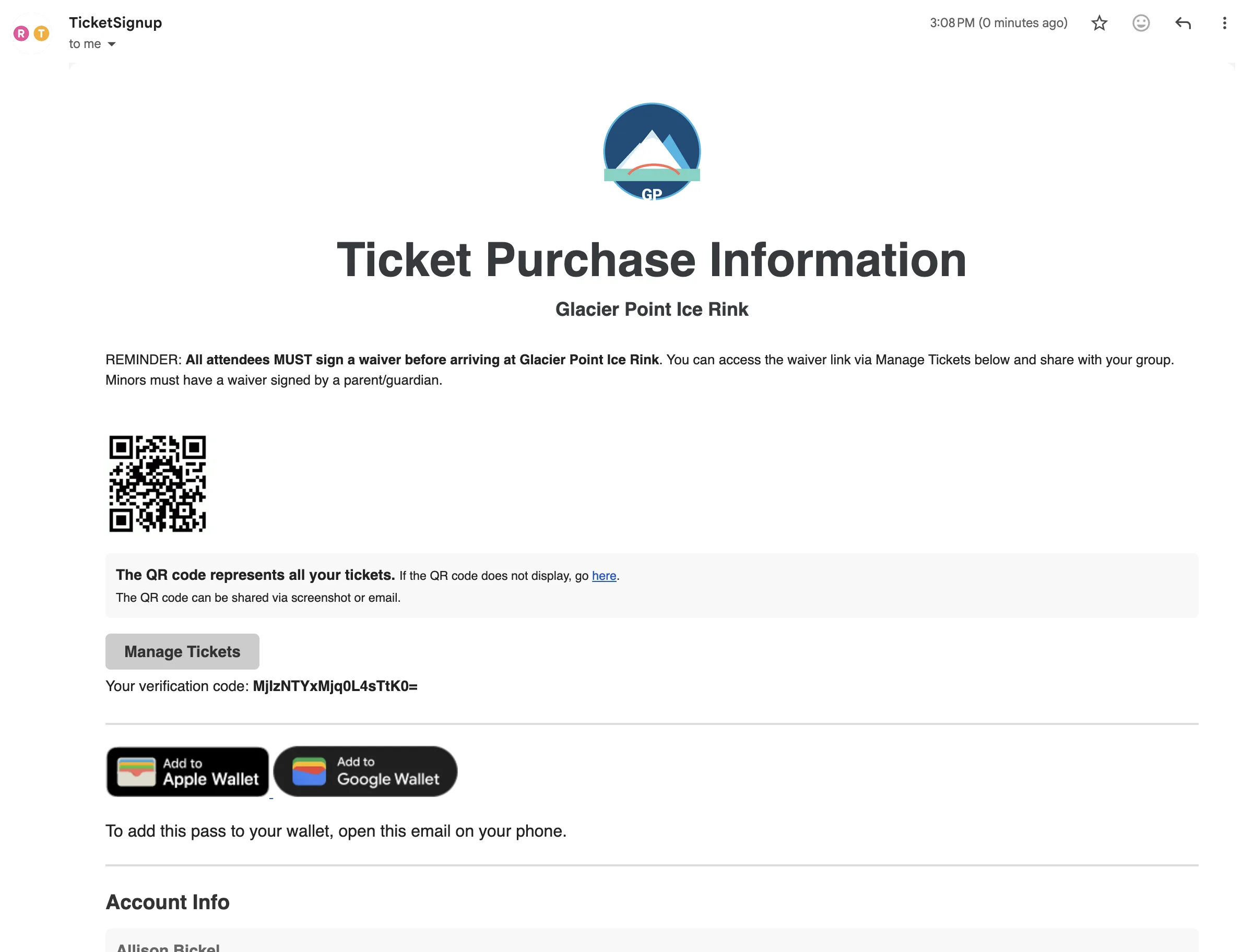
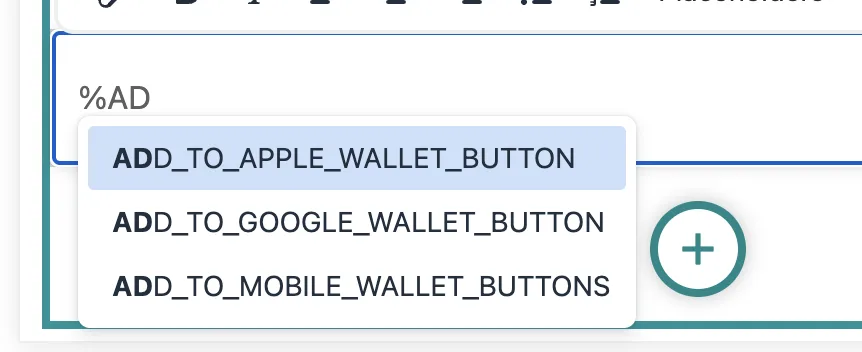
To include them in your own emails, like a day-before reminder, use these placeholders:
- %ADD_TO_GOOGLE_WALLET_BUTTON% adds the Google Wallet button
- %ADD_TO_MOBILE_WALLET_BUTTONS% adds both the Apple Wallet and Google Wallet buttons
Both placeholders work for ticket purchaser and member emails.