
UTM parameters for GA4 in TicketSignup emails help events understand how email marketing drives engagement and revenue with Google Analytics. TicketSignup gives every event free, unlimited Email Marketing, and GA4 UTM parameters now make it easier to measure the real impact of every email. With new support for UTM parameters for GA4, TicketSignup gives event organizers deeper insight into how individual emails and email campaigns lead to measurable outcomes in Google Analytics.
This update makes it easier to connect email activity directly to GA4 metrics such as page views, engagement rate, and purchases, while still pairing seamlessly with TicketSignup’s built-in reporting.
UTM Parameters in Event Emails
When an event sends an email, TicketSignup automatically applies standard UTM values so GA4 can attribute outcomes directly to email activity:
- Source: platform_email
- Medium: email
- Term: Email ID
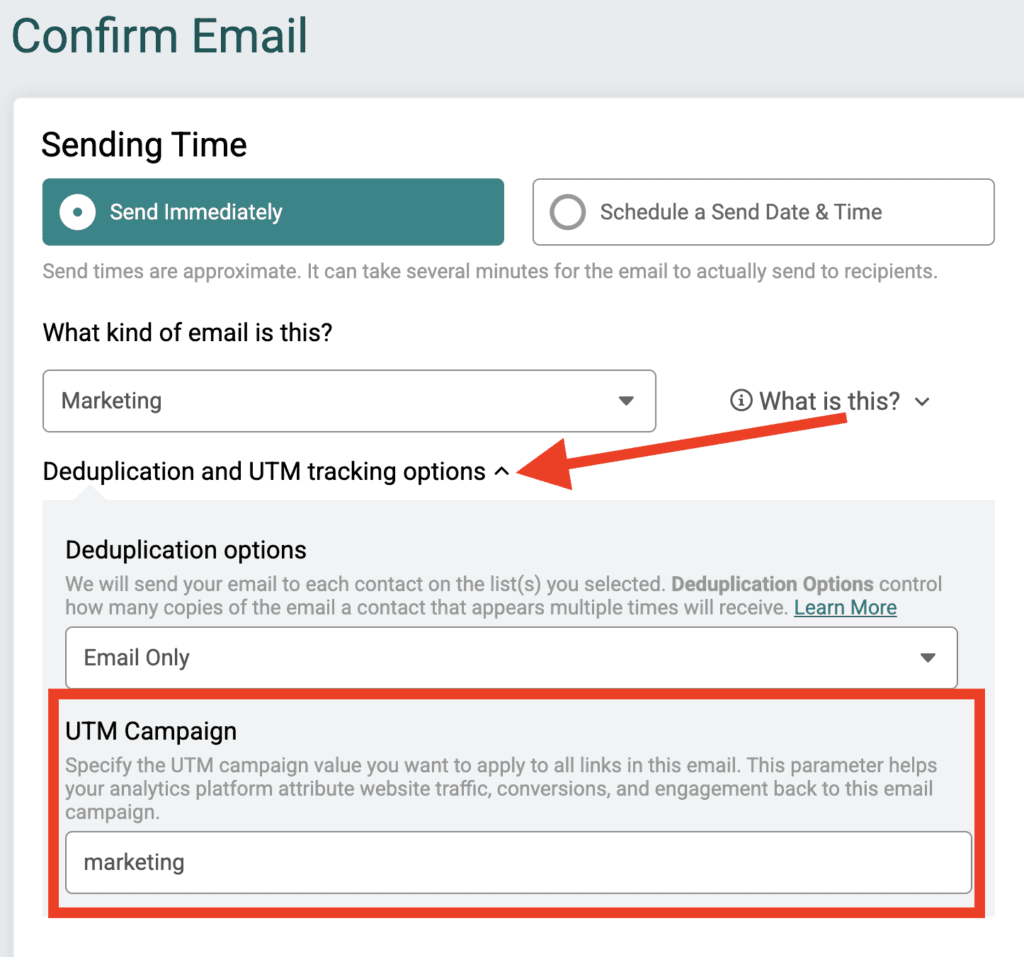
The Email ID lets organizers analyze performance across GA4 metrics at the individual email level. Optionally, events can also define a campaign on the Review Email page. This is part of the dropdown to set deduplication rules.
Together, these parameters help events evaluate emails based on engagement, landing pages, and users/sessions, and not just sends or clicks.
GA4, TicketSignup Integrations, and TicketInsights
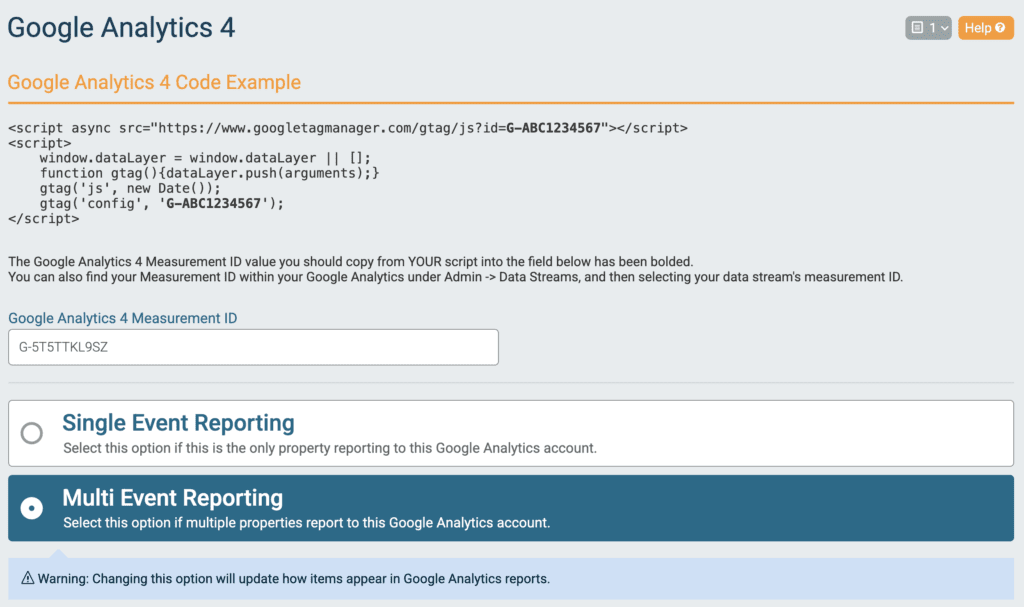
TicketSignup offers a full GA4 integration that supports both single-event and multi-event reporting, making it easier to connect email-driven traffic to meaningful outcomes across your events. This integration allows GA4 to track page views, engagement, and key events such as registrations and purchases after an email click.
GA4 works especially well alongside TicketSignup’s TicketInsights dashboard. TicketInsights tracks email clicks and revenue using last-click attribution, while GA4 provides broader visibility into engagement and conversion behavior across sessions.
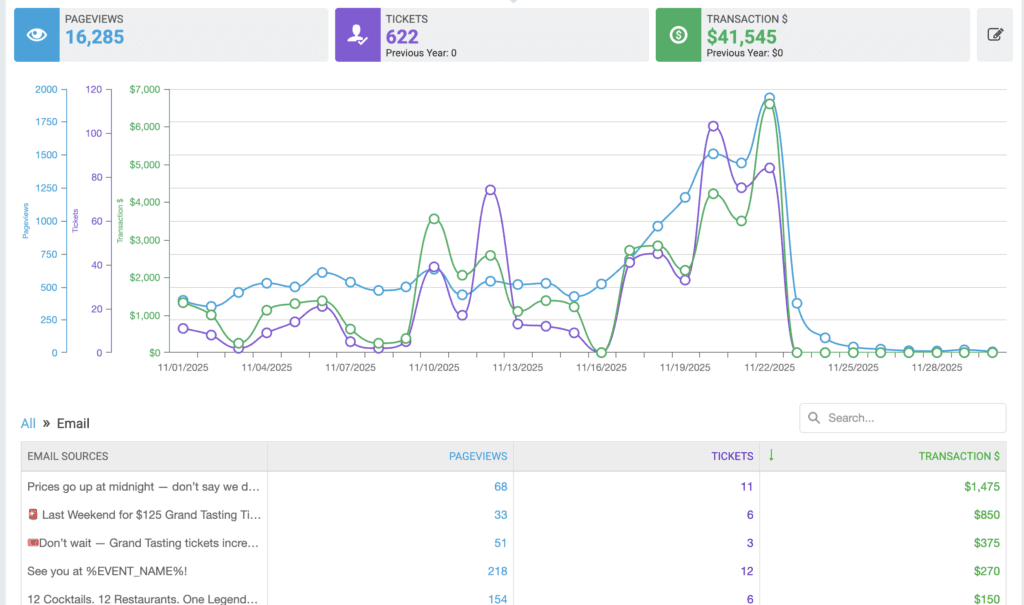
Because these tools use different attribution models and data sources, reviewing both together gives organizers a more accurate understanding of overall email impact rather than relying on a single metric or report.
How TicketSignup Uses UTM Tracking Internally
TicketSignup uses our own free Email Marketing product for all of our marketing communications, which allows us to test, learn, and refine our approach using the same tools available to events. Internally, we use the new user defined Campaign field to group our emails into three primary buckets: Newsletters, Marketing, and Events.
Using GA4 Explore reports, we analyze how each email category drives measurable outcomes and identify which messages create the most impact. This approach helps us answer questions such as:
- Which types of emails generate the most engagement?
- What landing pages receive the most views from each email category?
- Which emails lead to meaningful actions?
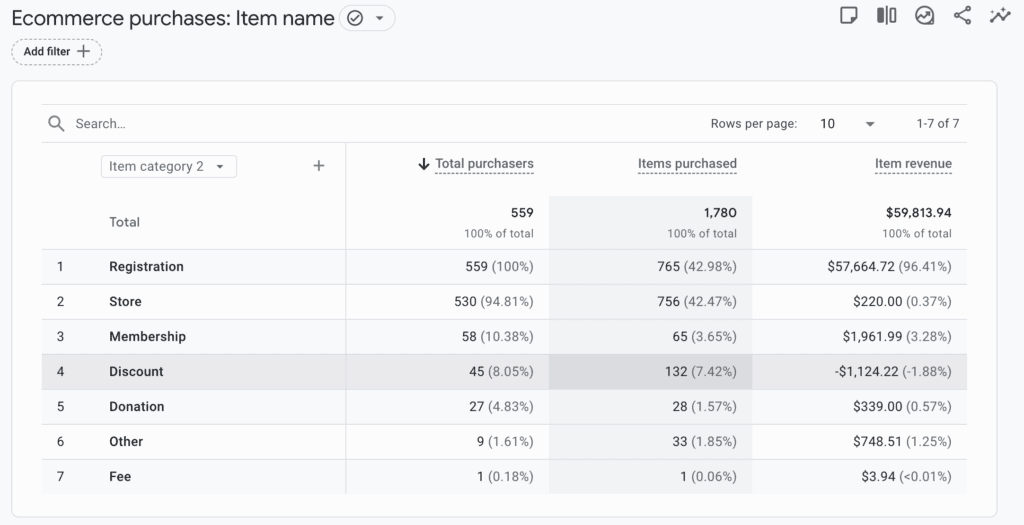
For TicketSignup, key GA4 events include lead form submissions and new events created. For ticket events, these key events typically include purchases. TicketSignup automatically tracks purchases (broken down by tickets, donations, stores, fees, etc. as well as by event name and cart items).
Why UTM Parameters for GA4 in TicketSignup Emails Matters for Event Organizers
With UTM parameters for GA4, event organizers can:
- Measure the impact of individual emails using Email IDs
- Group emails into meaningful campaigns for analysis
- Connect email traffic to views, pages, engagement, and purchases
- Compare GA4 insights with TicketInsights revenue and last-click attribution data
The UTM Parameters for GA4 in TicketSignup emails update gives events clearer visibility into what their emails actually drive and more confidence in their email marketing strategy. You can start using UTM parameters for GA4 the next time you send an event email. Define your own campaign values and rely on TicketSignup’s automatic tracking to unlock deeper reporting in Google Analytics.