
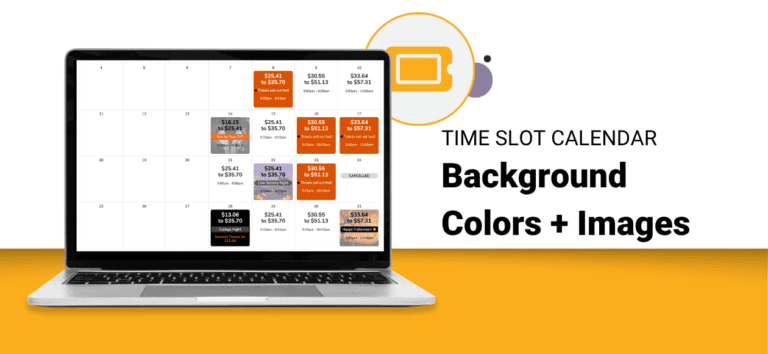
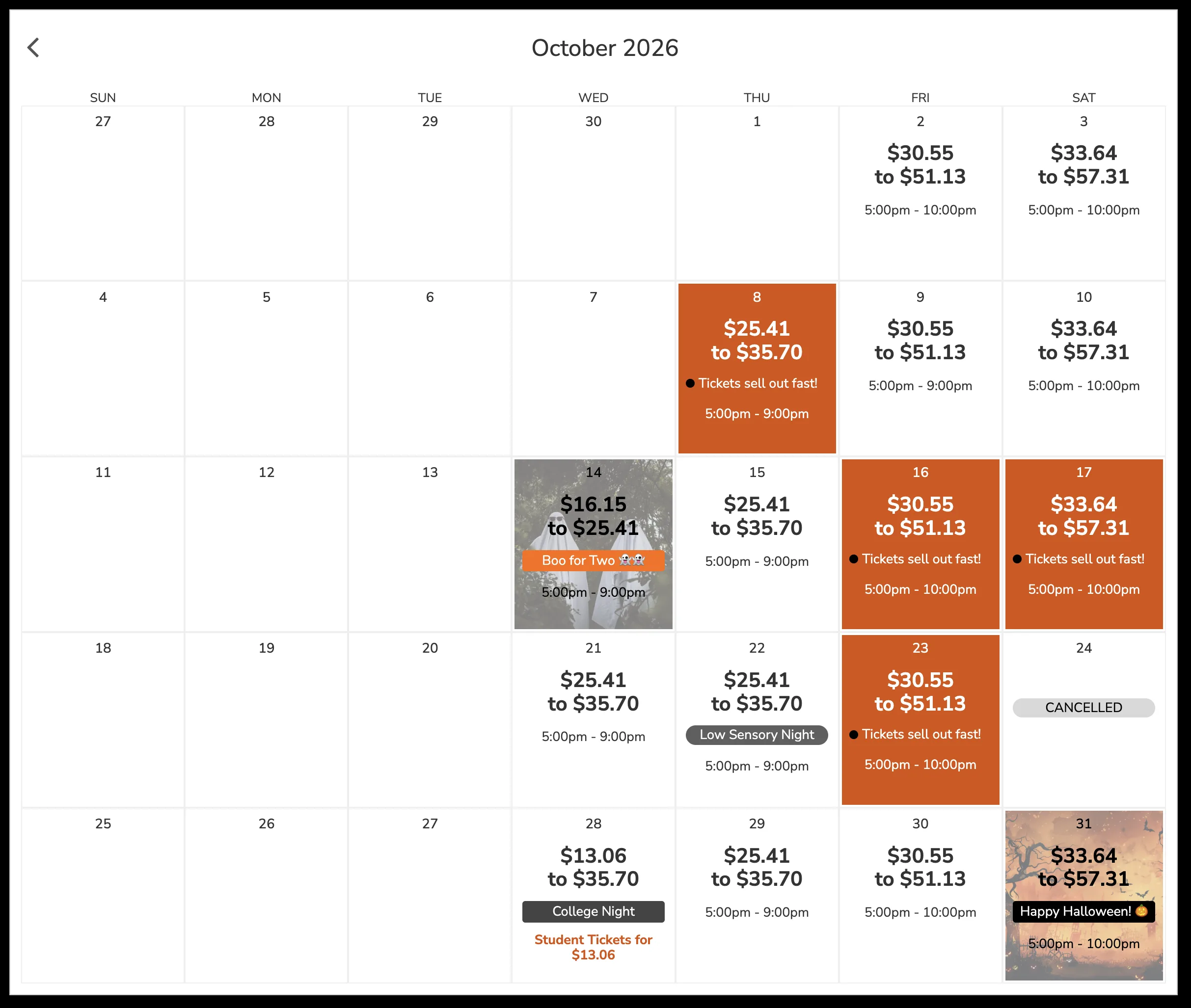
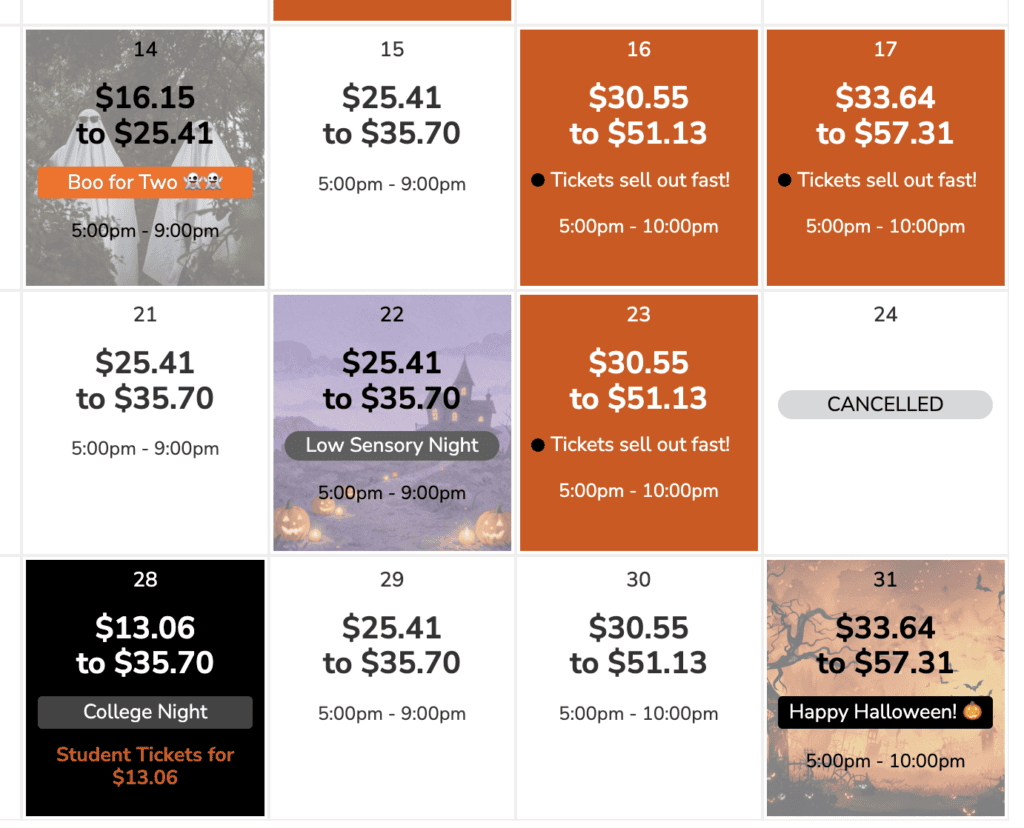
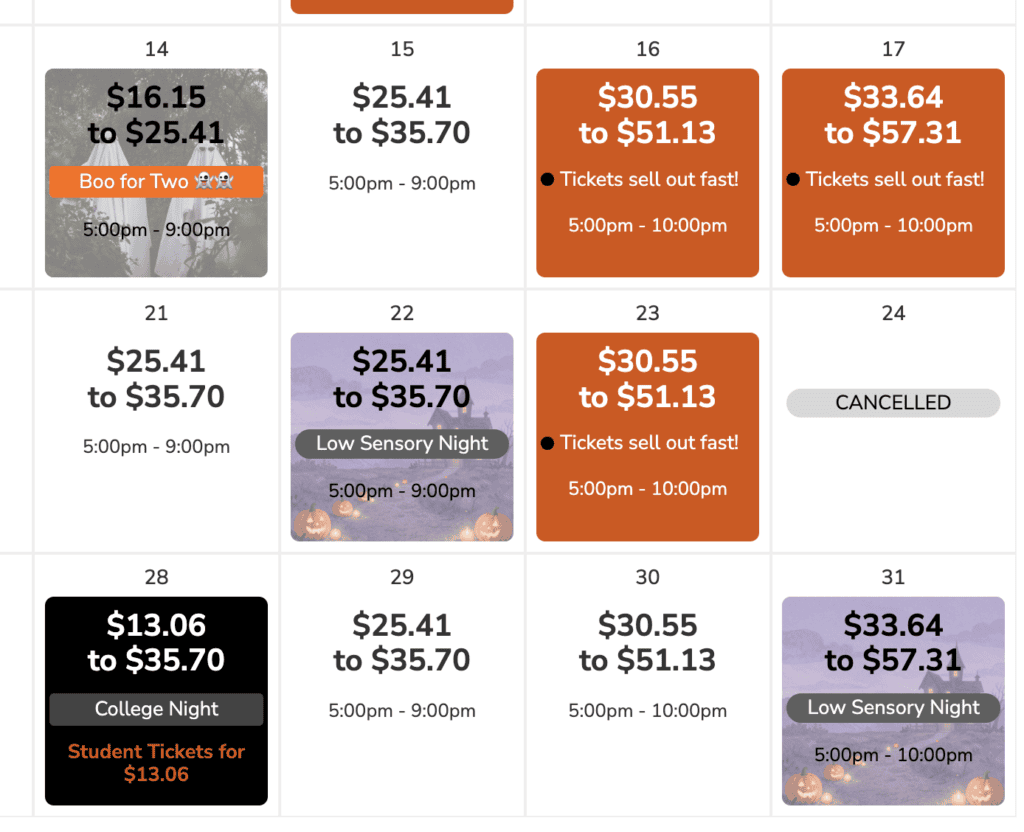
TicketSignup’s dynamic Time Slot Calendar component now supports background colors and background images on your calendar dates. Following Time Slot Calendar Labels, which gave each date multiple color coded labels, backgrounds let you style the date cell itself. A photo of your haunted trail on October nights, your brand color on value dates, a Santa image on visit weekends: the calendar becomes a visual preview of what each date holds.
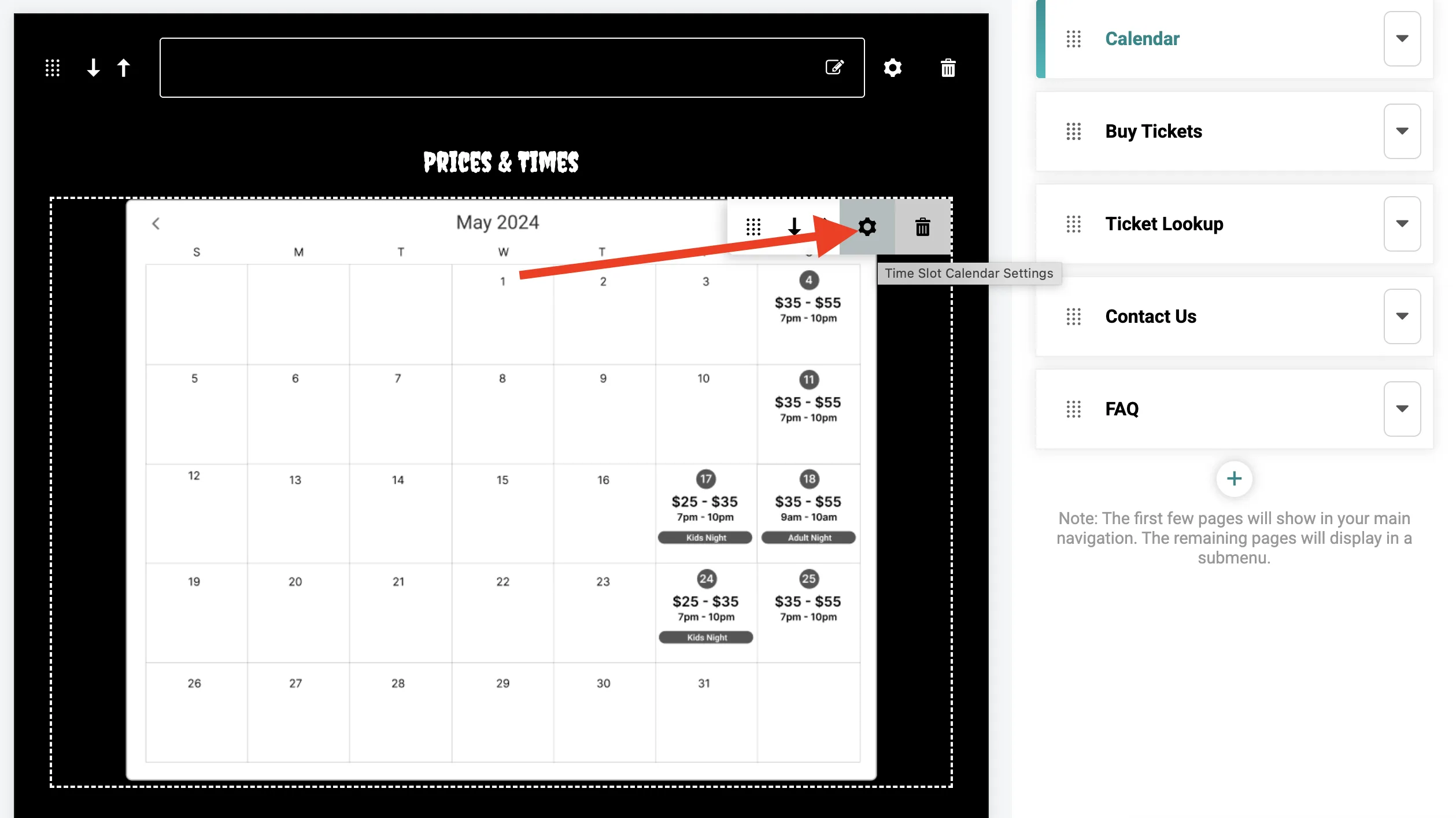
Go to Website Builder -> Time Slot Calendar component -> Calendar Settings.
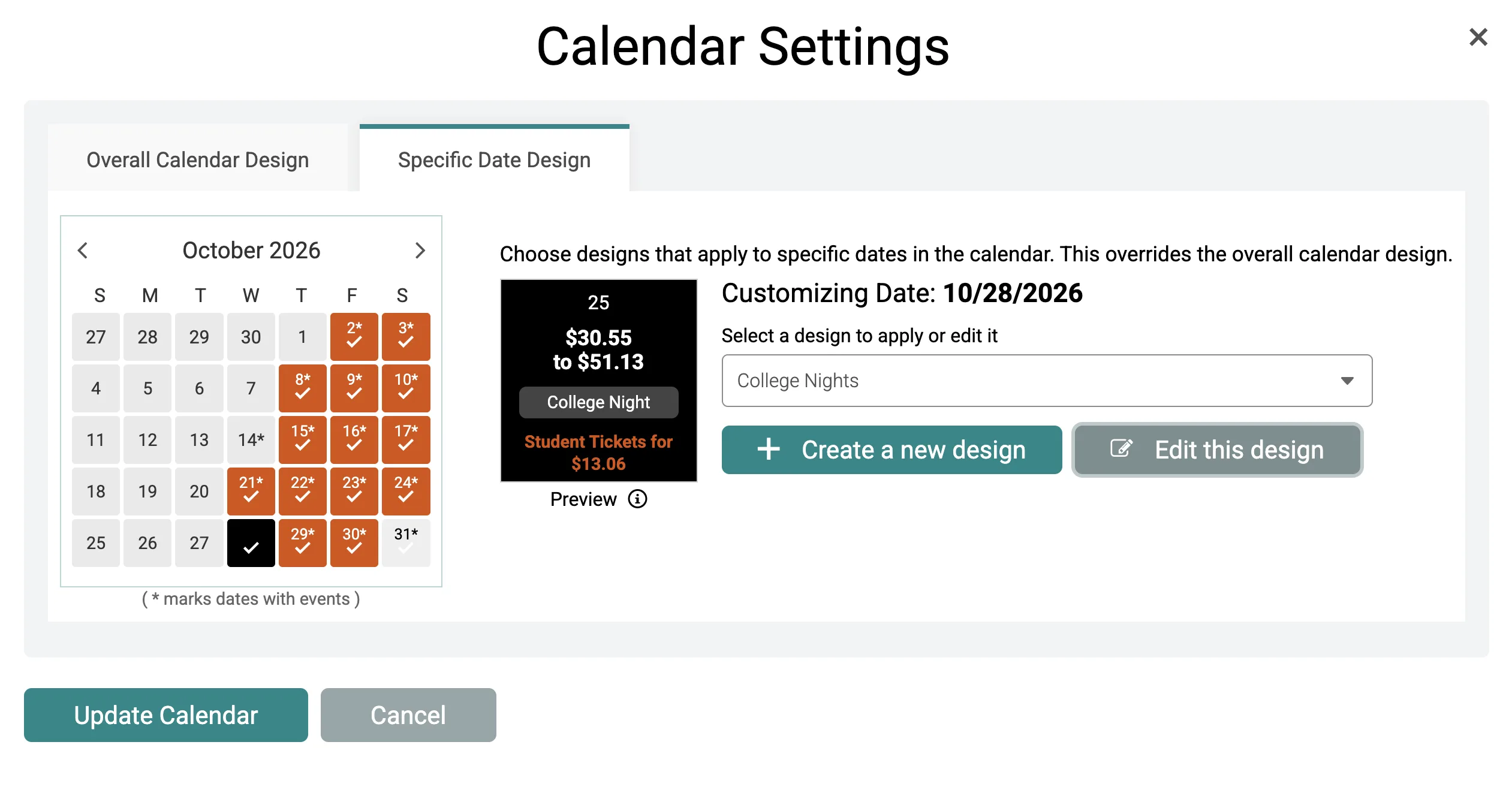
Use the Overall Calendar Design tab to style every available date, or the Specific Date Design tab to pick individual dates, which override your overall design. From either tab, create a new design or edit an existing one.
Color, Image, or Both
The Background section gives you a Color tab and an Image tab, and the two work together:
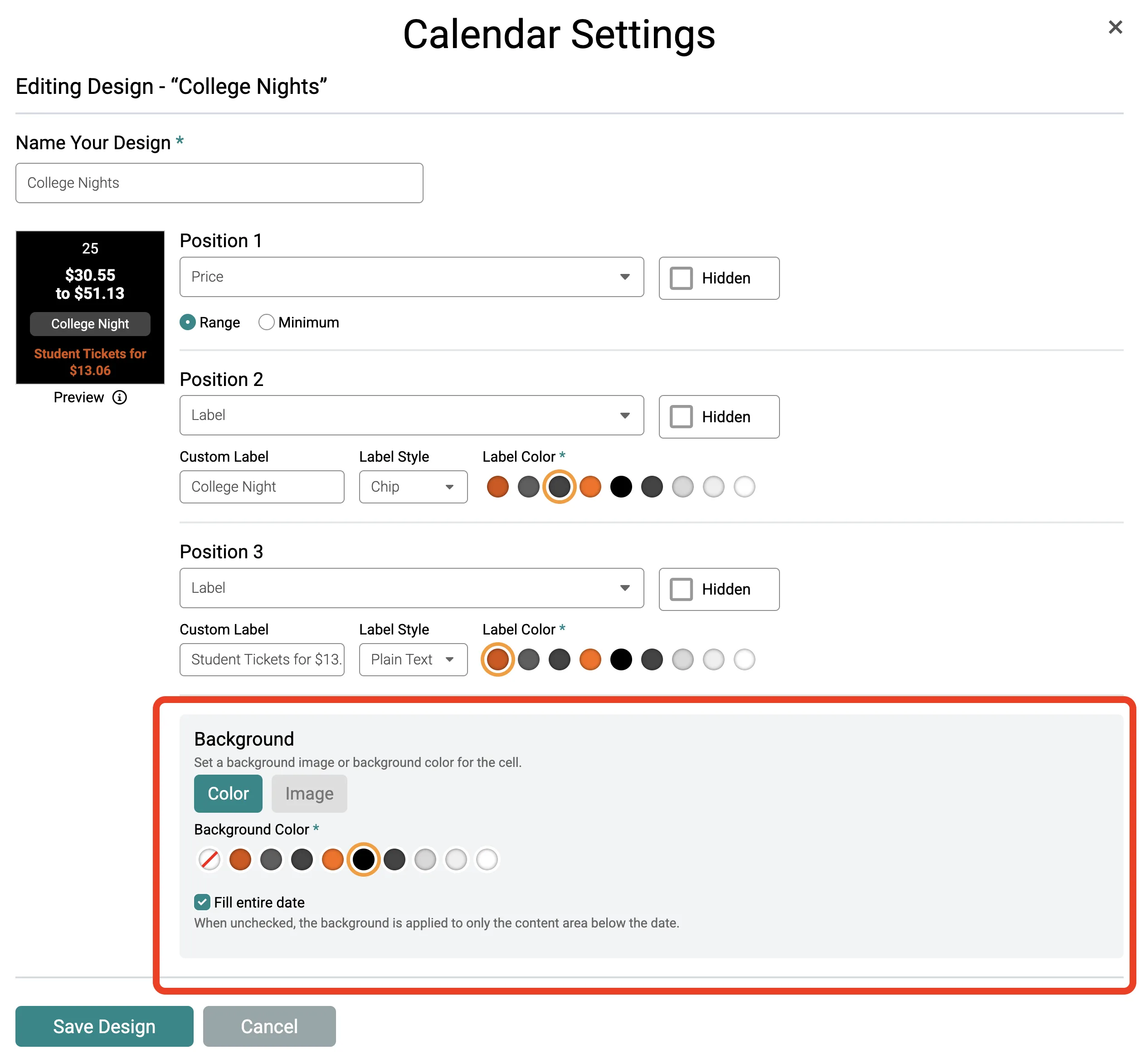
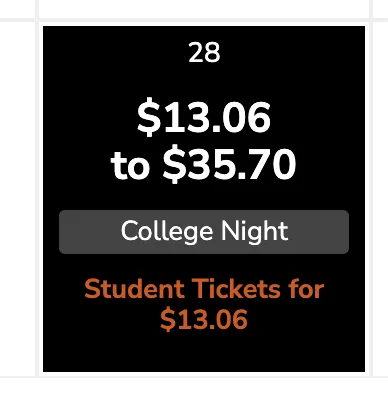
- Background Color. Choose a color from your website’s theme color scheme for a solid fill.
- Background Image. Upload a new image or select one already in your event’s image gallery. Then add an Overlay Color to tint it. This is the setting to reach for when you want a photo behind your dates but still need your prices and times to read clearly.
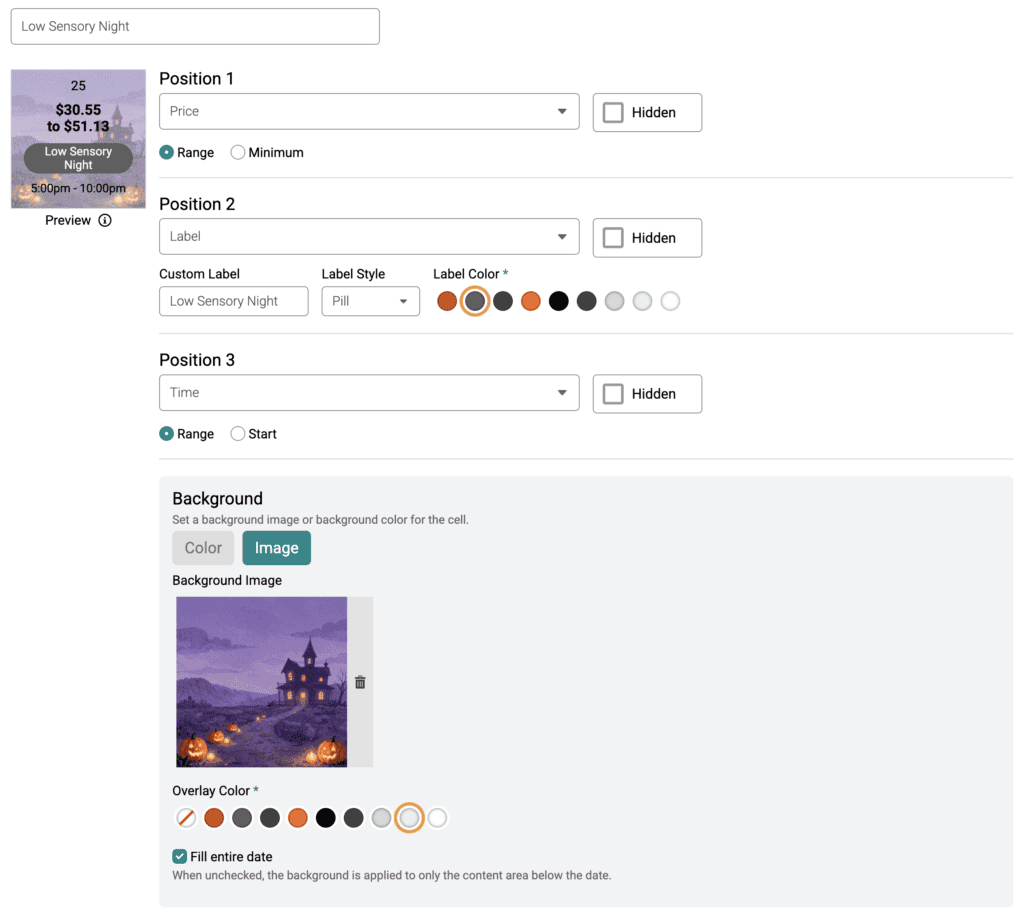
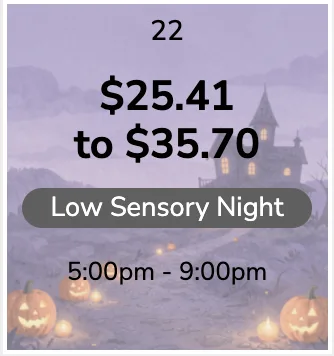
Images fill the cell and center crop automatically, so any shape works. Choose a square image at least 400 pixels wide and keep your subject centered.
TicketSignup handles color contrast for you. Your price and time text adjusts against the background or overlay color, while custom label text continues to contrast against its own label color rather than the cell behind it.
Every design includes a Fill entire date checkbox, checked by default, which extends the background across the full cell including the date number. Uncheck it and the background applies to only the content area below the date number, with rounded corners. Use the full fill for bold seasonal dates and the content area fill when you want a lighter accent that keeps your calendar grid clean.
Ideas for Using Backgrounds
- Sell your themed nights. Put a photo of your fireworks display, holiday light tunnel, or headline act on the dates it runs.
- Group your date types visually. Give weekend dates one color and weekday dates another so attendees scan your calendar faster. This can help differentiate dates that are open different hours.
- Signal pricing tiers. Pair a background color with a pricing label so value nights and peak nights are distinguishable at a glance.
- Distinguish tour types. Events running more than one experience can give each its own background and label combination.
- Highlight your closing weekend. Draw attention to your last dates while there is still inventory to sell.
Backgrounds display on desktop and tablet. On mobile, your calendar shows date indicators with a detail panel below, where labels, times, and prices continue to display. Designs work with all the real time updates you make to your schedule, including cancellations, sold out statuses, and updates to time slots and pricing.
Time Slot Calendar backgrounds are available now for all calendar based events, included in TicketSignup’s $0.40-per-ticket pricing like every website and design feature on the platform. They join a growing set of calendar based ticketing upgrades, including Time Slot Calendar Labels, the calendar based website Tile Display, custom purchase path wording, and the Time Slot Dropdown.