
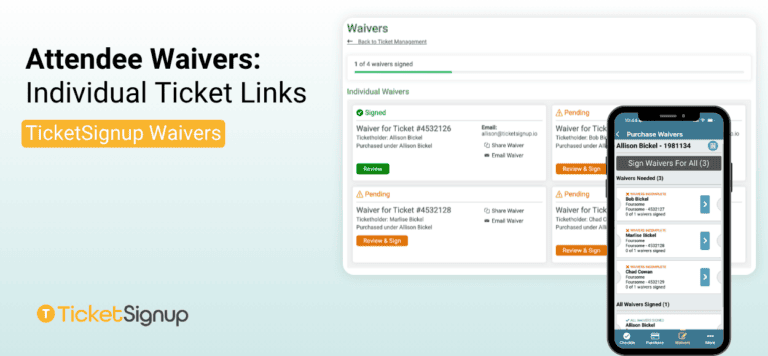
Individual Ticket Links gives every ticket in a purchase its own unique signing link. Use it when a specific ticket number needs to match a specific name, and you need a signature tied to one specific ticket rather than the purchase. In general, we only recommend using this setting when collecting individual attendee information during ticket purchase.
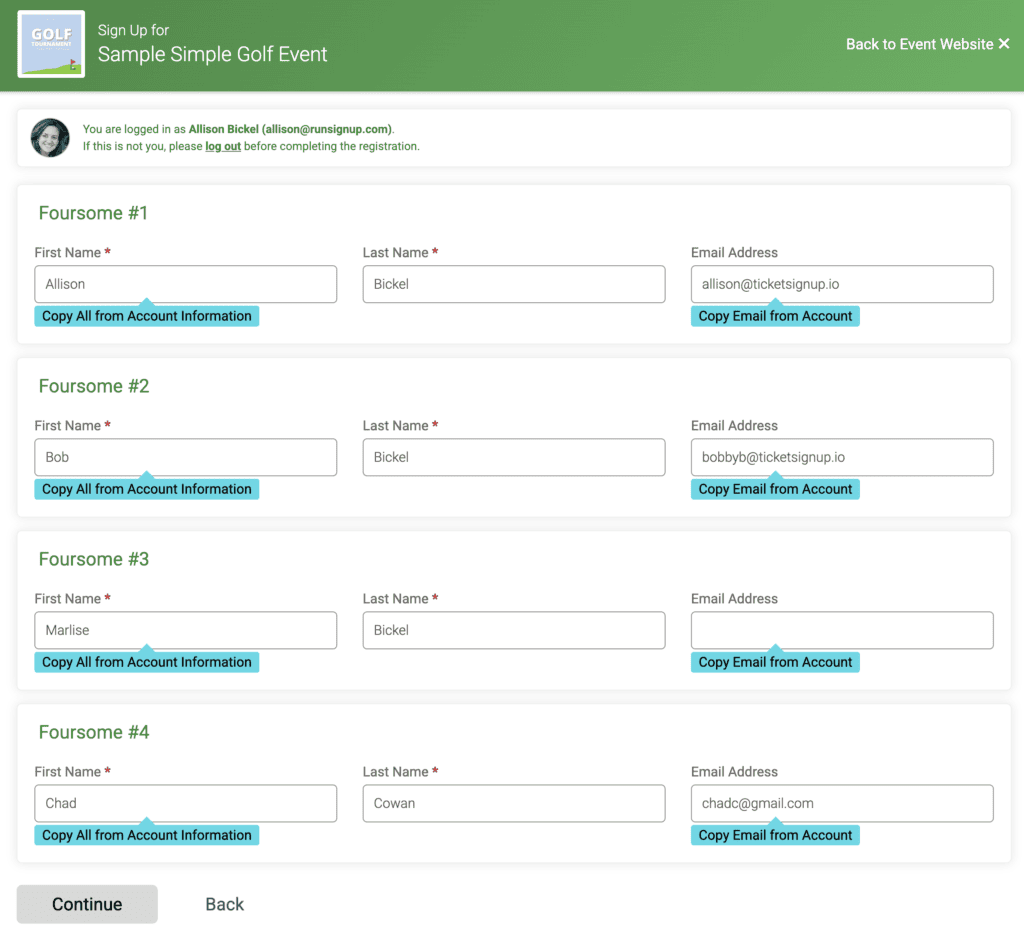
How to Setup Attendee Waivers: Individual Ticket Links
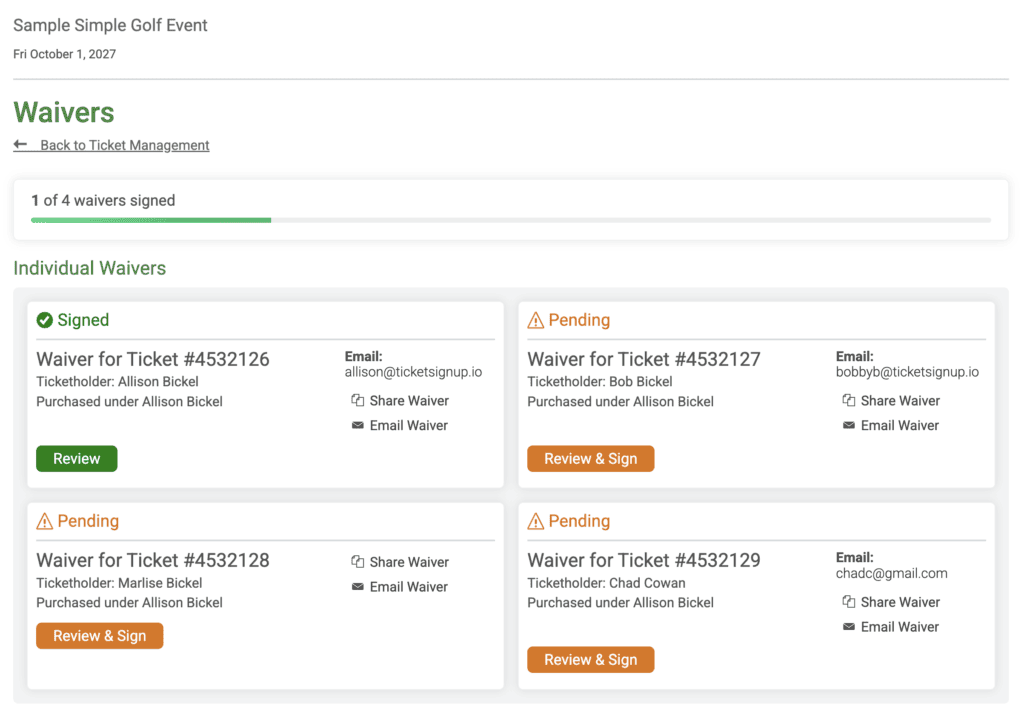
From your ticket event dashboard, open Waiver setup and select Attendee Waivers. Under “How is the waiver collected?” choose Individual Ticket Links. Configure your waiver text and agreement method the same way as any other waiver. Then click Save.
How Attendees Sign with Individual Waiver Links
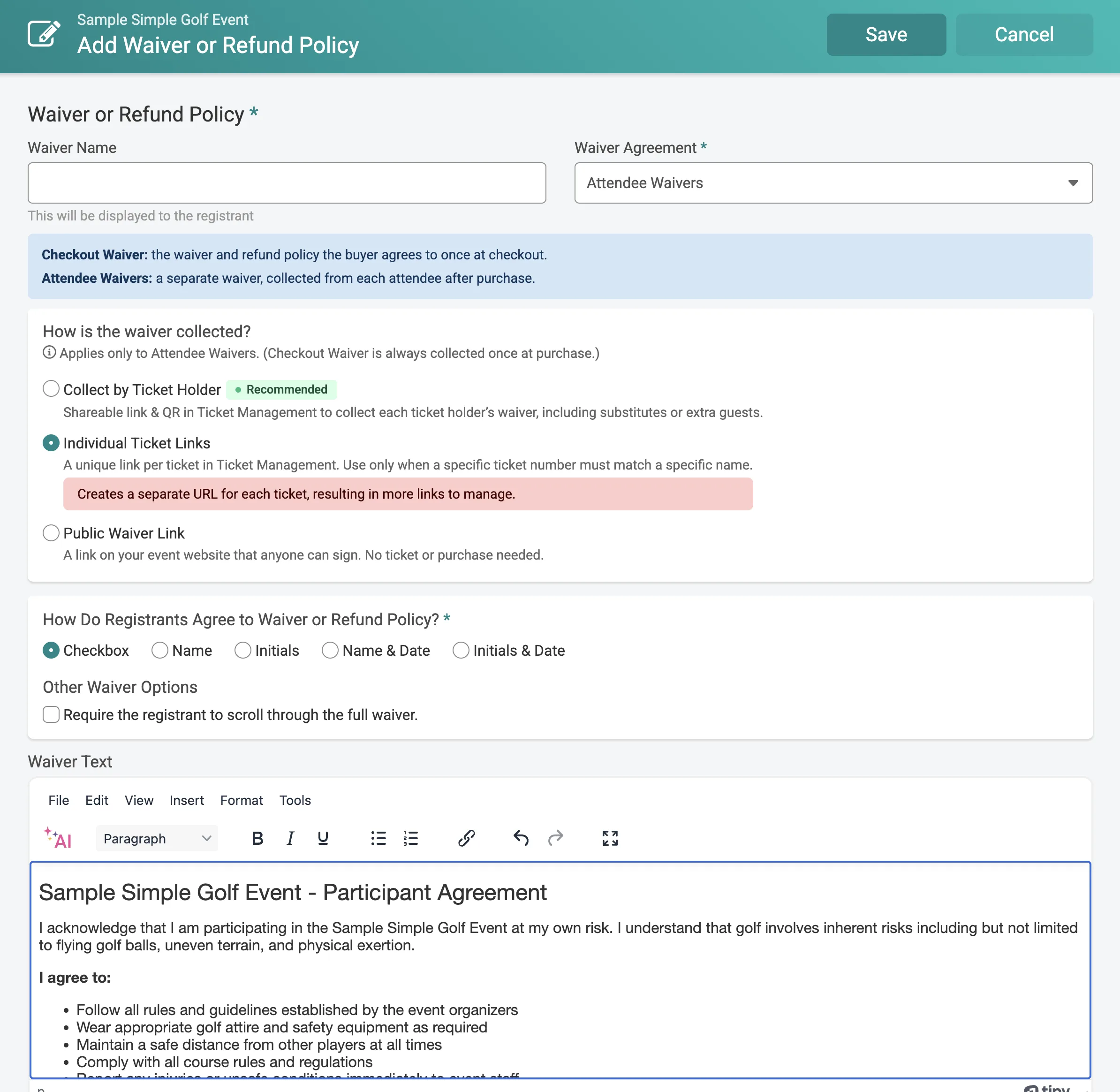
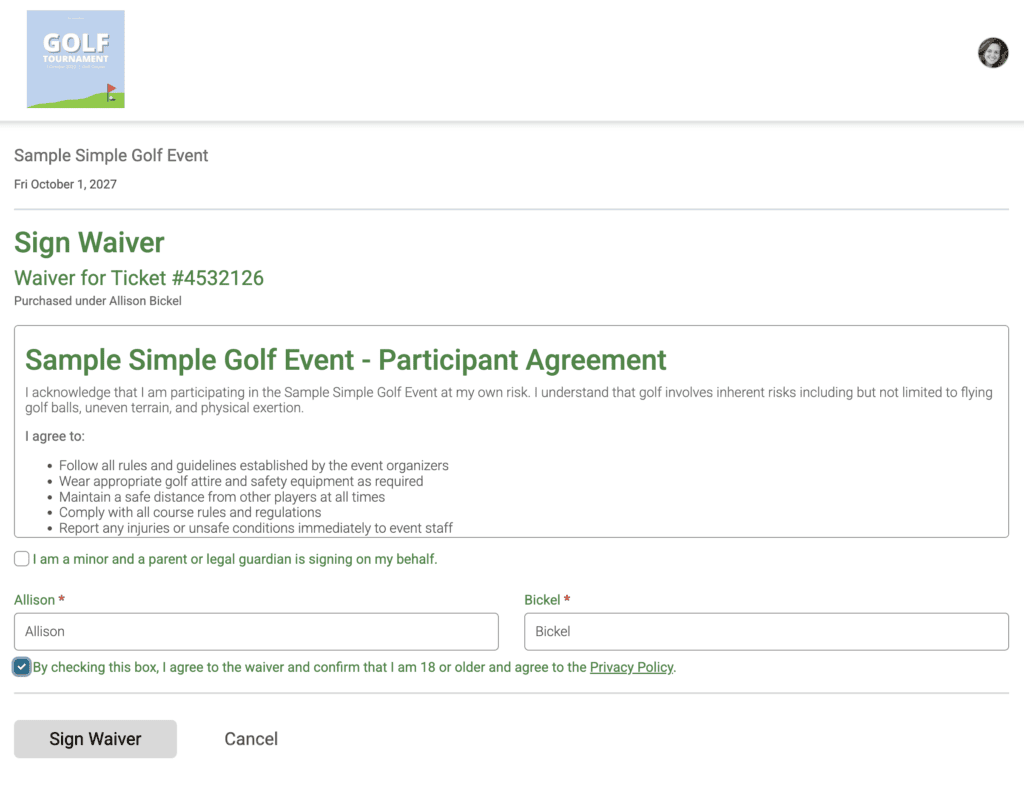
Every ticket in a purchase gets its own unique link, listed individually on the purchaser’s Ticket Management page. The purchaser can see exactly which tickets still need a signature and send each attendee their own link directly. When an event runs more than one waiver, each ticket’s signing tiles are numbered and the ticketholder name displays, so it’s clear which waiver goes with which ticket. There are easy share options to give the waiver link to the correct ticketholder.
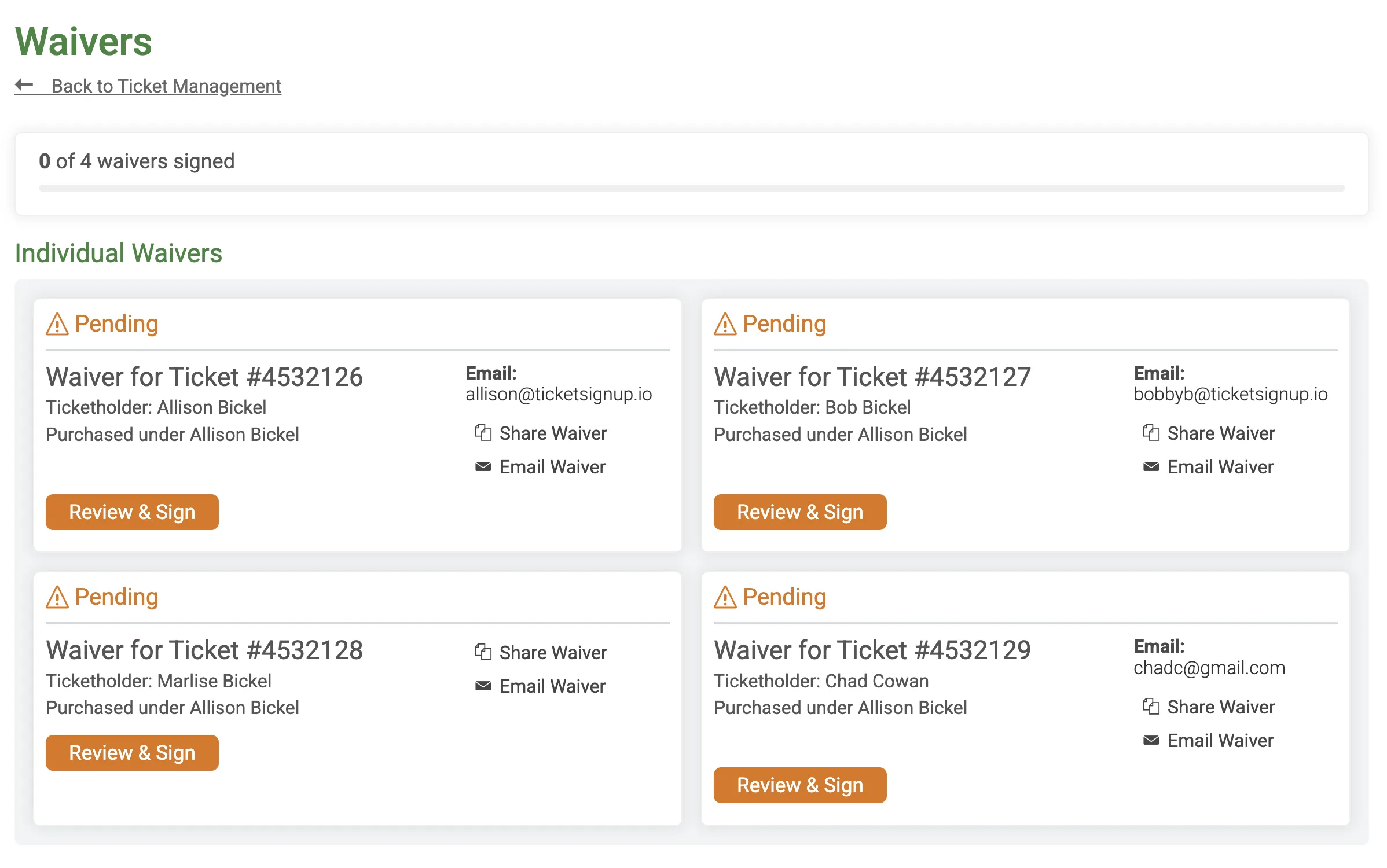
As attendees sign waivers, the screen updates to show what has and has not been signed.
Ticket App for Individual Waiver Links
Staff see signed status per ticket in the Ticket App, the same as with Collect by Ticket Holder. Signing can happen as a step in the check-in flow or through a standalone Purchase Scan Mode station. You can either show QR Codes for attendees to scan and sign on their own device, or collect wet signatures in the app. Because links are tied to individual tickets with information collection, a name search in the App resolves to the exact ticket, not just the purchase, useful when you need to confirm the right person is associate with the right ticket. In app waiver signing can also go more quickly with prefilled names using ticketholder information collection.
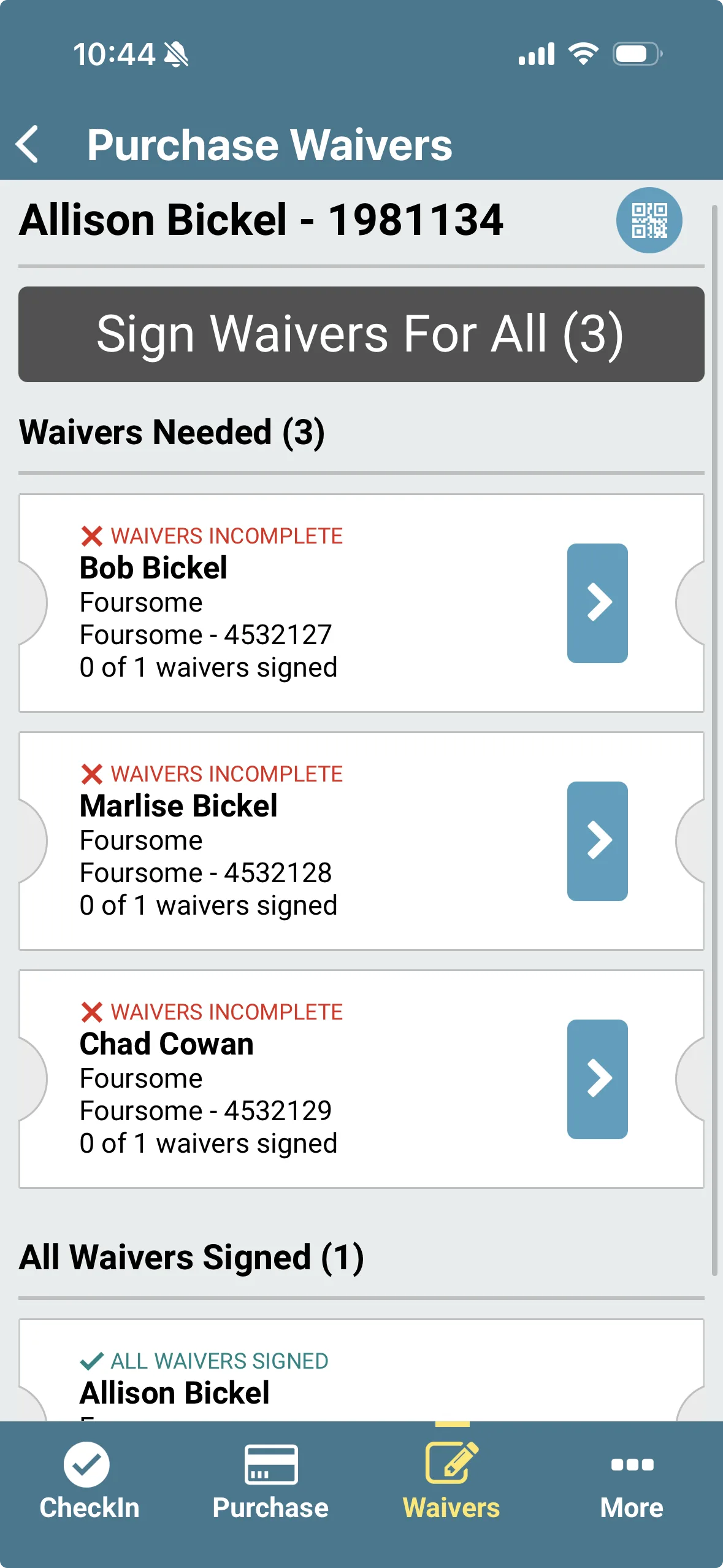
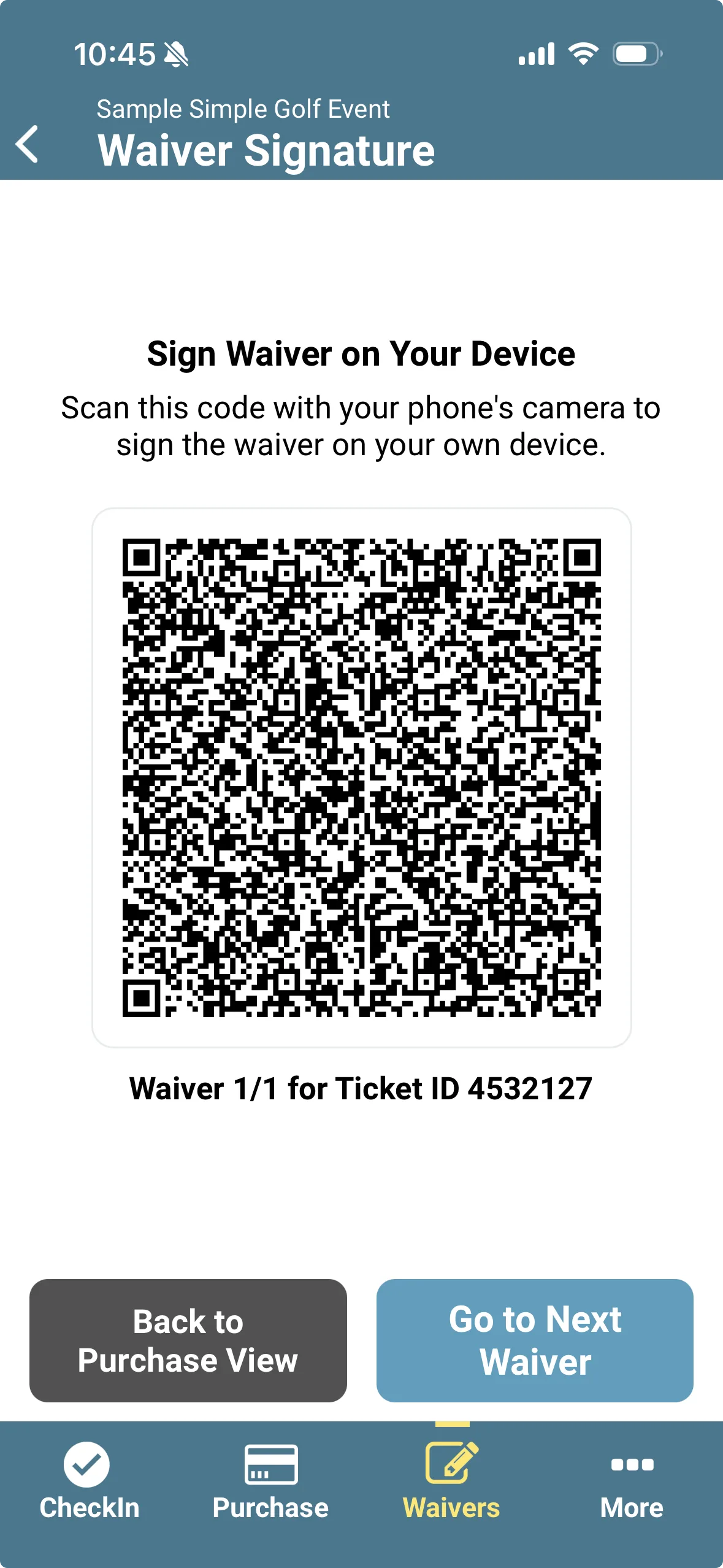
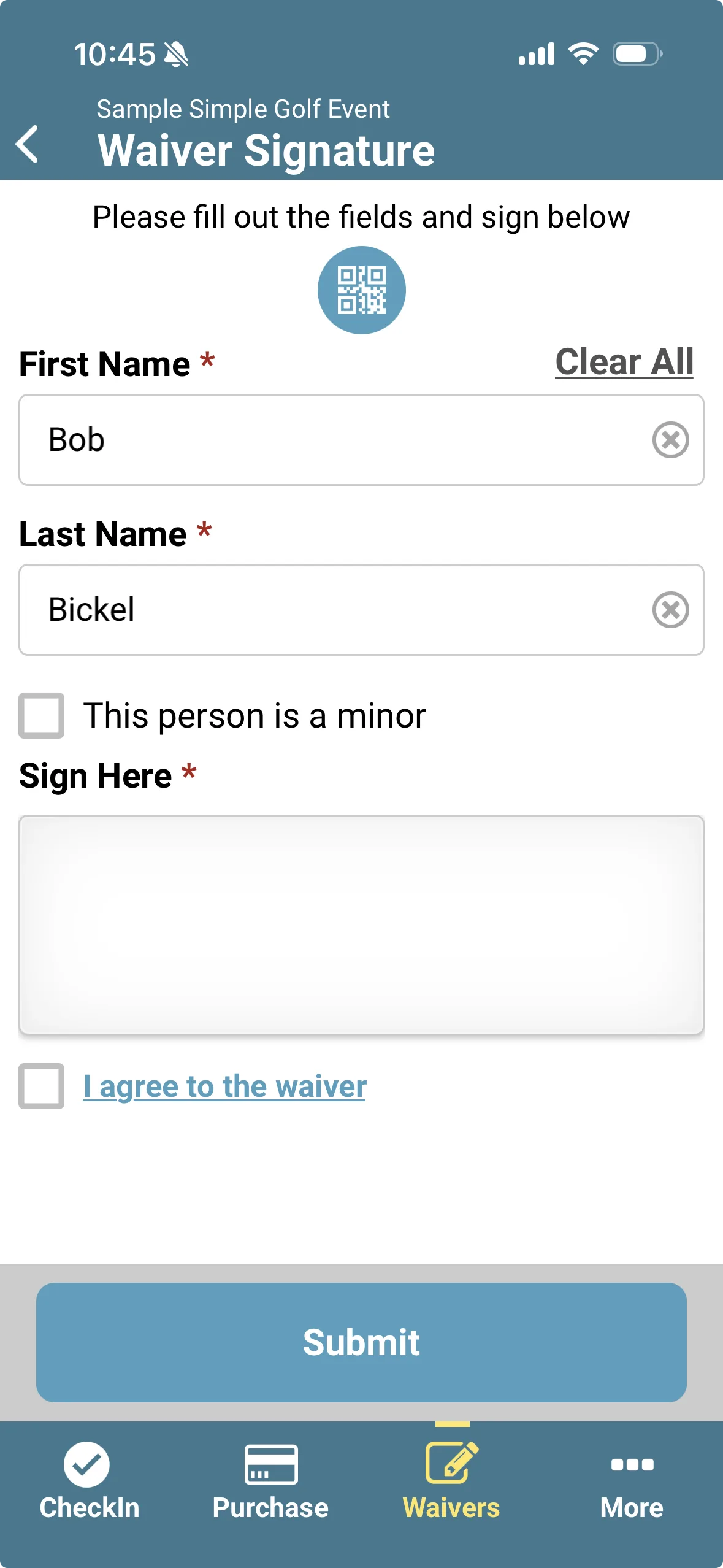
The same configuration setup and options for the Ticket App for Collect by Ticketholder attendee waivers apply to Individual Ticket Links attendee waivers.
Waiver Reporting
Signatures collected through Individual Ticket Links appear in your Waiver Agreements report (Reports >> Waiver Agreements), filterable by Waiver ID and Ticket Purchase ID, with a Waiver Type column that flags them as per-ticket. For Individual ticket links, there is also an associated Ticket ID. A print-friendly view of the report is now available.
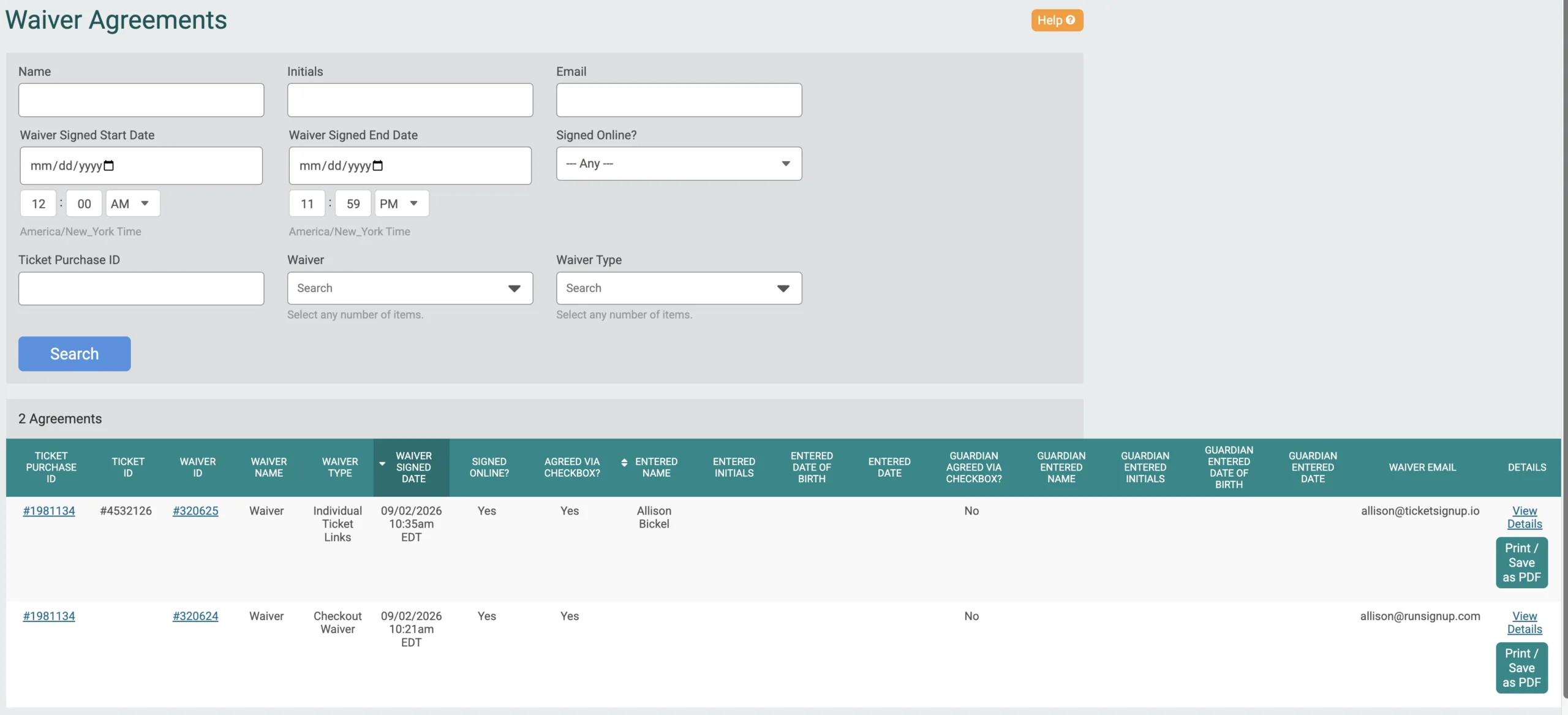

More granular signed-count reporting on individual tickets elsewhere on the platform is on the roadmap, including attendee waiver status in the Ticket Purchase and Individual Ticket reports.
TicketSignup offers a variety of free and flexible ticket waiver options. Learn more here.