

The TicketSignup 2025 Product Recap is one of our Year End Wrap-up Blogs. Others include 2025 Year in Review, 2025 RunSignup Product Review, 2025 GiveSignup Product Recap, 2025 Infrastructure Report, 2026 Company Strategy, 2026 RunSignup Roadmap, 2026 AI Product Roadmap, 2026 GiveSignup Roadmap, 2026 TicketSignup Roadmap. These will come out incrementally between November and early 2025.
In 2025, TicketSignup focused on building tools that work just as well for simple events as they do for complex, multi-date experiences. Product updates throughout the year strengthened core ticketing while expanding calendar-based functionality, websites, revenue generating features, and the Ticket App.
The TicketSignup 2025 Product Recap covers our key development efforts and releases over the past year.
Calendar Based Ticketing
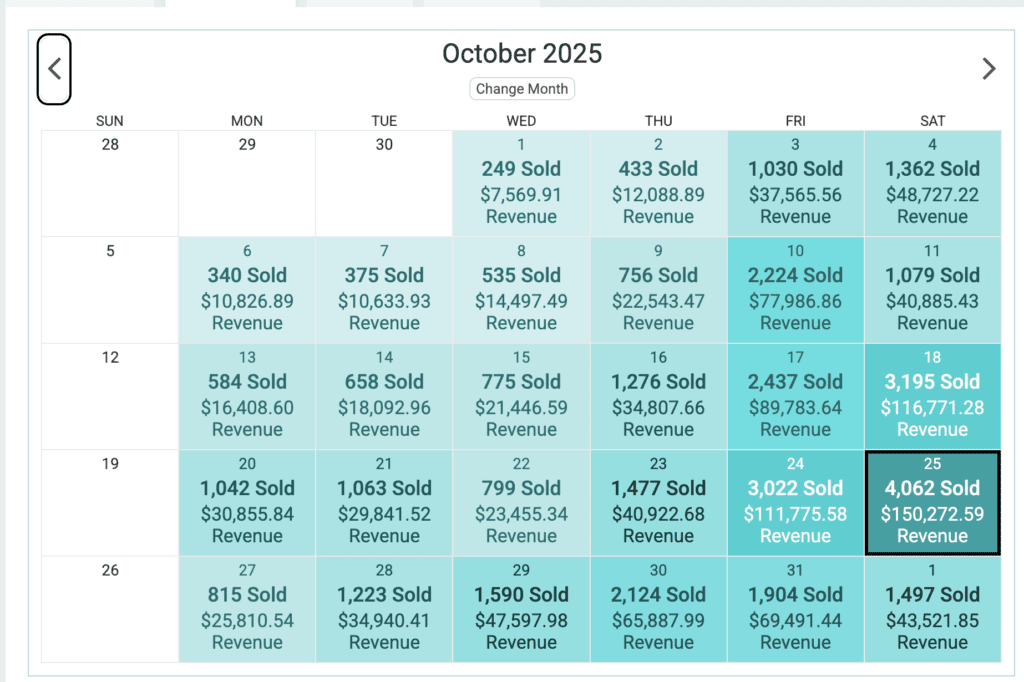
In 2025, calendar-based ticketing became a primary reason events moved to TicketSignup from platforms like FareHarbor, legacy timed entry systems, and Eventbrite. Unlike these older, more expensive legacy platforms that layer calendars onto traditional ticketing, TicketSignup’s calendar-based approach is foundational to purchasing tickets, setting up and managing events, managing attendees, and reporting. This year our patent for calendar-based ticketing was published, which you can review here.
Not all multi-date events are the same. The time slot dropdown and custom wording allow events to configure a purchase path that makes sense whether they have a single time slot or dozens per day. Date coupons let events run targeted discounts to drive sales on specific dates. New customization options for the data-driven calendar make it easy to feature special dates, hours, and pricing on free event websites. The new tile display features
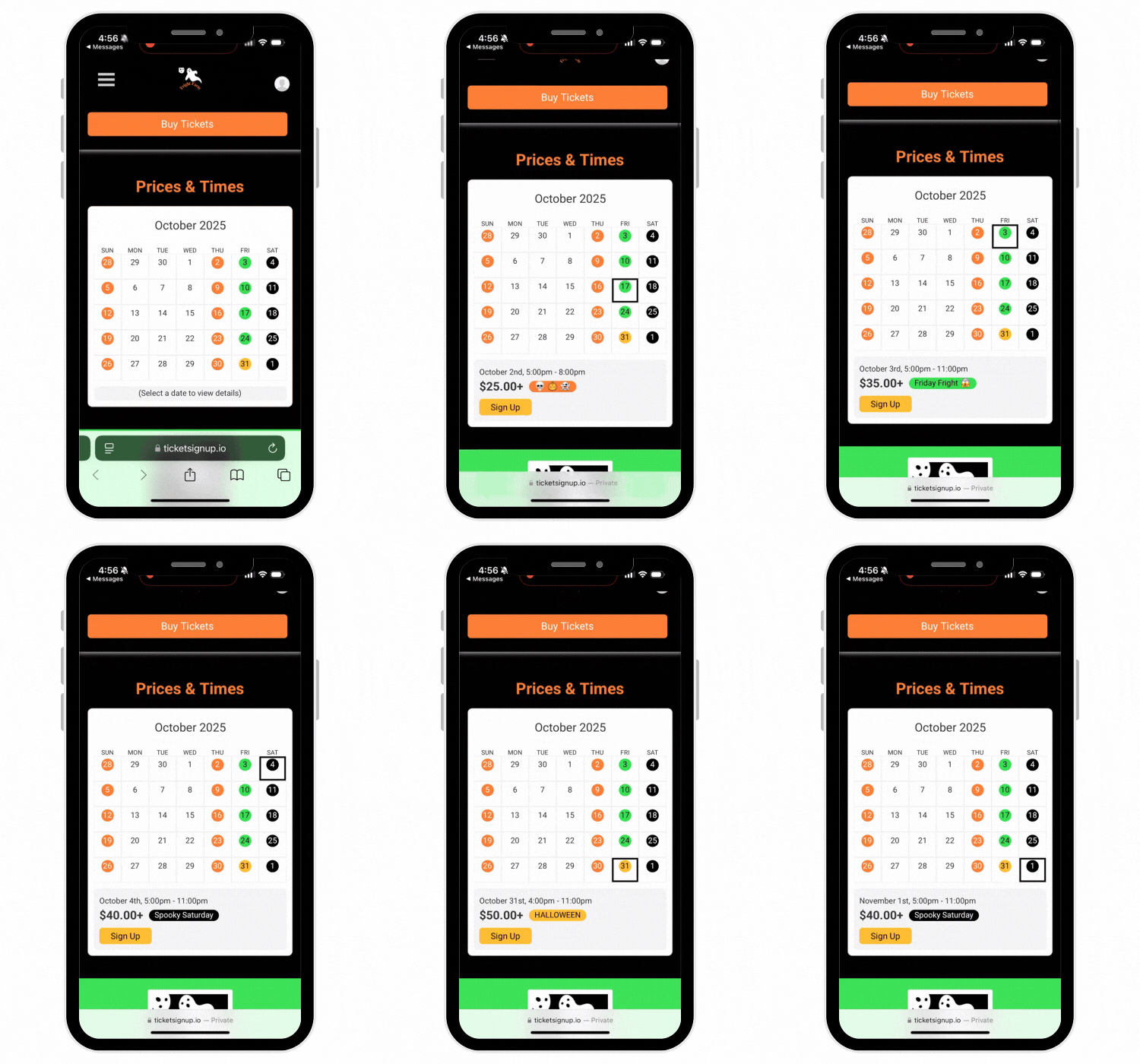
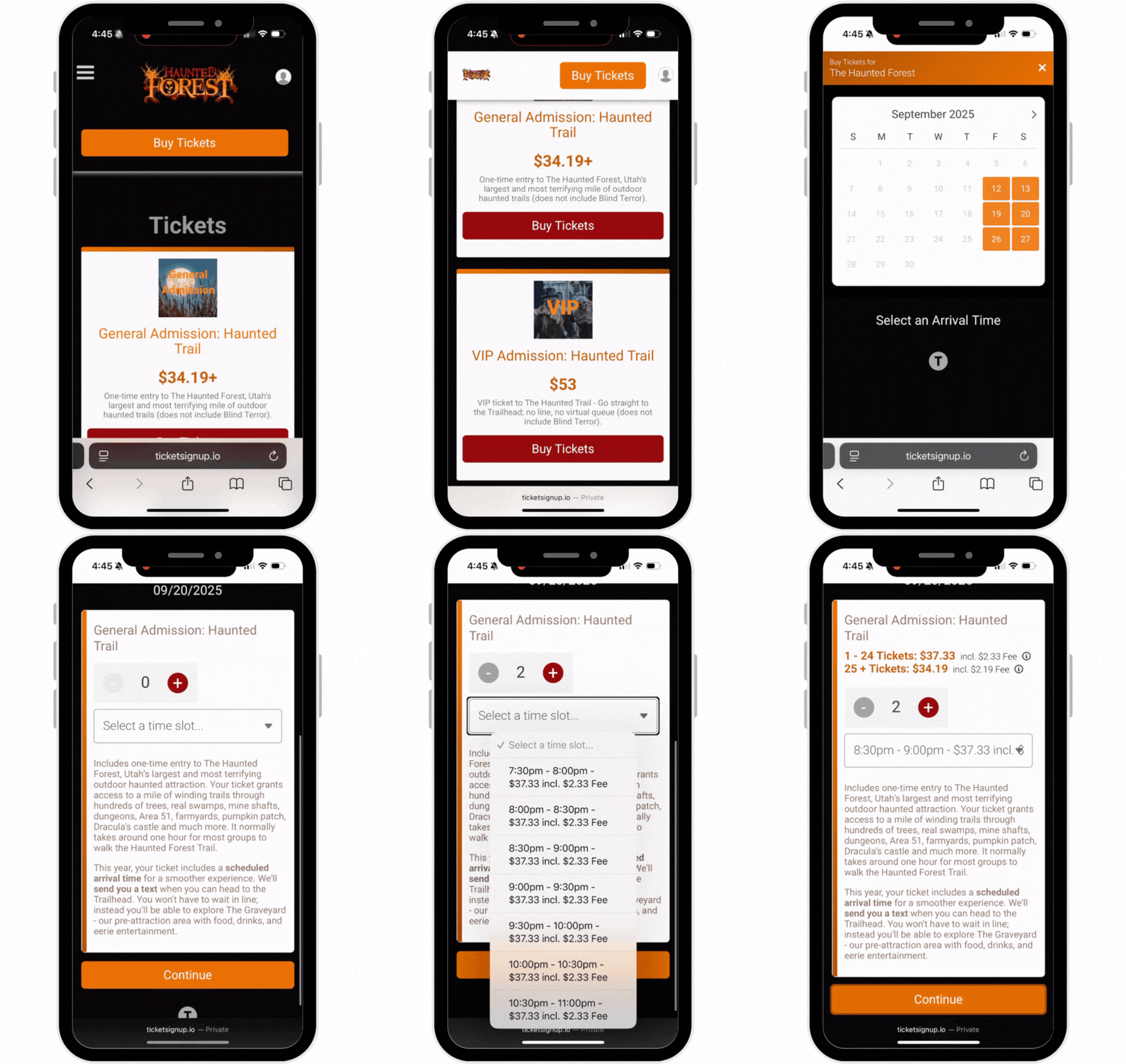
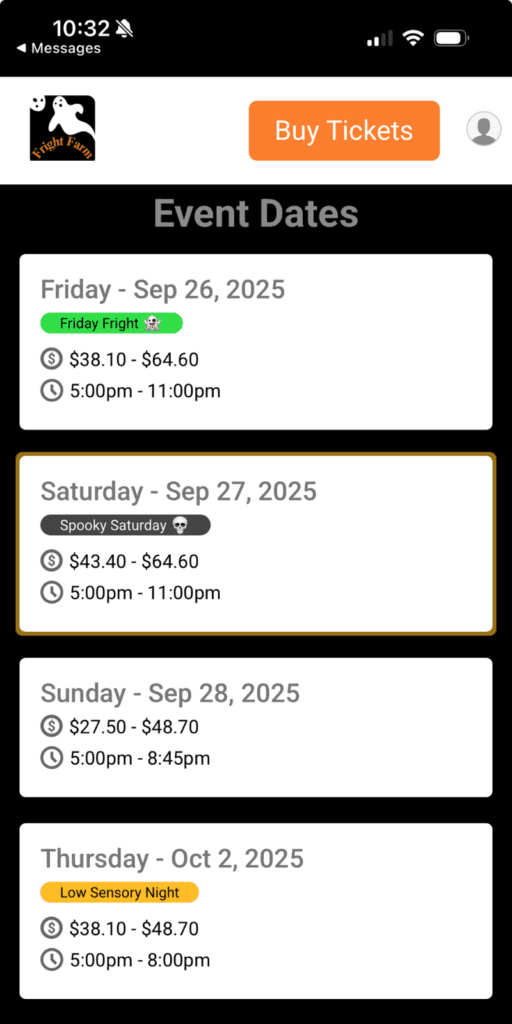
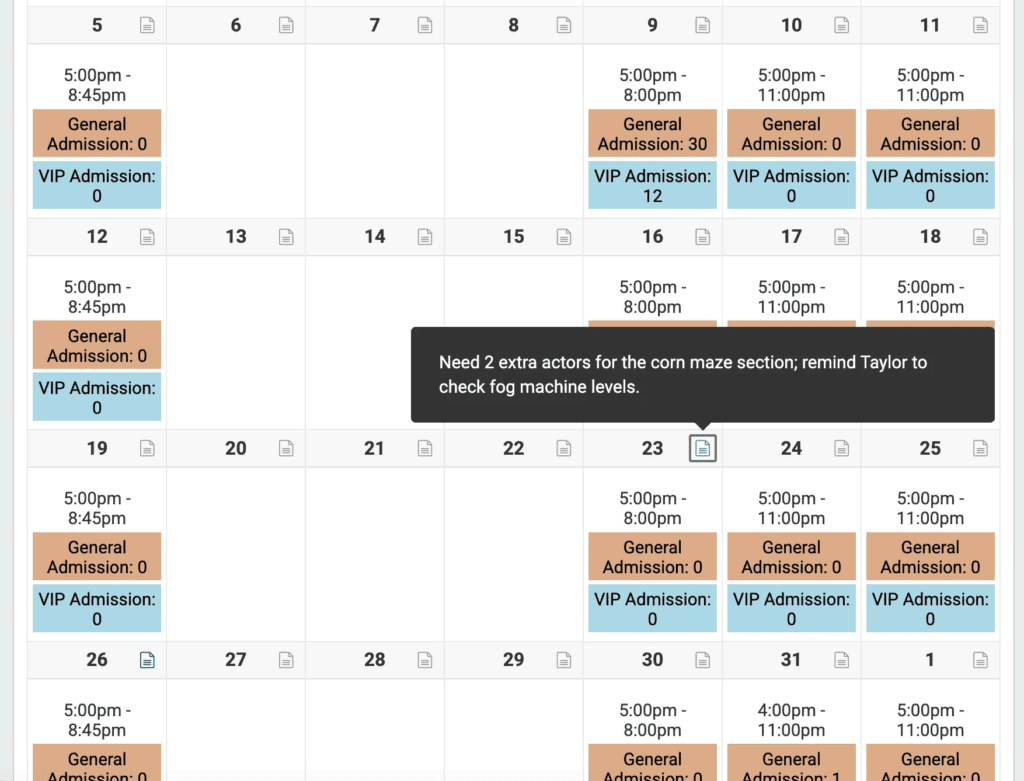
Setting up and managing calendar-based events became easier on TicketSignup in 2025. Events can set up in minutes, whether they run every date of the year, seasonally, or just for a weekend. The calendar Ticket Schedule became the core of how events manage dates, times, pricing, and caps with key info and actions easily available. Ticket Notes enhanced team communication, scheduling, and historic data.
The Schedule expanded to include Attendee Actions. This year, we added the ability to email attendees across time slots, dates, and ticket types right from the main calendar, making event communications seamless. In addition, the ability to quickly cancel dates and/or time slots made managing last minute storms and emergencies easy to do on the fly. We also added an automated post-event email.
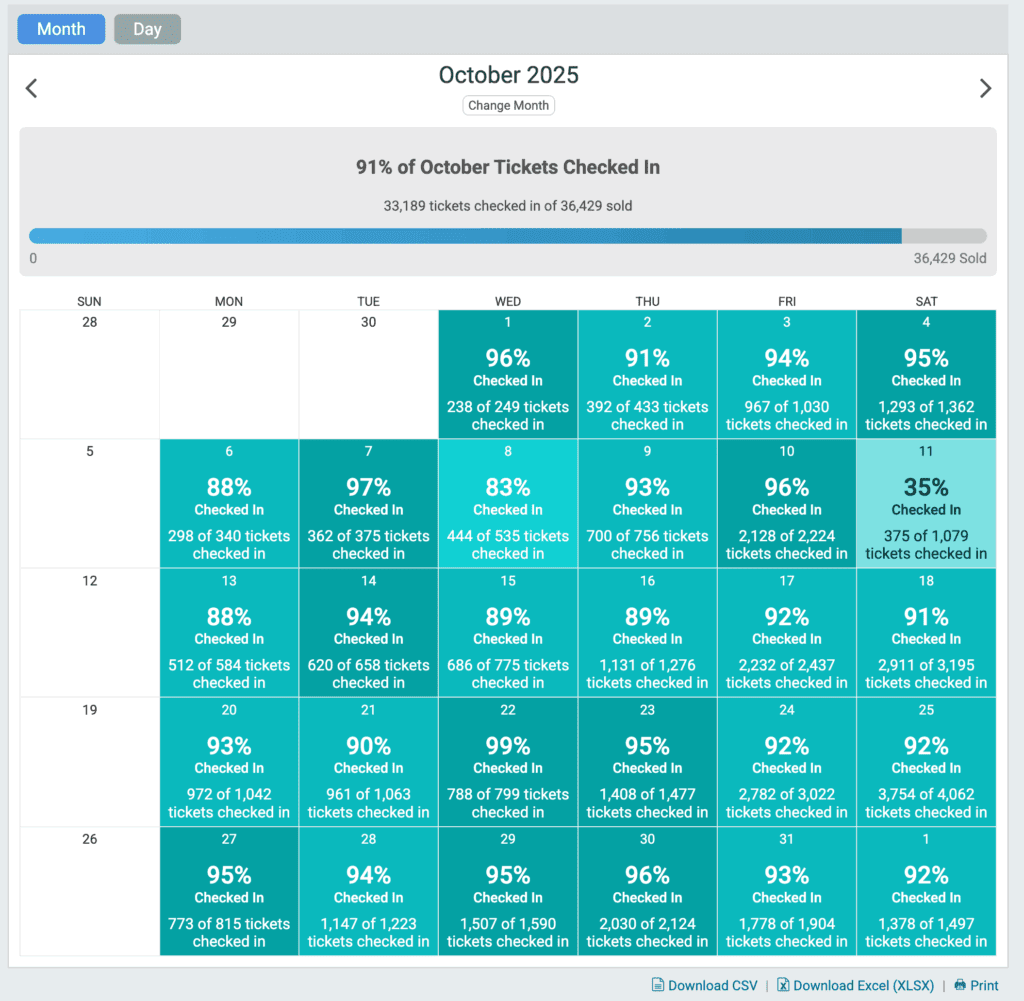
Calendar-based reporting offers enhanced insights into event revenue and operations. In 2025, we added new reports for calendar-based events including Tickets Sold Insights and rolling date filters to view “today” and “next week’s” attendees.
Free Ticket Event Websites and Email
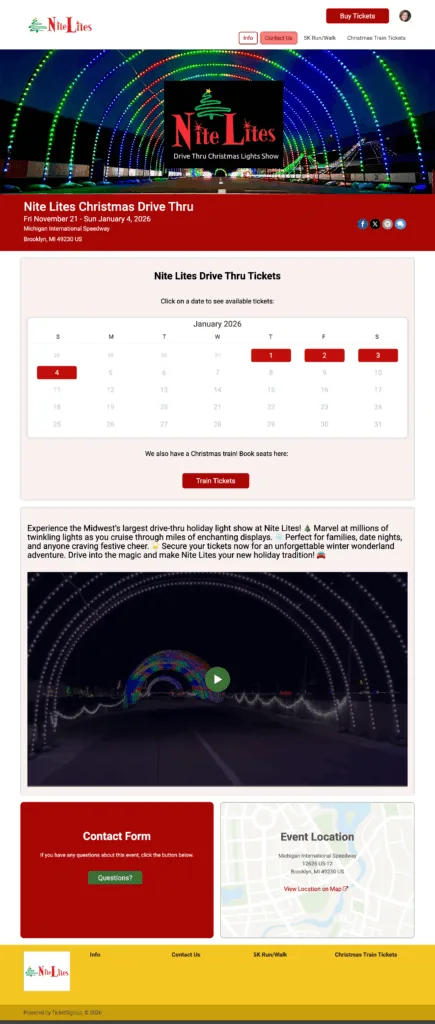
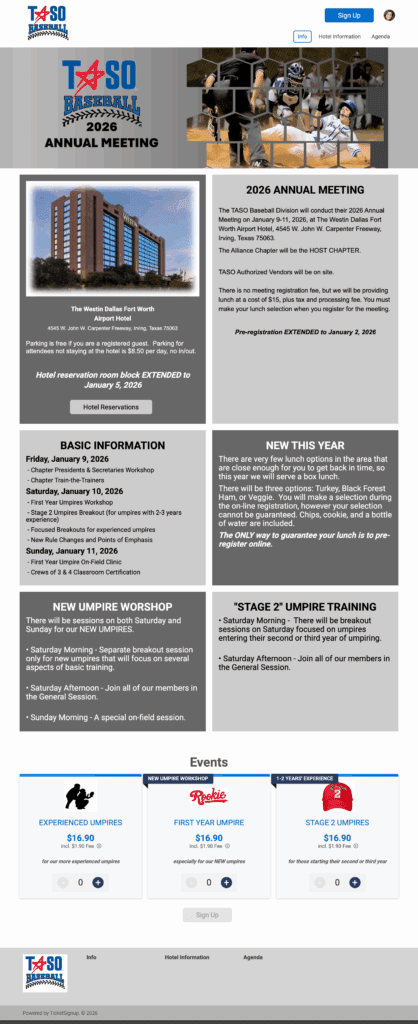
With TicketSignup, events get more than just a page – it’s a fully branded, customizable website for free. TicketSignup continued to enhance event websites with tools that support stronger branding and better conversions. In February, we made it easy to start setting up a custom website in the Ticket Wizard. Then we added new components to design unique websites: Circle Images, Button Groups, 3 column sections, 4 column sections, quick-fill FAQ Component, Image Groups, PDFs, Font Themes, and new Color Schemes.
TicketSignup helped customers send over 800 million emails for free in 2025. See some examples of how events used free email this year. We invested heavily in email infrastructure to make our system more secure and scale to handle billions of emails per year. Furthermore, TicketSignup added advanced email capabilities for calendar-based events, including the automated post event email and the ability to email attendees from the Schedule. We also added Email Template Sort Options to make managing templates easy across events.
AI Customer Service Agent
AI was a core part of TicketSignup’s 2025 Product strategy. TicketSignup introduced an AI Customer Service Agent purpose-built for ticketed events. Because TicketSignup websites already contain structured event content – dates, tickets, policies, FAQs, and real-time settings – the AI agent can deliver accurate, complete answers that reflect how each event is actually configured.
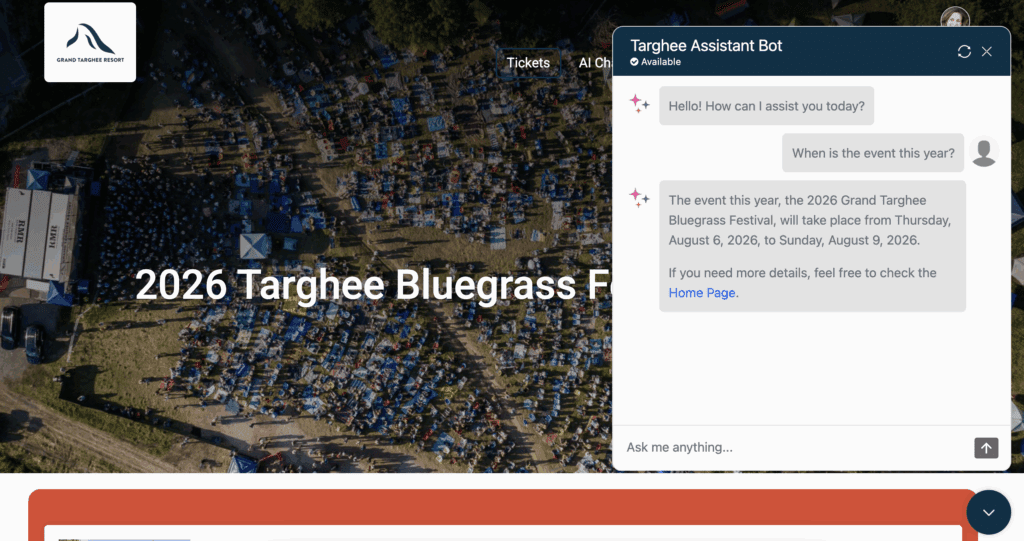
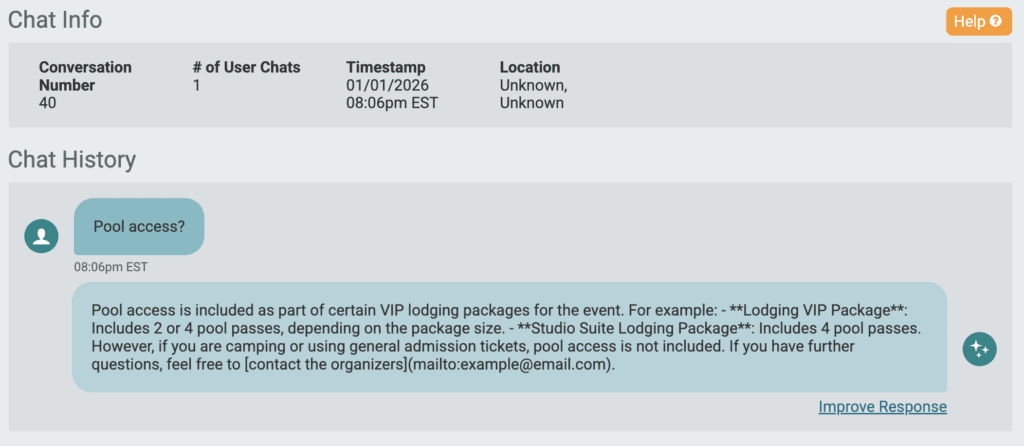
As an employee-owned company, TicketSignup can absorb the ongoing development and operating costs required to run AI at scale, just as it does with email and event websites. This allows events to provide fast, self-serve customer support without paying additional fees or managing another system. The result is fewer support requests for event teams and a better experience for attendees before and after purchase.
Ticket App
We added key functionality to the Ticket App to grow the ways we help events manage on site operations while making more money and reducing overhead.
- Add Free Tickets: Event staff can quickly issue complimentary tickets directly from the Ticket App during check-in, enabling flexible, on-the-spot access without disrupting entry flow or backend reporting. Zozobra requested this feature as the fire marshal wanted an accurate head count, including kids who didn’t need tickets to attend.
- Virtual Queuing: With Virtual Queuing, events can eliminate long physical lines altogether while improving the guest experience and increasing revenue. The Haunted Forest used virtual queuing for more than 50,000 attendees.
- CheckIns by Device: Events can track checkins by device for better insight into on site operations and staffing decisions.
Store
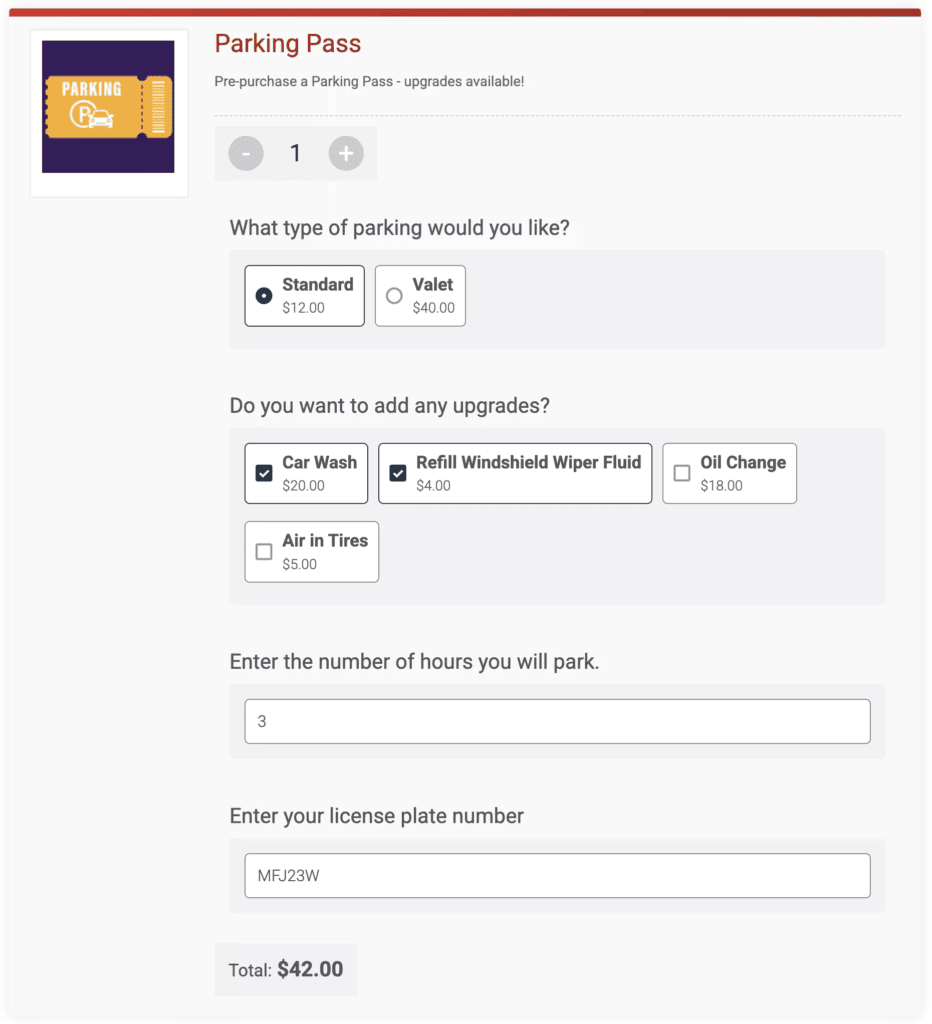
TicketSignup’s Store is a flexible way to generate more revenue for events. In 2025, we added the following:
- Calculated store items
- Shipping address collection and verification
- Shipping address added to reports
- Store fulfillment reporting, including overall summary, interval reports, and fulfillments by date report
- Apple Pay and Apple Wallet for standalone store purchases
- QR Codes for store items
- Unique store item URLs
- Custom heading for Store
- Individual store items report
Self-Serve Ticket Transfers and Upgrades
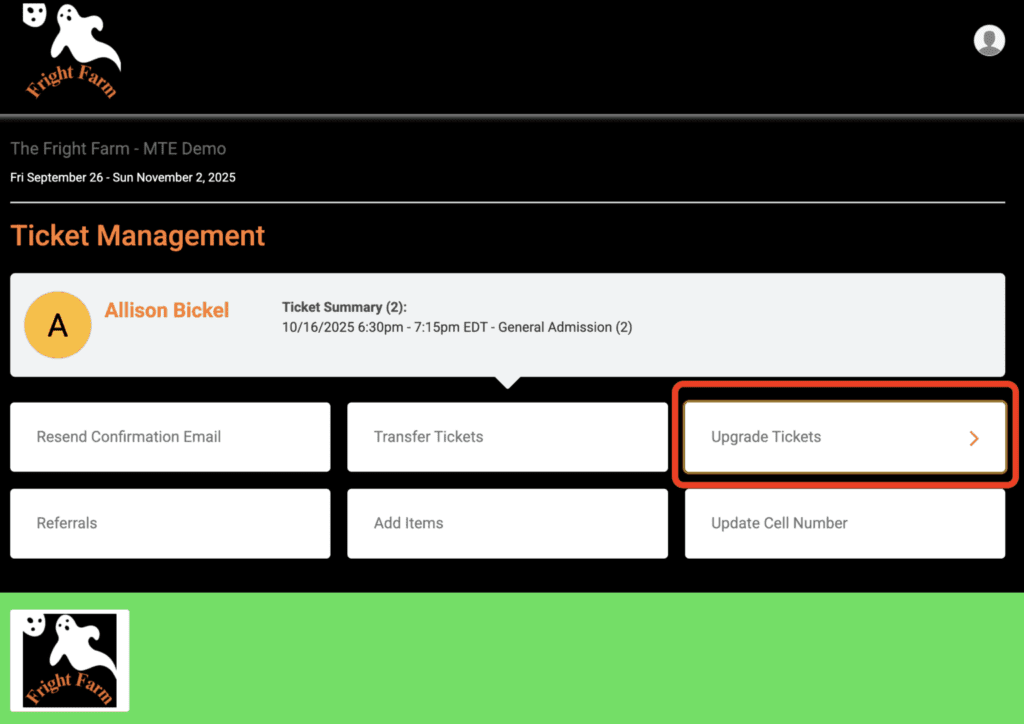
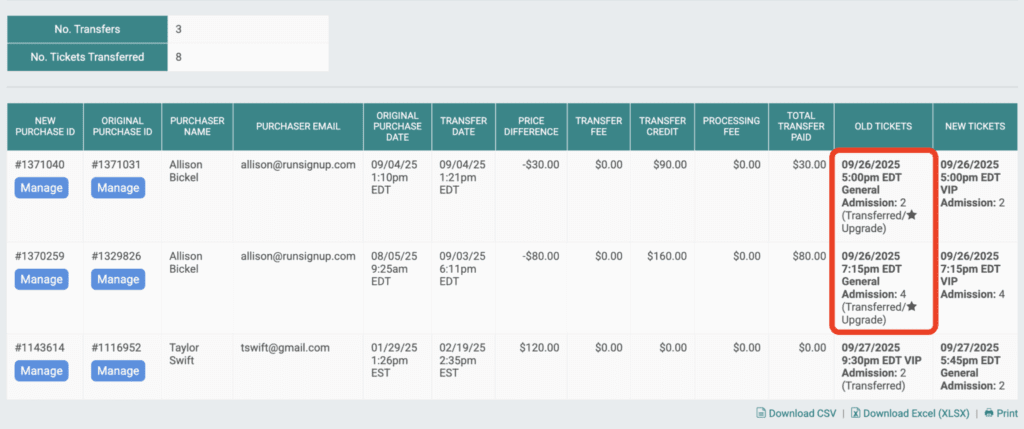
Self-serve ticket transfers and upgrades mean less customer support, fewer chargebacks, and more revenue. There are now even more self-serve transfer and upgrade capabilities for ticket events.
Calendar-based transfer rules let multi-date events override overall settings for specific dates and/or time slots. This makes last minute cancellations seamless; simply allow all attendees for canceled dates move their tickets to another date. Flex tickets allow unique transfer settings per ticket type. For example, general admission can’t transfer. Flex tickets cost more, but allow transfers at any time.
Ticket Upgrades make it easy to upsell tickets. When combined with Virtual Queuing, ticket upgrades drive revenue even after checking in, with unique links that make it seamless to upgrade and skip the line.
Ticket Insurance
TicketSignup partnered with Protecht’s FanShield product to offer Ticket Insurance. Attendees feel better buying tickets in advance, and events make more revenue with a 20% insurance premium revenue share. Higher priced events that sell tickets in advance tend to offer insurance, but this option is available to any event regardless of ticket price. The average coverage amount per insurance policy purchased was $141, and the average cost to attendees of buying insurance was $9. This makes insurance affordable for any event. On average, events made $1.88 per policy sold.
Flexible Ticket Questions
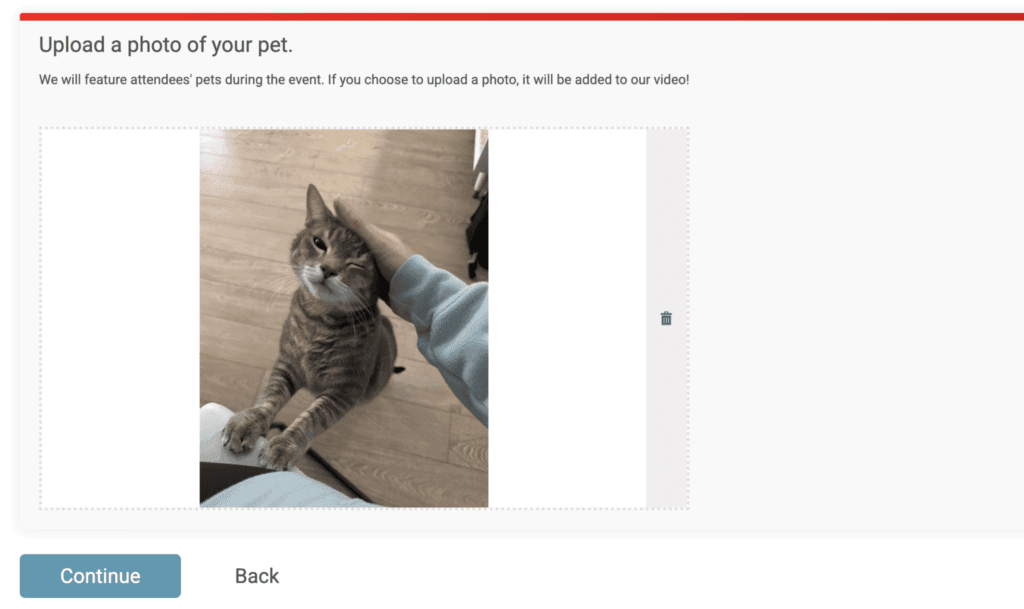
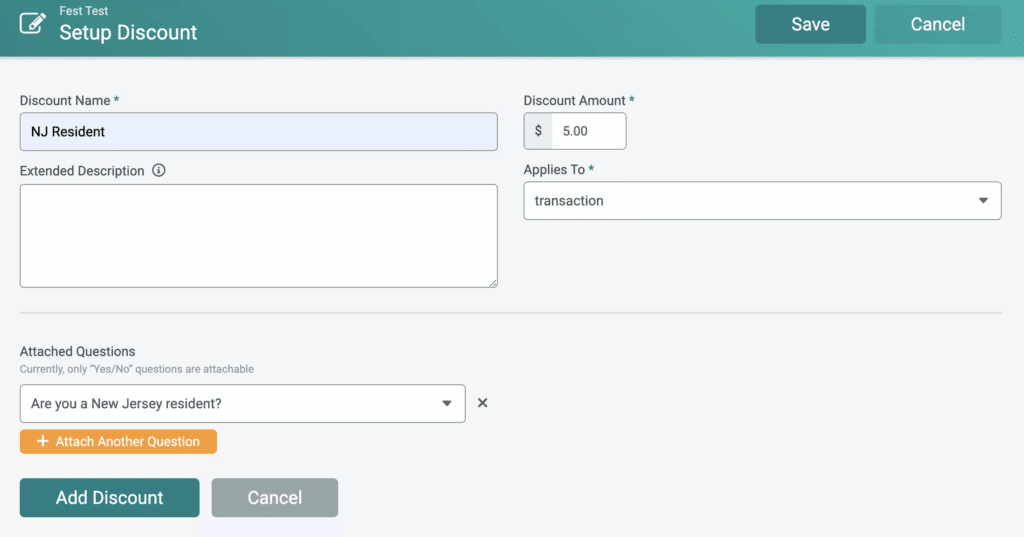
In addition to serving as the foundation for calculated store items, we enhanced question capabilities in 2026. Automate discounts based on responses with Question Discounts. Attendees can now upload images for questions. Events can also allow attendees to edit their question responses up until a defined date limit with self-serve question management. We added US/Canada phone number validation as a question response type.
And More to Wrap Up the TicketSignup 2025 Product Recap
Beyond major feature launches, TicketSignup shipped a wide range of enhancements that improved usability, flexibility, and performance across the platform. These include the optional email confirmation field, Apple Pay for web browsers, the option to resend invoice receipts, flexible self-serve ticket management branding, and the option to feature images per ticket type in the purchase path.
In 2025, TicketSignup proved that steady, intentional product development delivers real results for events of all sizes. From calendar-based ticketing to AI-powered capabilities and expanded revenue tools, every feature focused on helping events operate efficiently and grow with confidence. We look forward to building on this momentum and continuing to deliver free, powerful ticketing technology that solves real event problems.