
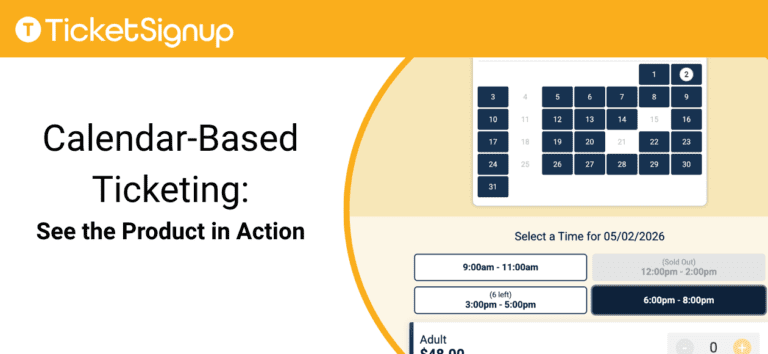
Calendar-based ticketing lets event organizers sell tickets by date with optional time slots, capacity control, and dynamic pricing. TicketSignup delivers a calendar-first system at $0.40 per ticket plus standard credit card processing fees, including your website, email marketing, on-site check-in app, virtual queuing, and self-serve ticket management.
See Calendar-Based Ticketing in Action
Start with how you manage your event, then see what your attendees experience. TicketSignup’s calendar-based ticketing gives you full control on the backend and a fast, intuitive purchase flow on the frontend.
Event Director View: Manage Your Calendar
TicketSignup gives event directors both high-level and granular control through calendar-based views. You can zoom out to a month view to track overall performance across your schedule, or zoom in to day-level views to manage operations in real time and make precise or bulk updates.
From these calendar views, you can:
- Sell tickets by date or add timed entry when needed
- Set capacity by ticket type and/or time slot
- Automate pricing with increases, volume discounts, and dynamic sales windows plus variable pricing by date and/or time slot
- Schedule pre- and post-event emails with personalized details like QR codes and ticket info
- Update schedules, cancel dates, and communicate with attendees directly from the calendar
- Monitor real-time sales and check-in data to make on-site decisions
Because TicketSignup is built calendar-first, every action connects directly to your schedule. You can make updates across multiple dates at once or drill down into a single time slot without duplicating work.
Attendee View: Book in Seconds
TicketSignup delivers a fast, flexible purchase experience built around how your event operates and how attendees prefer to buy.
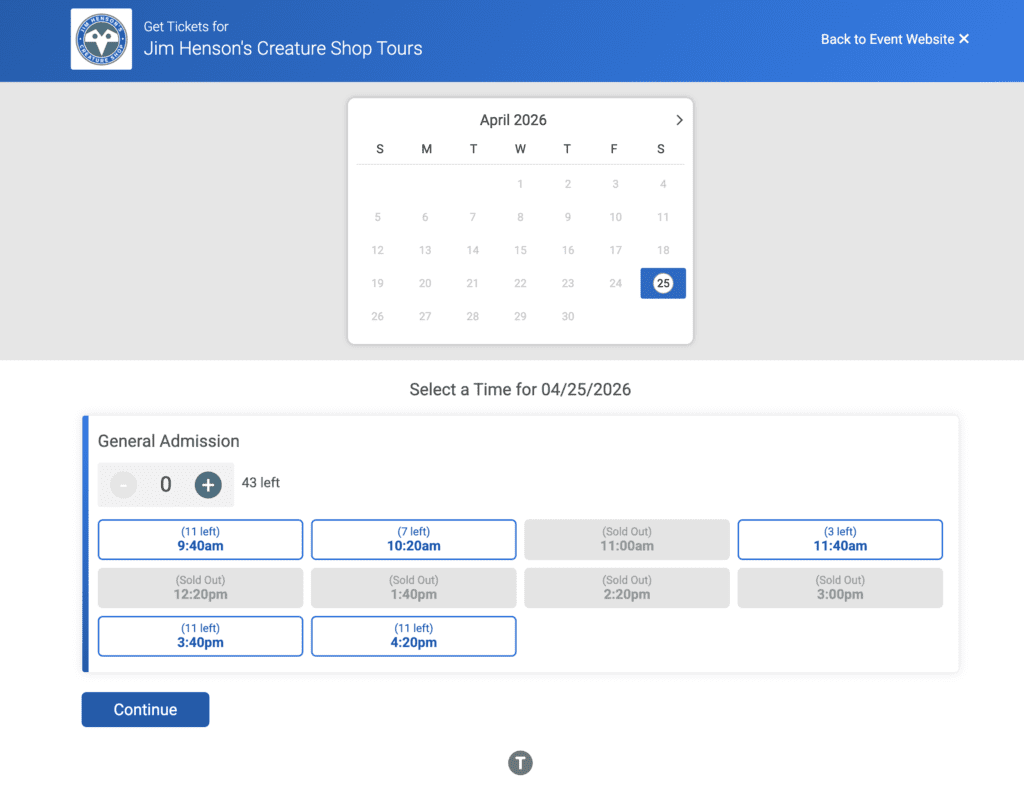
At the center is a free, data-driven event website with integrated calendar views and your branding that guide buyers to the right date, time, and ticket.
From the attendee perspective, the experience includes:
- Calendar-based browsing with real-time availability and pricing
- A customizable purchase path with support for add-ons, donations, and multiple ticket types
- An AI chatbot that answers questions instantly and reduces drop-off Fast, secure checkout with no account required
- Fast, secure checkout with modern payment options and no account required
Because the website, calendar, and checkout are fully connected, any updates to your schedule or pricing reflect instantly across the entire buying experience.
What Is Calendar-Based Ticketing?
Calendar-based ticketing lets attendees select a specific date, with the option to choose a time slot when needed. Each date or time slot has its own capacity, pricing, and availability.
This model supports both timed-entry events and all-day admission events. Instead of selling all tickets to a single date, you distribute demand across your calendar to improve flow, increase revenue opportunities, and simplify operations.
How Calendar-Based Ticketing Works
Calendar-based ticketing organizes your event as:
Dates × (Optional) Time Slots × Ticket Types
This structure gives you flexibility to run different event models:
- Timed entry for controlled arrivals and peak demand
- All-day admission for open-hour events
- Hybrid setups that combine both
You can control capacity by date or time slot, automate pricing, and track performance across your full schedule.
It also supports real-world operations:
- Use virtual queuing to manage peak traffic without long lines
- Let attendees transfer, upgrade, or switch dates/ time slots without contacting support
- Facilitate multiple checkins for one ticket
Because everything connects to your calendar, you manage both ticket sales and on-site operations from one system.
Calendar-Based Ticketing Pricing: $0.40 Per Ticket Includes the Full Platform
Once you understand how calendar-based ticketing works, the next question is cost, and what you actually get for that cost.
TicketSignup pricing is simple, transparent, and includes the full platform.
At $0.40 per ticket, you get everything you need to run your event. That includes a branded website, unlimited email marketing, built-in AI chatbot support, calendar-based ticketing, and an on-site app for check-in and sales. There are no feature tiers or add-ons required, and no binding contracts.
TicketSignup charges:
- $0.40 per paid ticket
- 2.9% + $0.30 standard credit card processing
- Free tickets are always free
TicketSignup Pricing Comparison
How TicketSignup Saves You Money Compared to Competitors
| Platform | Ticket Fee | Processing Fee | Website | Sales Tax Remittance | |
|---|---|---|---|---|---|
| TicketSignup | $.40 per Ticket | 2.9% + $.30 | Free | Free | Yes |
| Eventbrite | $1.79 + 3.7% per ticket | 2.9% | $$ | Event Page Only | Yes |
| Fare Harbor | 6% | 1.9% + $.30 | Free (basic) | $$$ | No |
| Beyonk | 4-5% | 2.9% + $.30 | $$$ | $$$ | No |
| TicketSpice | $.99 per ticket | 2.9% + $.30 | $$ | Event Page Only | No |
| TicketLeap | $1 + 2% per ticket | 3% | Free (basic) | Event Page Only | No |
| HauntPay | 2.5% + $.50 per ticket | 2.75% + $.30 | $$ | Event Page Only | No |
TicketSignup Price Difference at Scale
Scenario: 5,000 tickets sold at $30 each; 3 tickets per cart.
| Platform | Total Fees | TicketSignup Difference |
|---|---|---|
| TicketSignup | $6,908 | – |
| Eventbrite | $18,850 | +$11,942 |
| Fare Harbor | $12,350 | +$5,442 |
| Beyonk (5%) | $12,350 | +$5,442 |
| TicketSpice | $9,800 | +$2,892 |
| TicketLeap | $12,500 | +$5,592 |
| HauntPay | $10,875 | +$3,967 |
You decide how fees are handled:
- Pass fees to attendees
- Absorb fees into ticket price
- Split fees between your event and the buyer
Most events pass the $0.40 fee to attendees, making the platform 100% free.
Everything Included at $0.40
Lower fees matter. What you get at that price matters more. TicketSignup includes the features many platforms charge extra for or do not offer:
- A fully branded, data-driven event website with an AI Assistant to speed up content creation
- Unlimited free Email Marketing tied to your event calendar
- Built-in AI chatbot for buyer support
- Event Day App for check-in, on-site sales, fulfillment, and operations
- Calendar-based ticketing for multi-day and timed-entry events
- Real-time reporting and analytics
- Built-in sales tax calculation and remittance
- 100% US based support from a 100% employee-owned company
You are not buying a ticket widget. You are getting a complete event platform that’s free, automates workflows, reduces customer support, keeps you compliant, and helps you make more money.
Get Started with Calendar-Based Ticketing
If your event spans multiple dates, you need a system built around your schedule.
TicketSignup gives you the flexibility to run simple date-based events, add timed entry when needed, and scale without added complexity.
Start your event: Create a free TicketSignup account
See it live: Schedule a demo with the TicketSignup team