
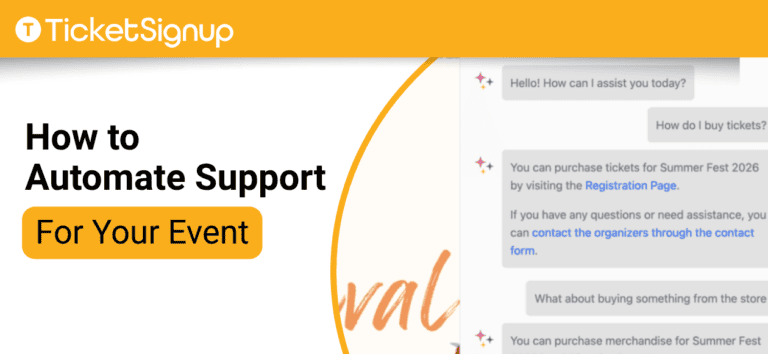
The average event organizer answers the same questions hundreds of times a season, from “can I change my date?” to “where do I park?”. These aren’t hard questions, but responding to them takes time. What if you could automate support for your event instead?
Automate Your Support with AI
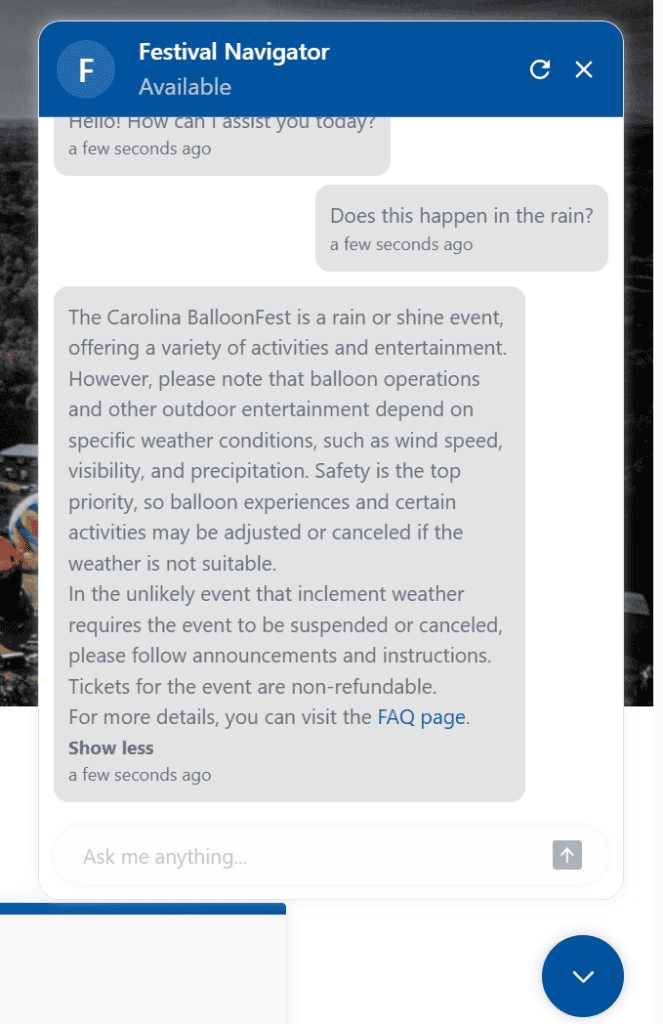
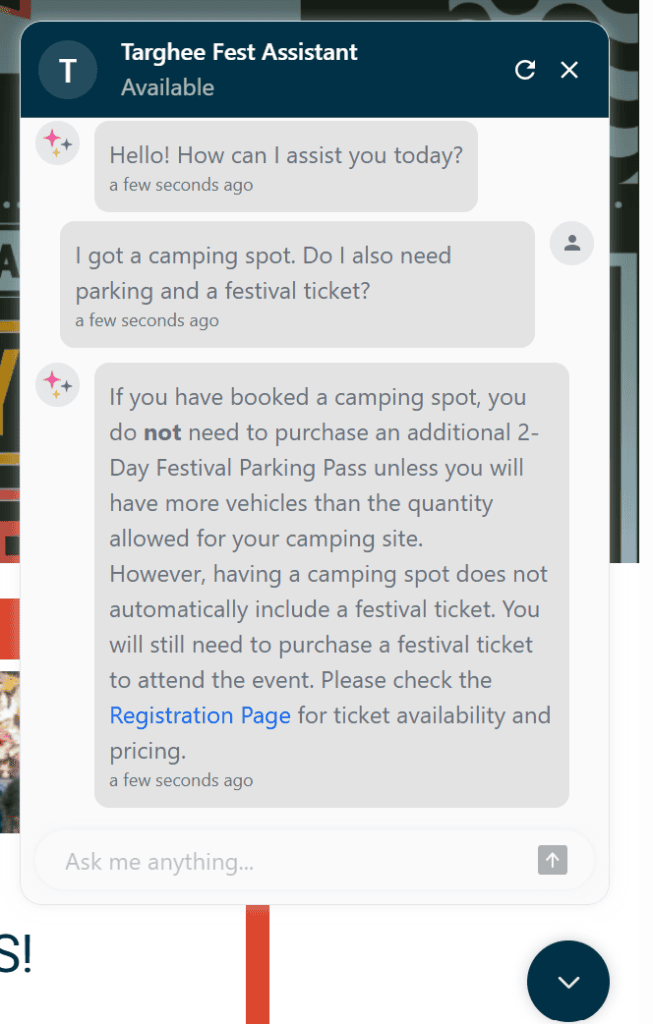
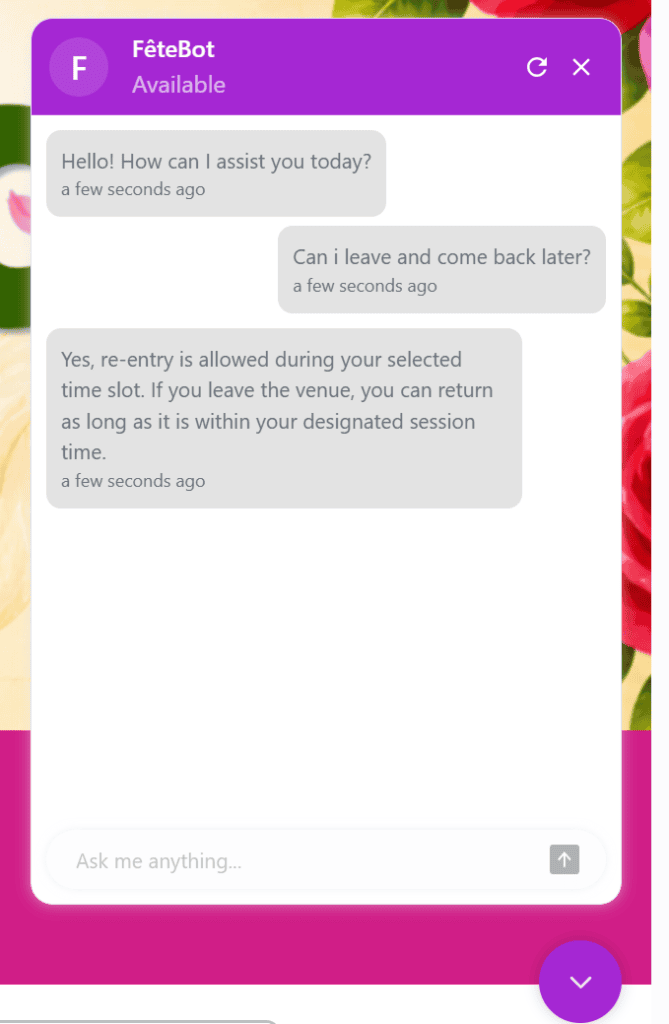
Those repetitive questions are a perfect use case for AI. Every event on TicketSignup can enable a customized TicketSignup AI Chatbot (Beta) that answers attendee questions right on your event website, 24/7.
Your TicketSignup AI Chatbot is trained specifically on your event details so there’s no guesswork in the answers. Your FAQ and event information provides the framework (the more FAQs you add, the smarter it gets). Give it your own Chatbot logo, name, and greeting message, then review and refine the responses from your dashboard as the questions roll in.
One event director saw an 80% reduction in support emails after launching their chatbot, freeing up 5-10 hours a week that used to go to answering the same questions over and over.
Automate Your Support with Self-Serve Ticket Management
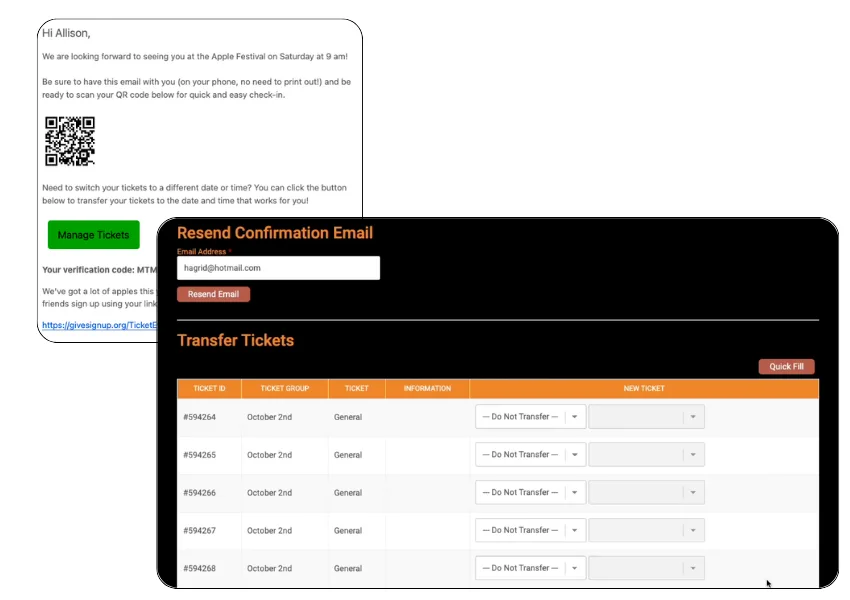
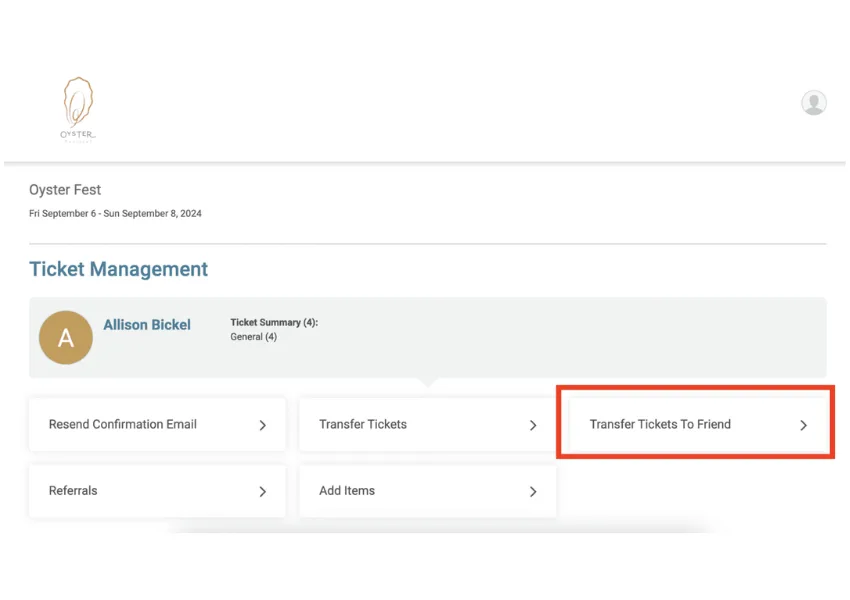
When you empower your participants to take actions on their own, that’s action you don’t have to take. TicketSignup’s self-serve ticket management options make it simple for ticket purchasers to change the date, time slot, or ticket type, transfer a ticket to a friend, add store items to a purchase, or upgrade their ticket. No login required.
Self-serve doesn’t mean no control. As the event director, you control the parameters: dates for transfer windows, transfer fees, event caps, and whether to allow transfers for sold-out dates. Your rules allow attendees to do the work.
Bonus: self-serve ticket management can boost revenue, too. The Haunted Forest saw more than 2,000 self-serve ticket transfers and 714 attendees upgrade their own tickets, generating $9,460 in additional revenue (without a single support call).
Automate Emails for Pre Event Communications
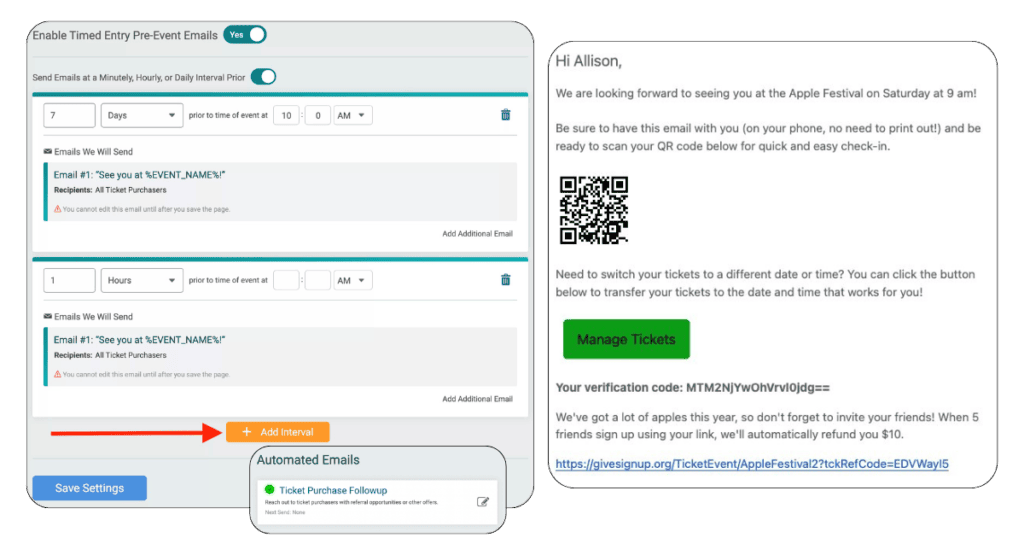
When you’ve been hosting an event for awhile, you already know what questions are coming. Get ahead of the asking with automated pre-event emails, including purchase follow-up emails and pre-event emails for Calendar-Based events. These set-it-and-forget-it emails allow you to send event day reminders (like parking information) based on the purchase date and/or their ticket date.
Incorporate self-serve ticket management in your email process by including a “Manage Tickets” link in your automated pre-event emails.
Automation in Action: When Weather Forces a Change
Automated customer support is powerful year-round, but it becomes critical when weather challenges like extreme heat, wildfires, or thunderstorms force your hand. When weather forces cancellations or changes, this type of automated customer support is a game-changer.
Once you’ve determined what options you have available for transfers, rescheduling, or refunds:
- Update your ticket management settings to fit the moment. Waive fees, override sold-out ticket caps, extend transfer deadlines, or, for last minute impacts, allow ticket holders to transfer even after their ticket date has passed. Ticket management is granular, so you can easily allow these overrides to apply only to impacted tickets.
- Send an email to all impacted ticket holders with a “Manage Tickets” button. This alone can save hundreds of exchanges.
- Update your AI Chatbot by adding an FAQ to explain how customers can make changes, including a link to Manage Tickets. That way the Chatbot can get customers managing their own tickets before they ever send an email.

Good Customer Support Doesn’t Have to Be Hard
The best customer service for an event is the kind attendees never notice, because they run into any issues. Put technology to work automating your communications and actions, and save your inbox for the challenges that truly need your expertise.
P.S. Just because we’re making customer support easy for you you doesn’t mean we’re skimping on our own customer support. Our 100% US-Based support team is available 7-days a week.
And like all the features mentioned here – the TicketSignup AI Chatbot, self-serve ticket management, and automated emails – there’s no upcharge for support. With TicketSignup, everything is included for the standard $0.40 per paid ticket plus standard card processing. Free tickets are free. No monthly fee. No hidden costs.