

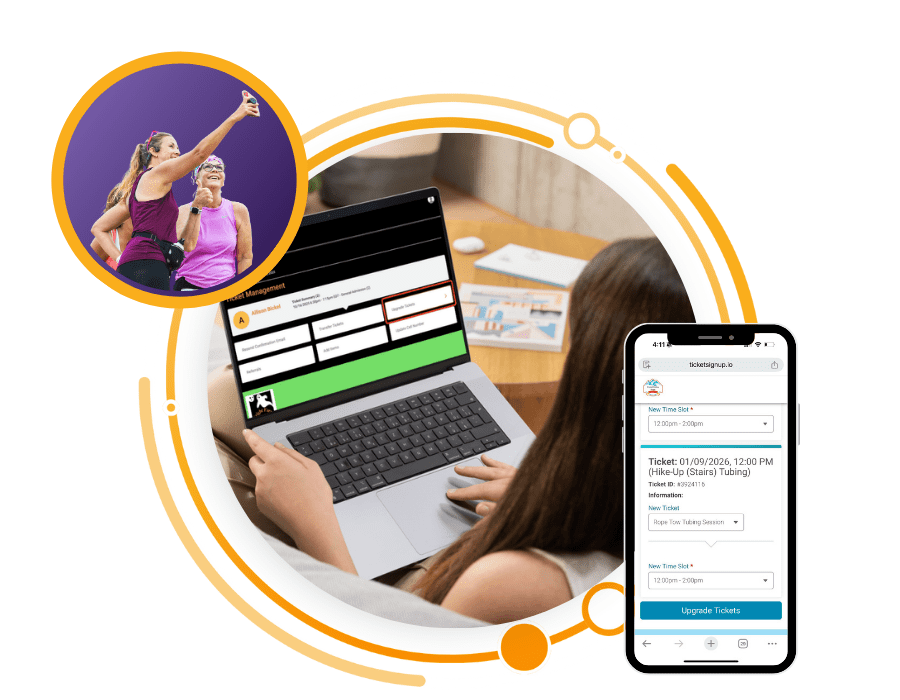
Ticket Management Tools to Save Time
As a director, it’s crucial that modifying and managing tickets be fast and easy. TicketSignup’s ticket management tools go beyond just director actions: it’s also simple for attendees to make self-serve ticket changes (no customer service required). From transfers to upgrades to store purchases, self-serve ticket changes keep participants happy and increase event revenue. All self-serve ticket changes can be made through the ticket holder’s email (no login required).
How Self-Serve Ticket Changes Work
All self-serve options are enabled at the discretion of the event director. You maintain full control over the parameters for allowing self-serve ticket changes.
Self-Serve Ticket Transfers
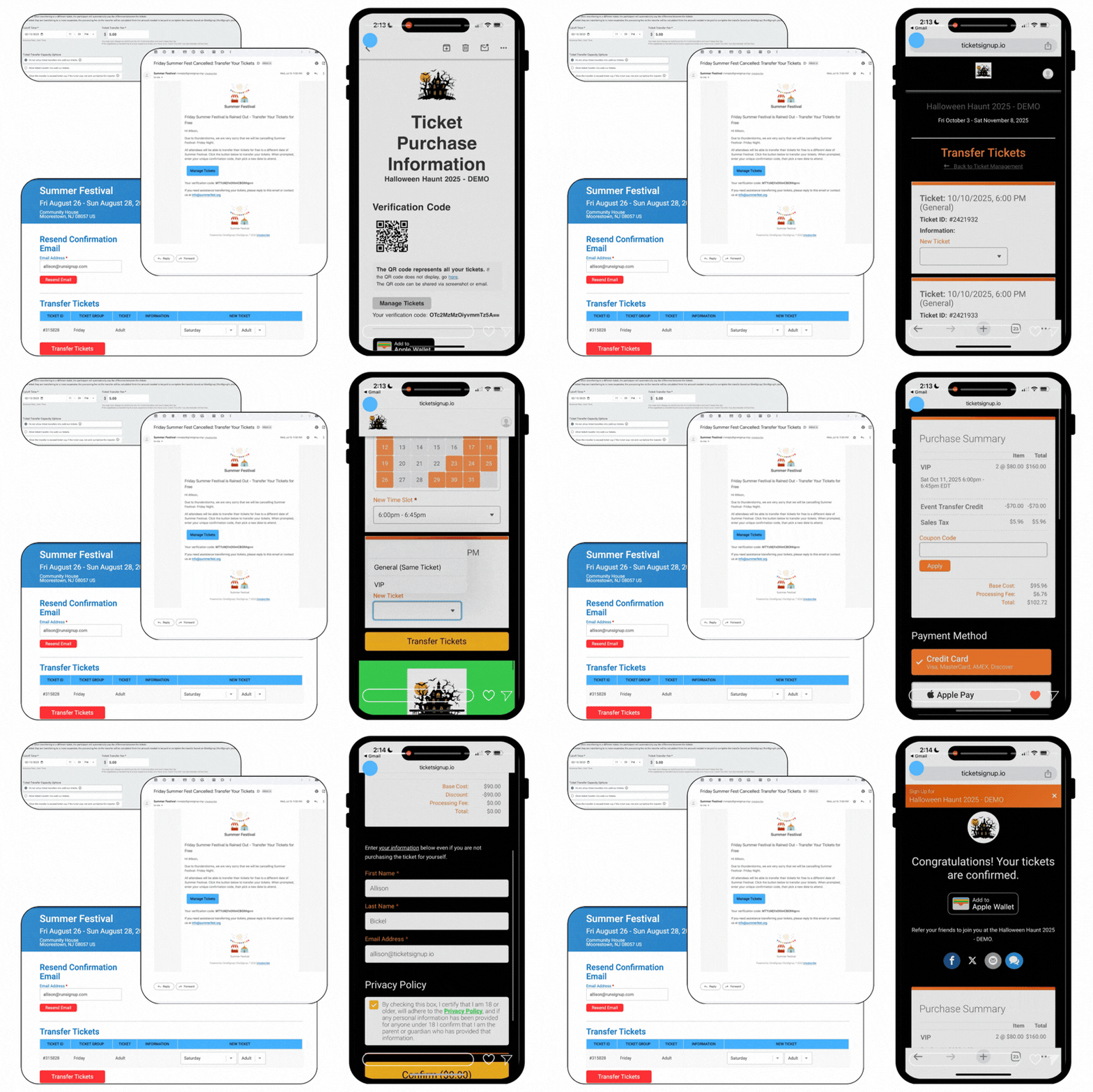
Simple and calendar-based timed entry events can empower attendees to transfer their ticket to a new date or time slot.
- Enable ticket transfers for free or opt to add a transfer fee to boost revenue.
- Offer ticket transfers for all tickets, or enable only when weather or adverse conditions impact a specific time slot.
- Simplify transferring some or all tickets from a specific purchase, with quick fill functionality making it easy to update all tickets at once.
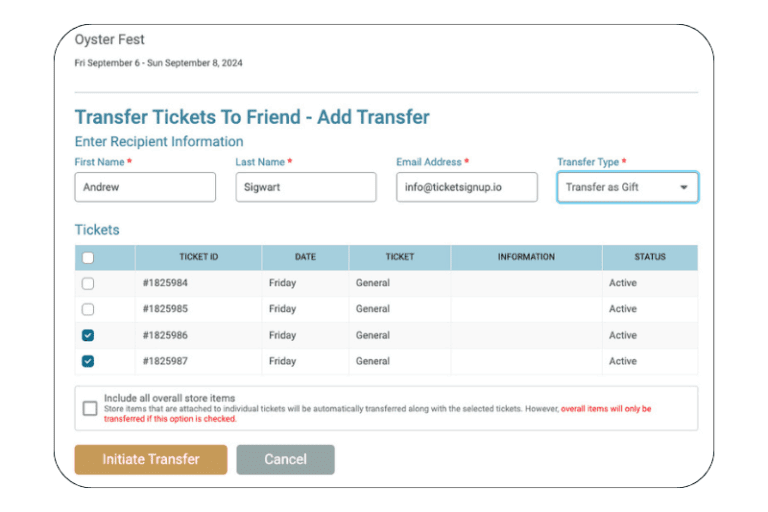
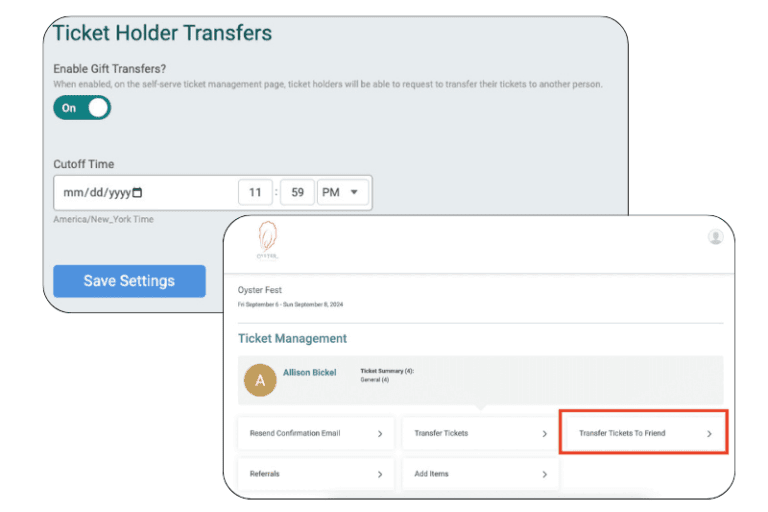
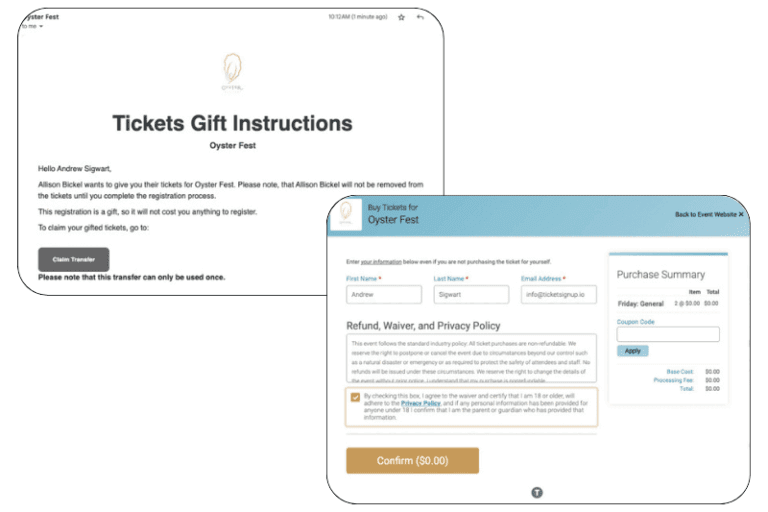
Self-Serve Transfer Tickets to a Friend
Allow ticket purchasers to transfer tickets to a friend, securely and with confidence that their ticket QR code is unique.
- Stop fraud with ticket transfers that automatically generate a new, unique QR code for the new ticket holder (rendering the old QR code useless).
- Ensure all your event policies are agreed upon by the new ticket holder and get updated contact details to ensure accurate data for pre-event communications.
Upsell After The Ticket Purchase
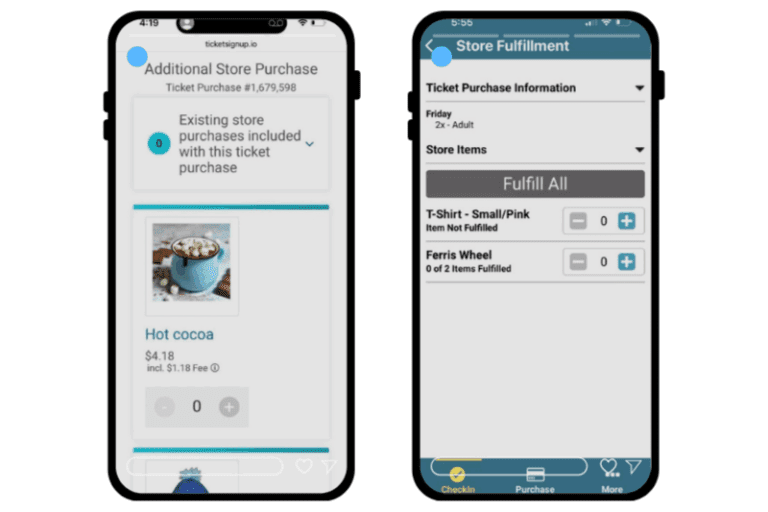
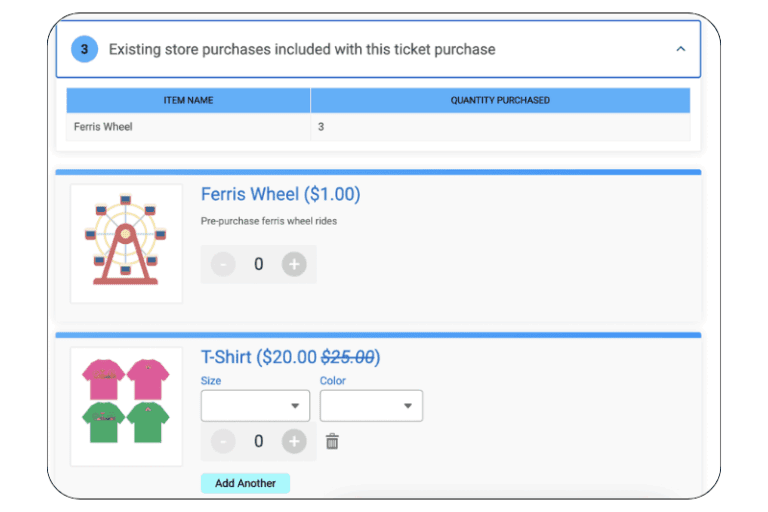
Revenue is about more than just tickets. Allow ticket purchasers to add merch and experiences to their existing ticket after the initial purchase (and even on-site)
- Send pre-event emails to encourage attendees to pre-purchase merch and add-on experiences or attractions.
- Use on-site QR signage on-site to continue selling store items. All purchases are added to the original ticket QR, making it easy for attendees to find and use their QR for fulfillment.
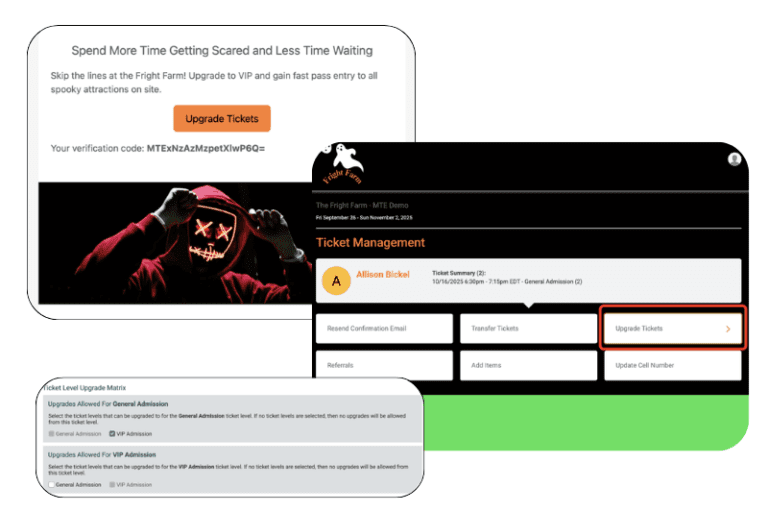
Upgrade Tickets
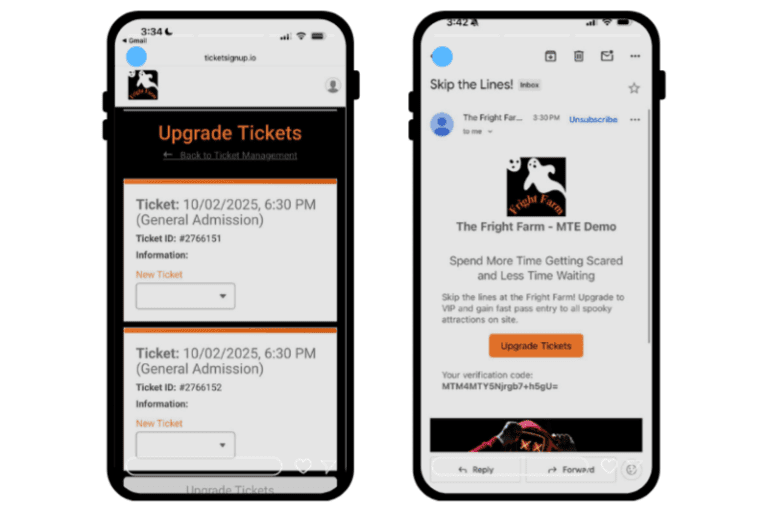
It’s never too late to encourage an upgrade. With self-serve ticket upgrades, it’s never too late to sell attendees on upgraded experiences.
- Use experiential upgrades like bundled attractions or included merch to encourage ticket purchasers to upgrade their General Admission ticket to VIP.
- Encourage upgrades even on-site with upgraded ticket options that include parking or skip-the-line privileges. With upgrade options right on their phone, VIP ticket perks can be accessed immediately upon checkout!
Your Still Have Full Control
While self-serve ticket management is often the right option, that doesn’t mean ceding all control. Event directors can also take ticket management actions from their event dashboard, including ticket transfers, edits of ticket information, and refunds.
Additionally, all self-serve ticket changes operate according to the parameters set by the event director. This includes rules around ticket caps and deadline, fees for ticket actions, and the the time and type of tickets available for self-serve ticket ticket changes.
How to Solve Event Problems with Self-Serve Ticket Management
At it’s most basic level, enabling self-serve ticket changes reduces overhead for the event director by putting customers service in the hands of attendees. But the use cases for ticket management go beyond just time savings – read on to understand how ticket management can enhance your event.
1. Increase Event Revenue
There are a few ways you can activate self-serve changes to boost your event revenue. First, events can charge a small feel for attendees to change their ticket. It’s a win-win: attendees are happy to be able to make a change, and the event get a little additional revenue. Second, events can encourage post-purchase ticket upgrades to sell more VIP, skip-the-line, or premium tickets. Finally, attendees can add store items like merchandise and experiences after their initial purchase, increasing the per-ticket revenue without complicated on-site processes.


2. Protect Against Rainy Days
If your multi-day event is outdoors, it’s all-but guaranteed that weather will impact your event at some point. Self-serve transfer options ease the strain of rainy-day cancellations and recoup some of your lost revenue. Give impacted ticket holders the option to transfer to another day or timeslot with the ability to allow only those tickets to transfer after the event date has passed. With customizable options for managing ticket caps and ticket upgrades during transfers, you can keep everyone happy (without the headache.)
3. Manage Calendar-Based Timed Entry Event
Self-serve functionality is key for calendar-based events with tickets over multiple days and timeslots. Flexible director-enable rules mean you have control over what tickets can be upgraded or transferred. Built-in free email marketing empowers you to upsell tickets after the initial purchase, and exportable reporting allows you to track tickets from their initial purchase through their upgrade and their on-site check-in.

Self-Serve Ticket Changes In Action:
How the Haunted Forest Made More Money And Reduced Customer Support
The Haunted Forest enabled self-serve ticket changes to reduce staff involvement in changes. With more than 2,000 attendees transferring tickets over the course of the 10 week event, including both transferring days and transferring to a friend, that’s a lot of time saved.
Even more valuable? Self-serve upgrades boosted revenue by more than $9,000 as attendees opted to upgrade their ticket after purchase (or even on-site) to skip the queue.

How-Tos for You and Your Attendees
How-Tos for administrative ticket management and enabling self-service options.
How-To to share with ticket purchasers for self-serve ticket changes (when enabled)
All the Latest Blogs on Ticket Management
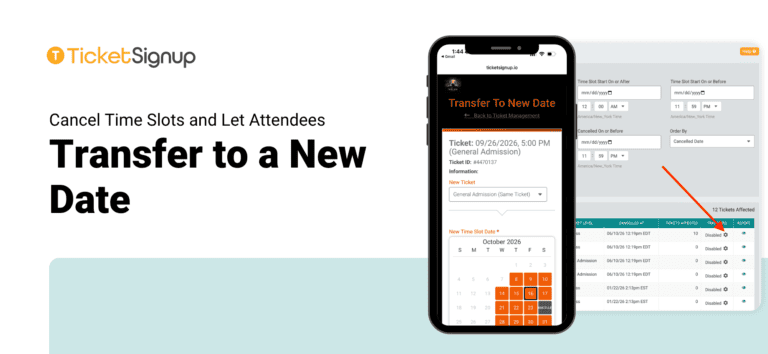
Cancel Time Slots and Let Attendees Transfer to a New Date
Rain, extreme weather, and staffing gaps happen. When a night or a block of time slots has to close, TicketSignup timed entry events can cancel those time slots and let attendees move their tickets to a new date on their own all…
Read More
A Scent-sational Debut – The Perfect Timed Entry Ticketing Solution for a Perfume Festival
A Perfume Lovers’ Conference, Built From Scratch Fragrance Fête, French for “festival,” brings together perfume enthusiasts, collectors, and industry brands and perfumers for a celebration of fragrances in New Orleans. Adriana Herrman, co-creator and co-organizer of the event, isn’t a traditional event…
Read More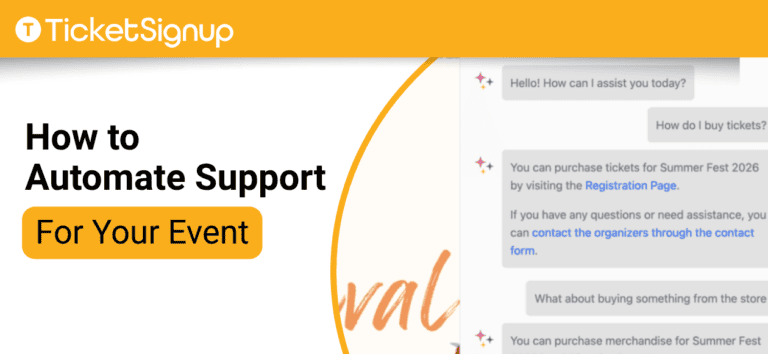
How to Automate Support for Your Event
The average event organizer answers the same questions hundreds of times a season, from “can I change my date?” to “where do I park?”. These aren’t hard questions, but responding to them takes time. What if you could automate support for your…
Read More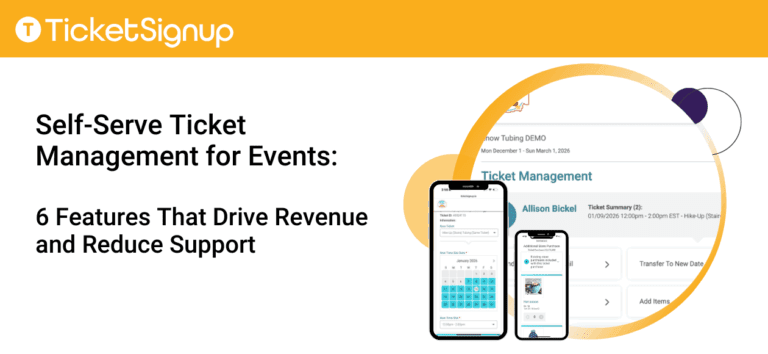
Self-Serve Ticket Management for Events: 6 Features That Drive Revenue and Reduce Support
Self-serve ticket management solves one of the biggest challenges events face: customer requests to change tickets. “Transfer my ticket”. “Upgrade my admission”. “Add an item I missed”. When handled manually, these requests create support work and often result in refunds or lost…
Read More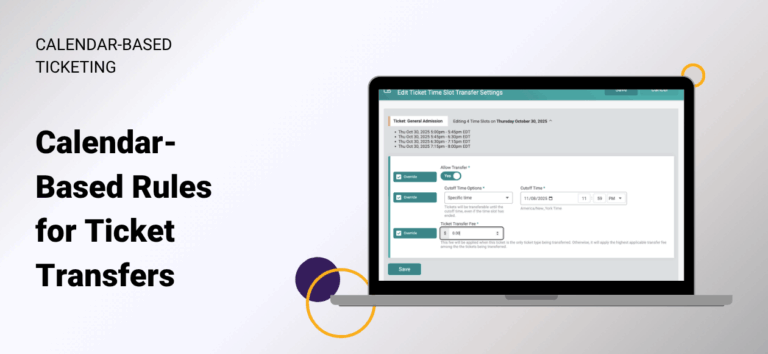
Calendar-Based Rules for Ticket Transfers
TicketSignup now offers calendar-based rules for self-serve ticket transfers, giving event directors precise, date and time slot-specific control over transfer settings. This enhancement builds on our existing timed entry transfer capabilities. Importantly, calendar-based transfer rules make it simple to adapt policies in…
Read More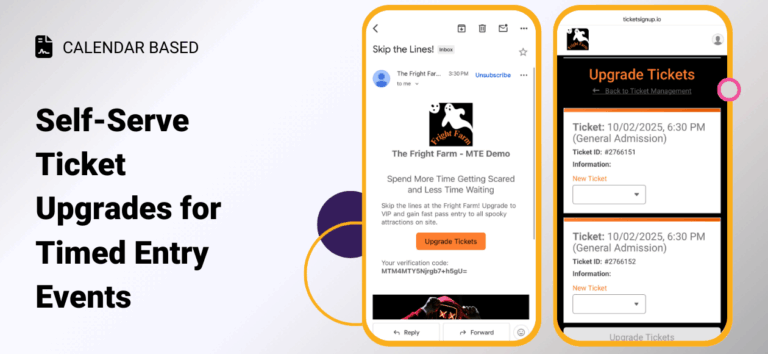
Self-Serve Ticket Upgrades for Timed Entry Events
Self-Serve Ticket Upgrades for Timed Entry Events make it easier than ever for your event to grow revenue without adding work for your team. Attendees now have a clear, simple path to upgrade their tickets online, which means more upsells with no…
Read More
Self-Serve Question Management
Ticket events can now allow attendees to edit their question responses after they buy tickets. This is helpful for ensuring that responses are accurate, and giving attendees maximum flexibility to manage their tickets. Enable question management by going to Tickets >> Ticket…
Read More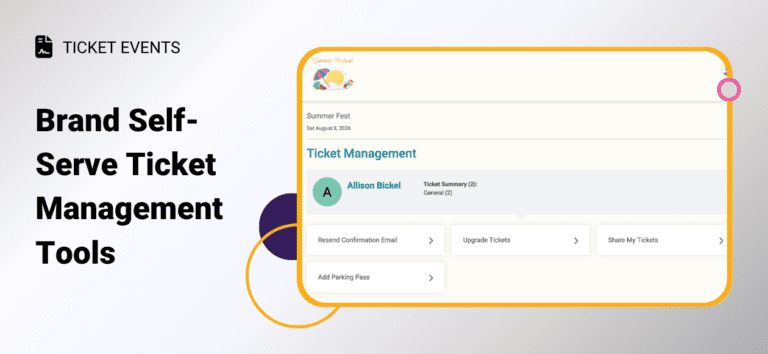
Brand Self-Serve Ticket Management Tools to Sell More and Reduce Support
TicketSignup now lets events customize labels on self-serve ticket management options. These updates improve your branding and create a better customer experience. As a result, ticket buyers are more likely to take action on their own. This reduces support requests and helps…
Read More
Save the 10,000 with Des & Kara
Building a Multi-Event Experience When professional distance runners Des Linden and Kara Goucher teamed with up with friend (and organizer) Trevor, to launch the Save the 10,000, their mission was simple – elevate the status of the 10,000-meter track race. but bringing…
Read More
TicketSignup Fights Chargebacks for Customers
TicketSignup is a full payment solution – meaning we take care of all the hassles of credit card merchant account management. This means that there is no more messy reconciliation of a ticket platform and a Stripe account and we pay customers…
Read More
MTE Timed Entry Self-Serve Ticket Transfers
Reduce customer support and provide a best-in-class attendee experience with MTE Timed Entry self-serve Ticket Transfers. Enable self-serve ticket transfers for attendees to transfer their own tickets to a different date, time slot, and/or ticket type. Your event controls the parameters, including…
Read More
Transfer Tickets to a Friend
Ticket holders can now transfer some or all of their tickets to a friend as a gift. When tickets are accepted by the recipient, a new QR Code is issued for the transferred tickets that only the recipient can use. The sender’s…
Read More