
Holiday light shows have a short season and limited capacities. The ticketing platform you choose dictates whether you manage your limitations seamlessly or spend the season fielding refund requests and complaints about oversold nights and long entry lines.
Here is what a holiday light show actually needs from its ticketing, and how to set it up before you launch your tickets.
1. Calendar-Based Timed Entry
Light shows run on a fixed schedule: specific nights, specific time windows. Your ticketing should match. Calendar-based ticketing lets guests pick a date and arrival window from a visual calendar, with each slot capped at the capacity you set.
This does three things at once:
- Spreads demand. Instead of every guest arriving at 6 PM on a Saturday, timed slots distribute arrivals across the evening.
- Prevents overselling. When a slot hits capacity, it stops selling automatically.
- Reduces gate-line waits. Guests with a confirmed time slot move through entry faster.
On TicketSignup, timed entry is built into the calendar. You set your dates, add time slots, assign capacity per slot, and the website handles the rest. Guests see real-time availability and pick the slot that works for them.
2. Automated Pricing Optimizations
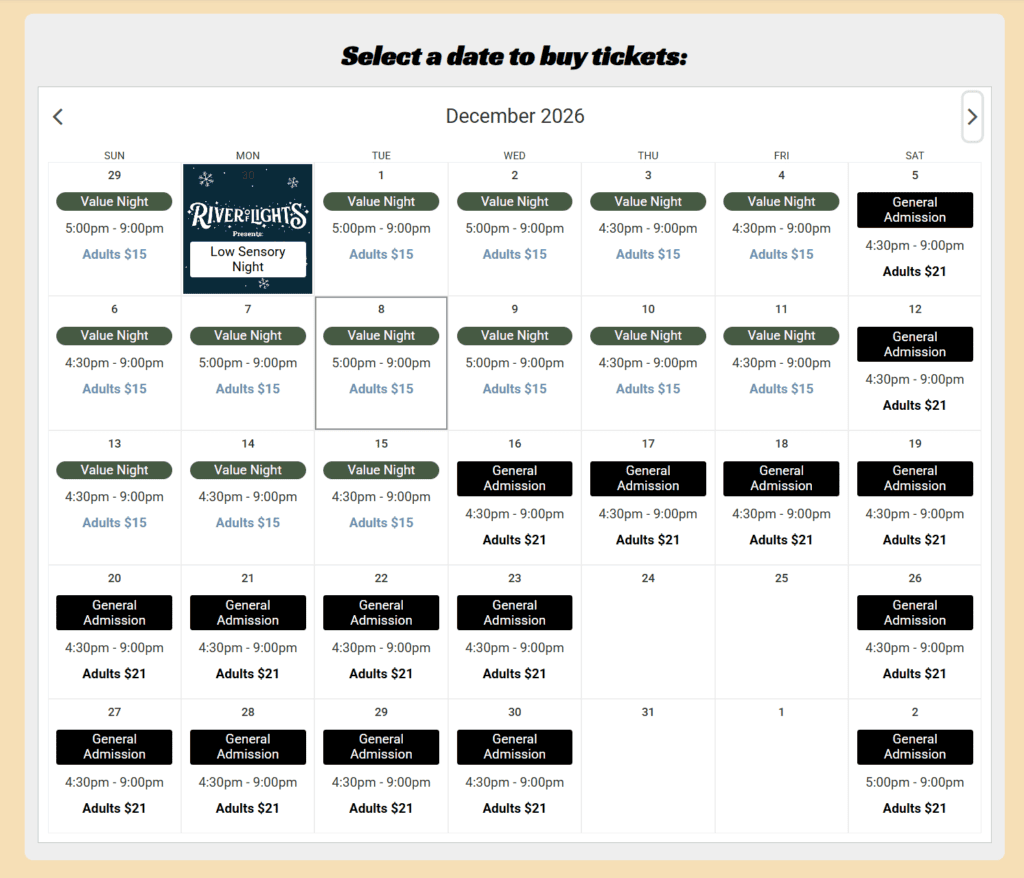
Friday and Saturday nights sell themselves and often become the biggest concern for overcrowding. On the flip side, weeknights can stagnate. Setting your prices based on the day of the week lets you charge more on peak nights and less on slower ones, automatically, without creating separate ticket types for each night. This increases your weekend revenue while spreading out your crowds to less common nights.
Additionally, you can schedule a price increase as a date approaches. Early-bird pricing rewards guests who buy weeks ahead, shifting your purchase patterns and providing you with more data for event forecasting.
3. Weather Cancellations and Date Transfers
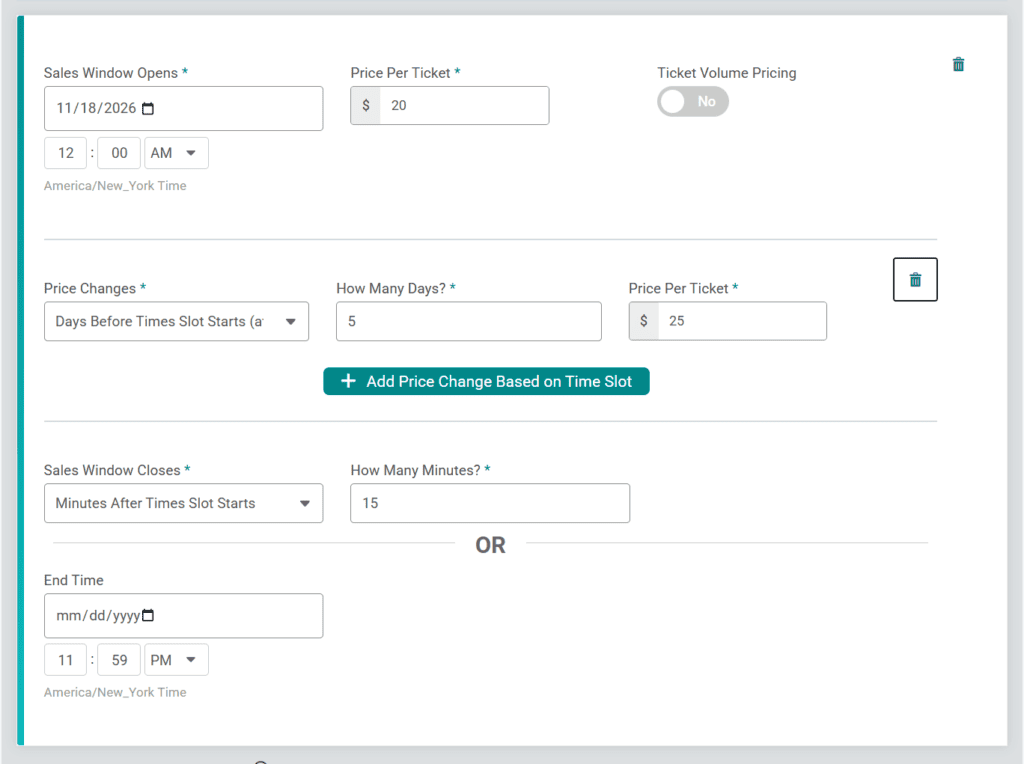
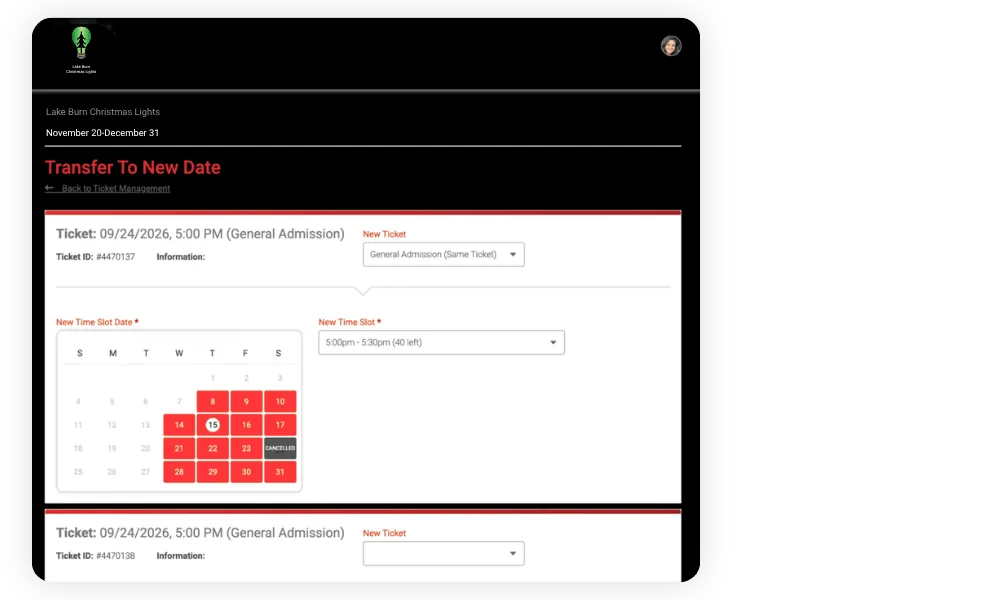
No amount of planning can weather-proof your event. When extreme weather happens, it can take a herculean effort to move hundreds of guests to a new date and field individual refund requests. With TicketSignup, you can cancel a single date or time slot and allow every impacted guest to transfer to another night on their own. More options to keep your attendees happy, and fewer emails to sort through.
Flex Tickets take it even further: guests who purchase Flex Tickets (usually at a higher price) can always move their visit to a different date any time, no staff involvement needed. Offering Flex Tickets provides an option for guests who want a safety net. In other words: no more answering requests to change days because of a little light rain. If it’s safe for you to operate, the onus is on your guests to purchase a Flex option if they want to wait for sunshine.
4. Add-Ons and Store Items
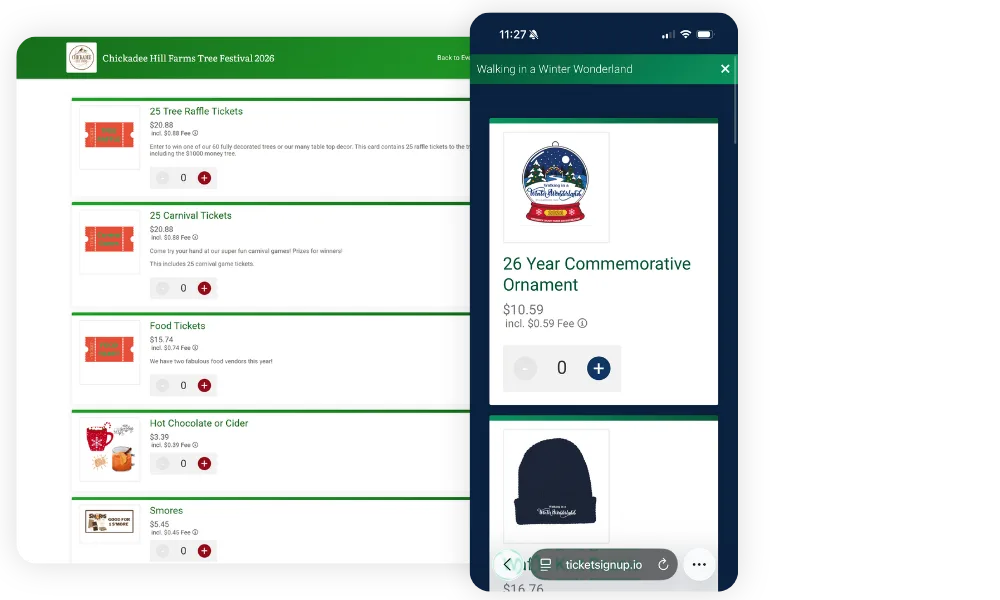
Hot cocoa, s’mores kits, VIP fire pits, photo packages, and more. Holiday Light shows earn meaningful revenue from extras, and selling them at checkout is the easiest way to capture that spend.
TicketSignup’s store lets you sell add on merch, refreshments, and experiences with ticket type. Guests see them during checkout, pick what they want, and pay in one transaction. You can set daily quantity limits so you never oversell a VIP experience or run out of cocoa kits on a busy night. Store items carry no platform fee, only the standard card processing based on the cart total.
As a bonus, TicketSignup store items can be added to any purchase during and after the initial sale. This means you can continue to upsell your guests by email and even on-site; any purchases they add will automatically be reflected in their QR code for check-in.
5. Automated Emails
TicketSignup’s email tools are unlimited and free, and you can schedule them per date or time slot so every message is relevant to that guest’s visit. This makes it easy to have multiple pre-event reminders and a post-event follow-up to keep them coming back.
- A confirmation email with the QR code.
- A reminder the day before with parking directions and what to wear.
- A thank-you after the visit with a link to buy tickets for another night.
6. On-Site Check-In and Sales
Guests arrive in waves, often with families or large groups. The Tickets app for check-in scans QR codes from any standard mobile device and allows your team to check people in individually or in groups so you can keep the gate moving. Spotty internet? The Tickets app works offline if connection is lost and re-syncs when it returns. Real-time check-in stats help you prepare for rushes and create a smarter staffing plan.
For walk-up sales, guests can continue to purchase online via their mobile devices, or staff can sell tickets on-site through the same app with Square card readers. No separate POS system needed.
Holiday light shows on TicketSignup sell tens of thousands of tickets, seamlessly. See calendar-based ticketing in action or create your event: it’s free for you, with low processing fees of just 40¢ per paid ticket.