
The Tickets App is TicketSignup’s free on-site ticketing app, handling everything from check-in and point of sale to add-on pickup and waivers. It syncs with your online ticket sales, so the experience guests start on your event website continues at your gate, trailhead, or front desk. Use it as your check-in app, point of sale, and attendance tracker, whether you run a single-day festival, a haunt with four attractions, or a tour company with departures every 30 minutes.
Download the Tickets App for iOS or Android, then jump to the questions that fit your event.
In this On-site ticketing app FAQ:
- The Basics: cost, devices, offline use, and training
- Check-In and Entry: lines, groups, wristbands, comps, and printing
- Multi-Attraction Check-In: one QR code for every attraction
- On-Site Sales and Upgrades: Square point of sale, QR signage, and upgrades
- Add-On and Store Fulfillment: merch, drink tickets, and pickup stations
- Waivers at Check-In: on a device, at a kiosk, or on the guest’s phone
- Timed Entry, Tours, and Bookings: check-in by time slot, date reports, and arrival data
- Members and Passes: member check-in and multi-use season and event passes
- Staff Controls and On-Site Data: permissions, security, and reporting
The Basics
How much does the TicketSignup on-site ticketing app cost?
The Tickets App is free for every TicketSignup event, with no per-app or per-device fees. It’s included in TicketSignup’s pricing of 40¢ per ticket plus 2.9% + 30¢ credit card processing. Free tickets are free.
What devices does it work on?
The app is available in the Apple App Store and Google Play. Most organizers use phones or tablets. The app also works with external barcode scanners and has a flashlight button for scanning at night, which can stay on for the whole shift.
How many devices and staff can I use?
You can use as many devices as you need, so staff and volunteers at every station can scan at the same time. Name each device to see exactly where check-ins happen (more on that in Staff Controls and On-Site Data).
Does it work if I lose cell service and my device goes offline?
Yes. All ticket data loads onto the device, so scanning keeps working offline, and check-ins sync once service returns. A banner shows staff how many check-ins are waiting to sync. If you have a strict capacity limit, you can block new check-ins once a device has too many unsynced scans. That keeps your headcount accurate even with a weak signal. Terror on the Farm checked in 97% of tickets despite poor internet.
How fast does data sync between devices?
Choose a sync cycle of 5, 15, or 30 seconds to fit your connection. Staff can also refresh from the camera screen. A guest who bought a ticket in the parking lot scans successfully on the first try.
How long does it take to train staff?
Many events train staff in under 10 minutes. “The app was so easy, once one group of volunteers had been trained, they could take care of on-boarding the next group,” said Nolan Jez of Adidas Outdoor Track Nationals. Start with the Tickets App Basics for Volunteers video and the Tickets App how-to articles. If a question comes up on event day, staff can request help from inside the app.
Check-In and Entry
How do I keep check-in lines moving?
Scan one QR code to check in a whole group, or check in part of the group as each person arrives. At Kimmswick Witches Night Out sold out 4,500+ tickets. At peak, three devices checked in 91 guests in 5 minutes. If a guest doesn’t have their QR code ready, staff can search by name. For events with long waits, TicketSignup also integrates with Waitwhile for virtual queuing. Each guest’s queue status shows in the app, and Serving Automation moves groups forward at an interval you set.
Can I use wristbands?
Yes. Ticket numbers connect ticket data to a single QR code or barcode printed on a wristband, which you can scan or manually enter. The same feature handles table assignments at dinners and galas. “Volunteers picked up on how to scan tickets and hand out the correct bands to attendees in minutes,” said Zack Loggins of Midland Music Fest.
How do I handle comps and guest list entries?
Add free tickets at check-in so your headcount stays accurate. To prevent misuse, you can limit which ticket types allow a free ticket to be added. The Burning of Zozobra in Santa Fe draws tens of thousands of attendees, and its safety requirements call for an accurate headcount of everyone on-site, including young children who attend free. Staff check in paying adults and add the children with them right from the Tickets App. The gate keeps moving, older teens can’t use kids’ tickets to skip paying, and the fire department gets a reliable total headcount.
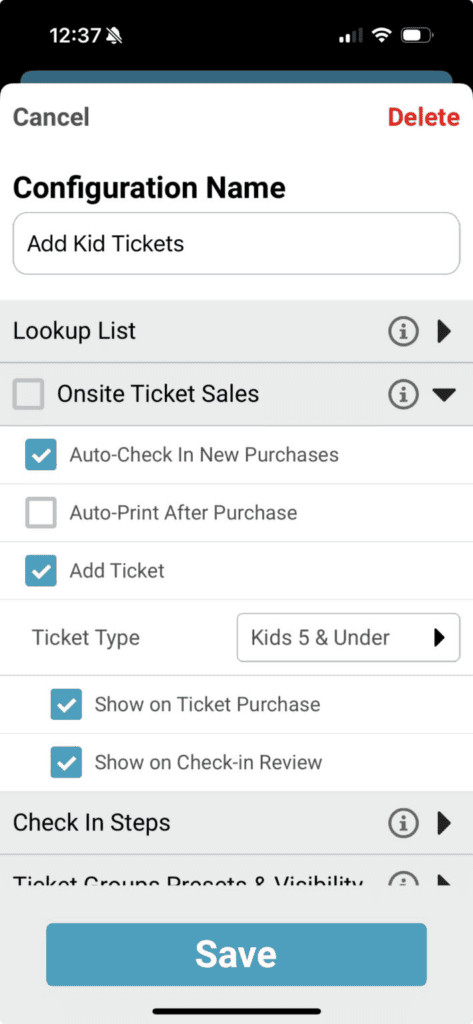
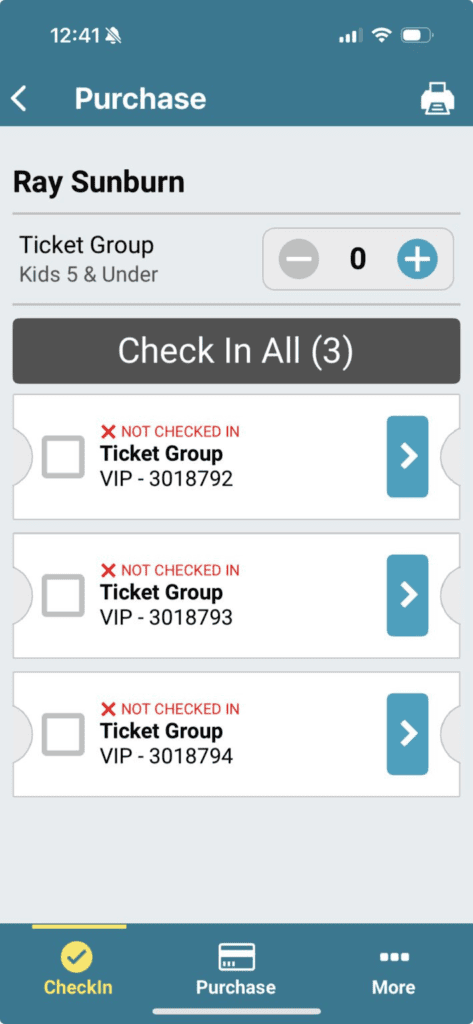
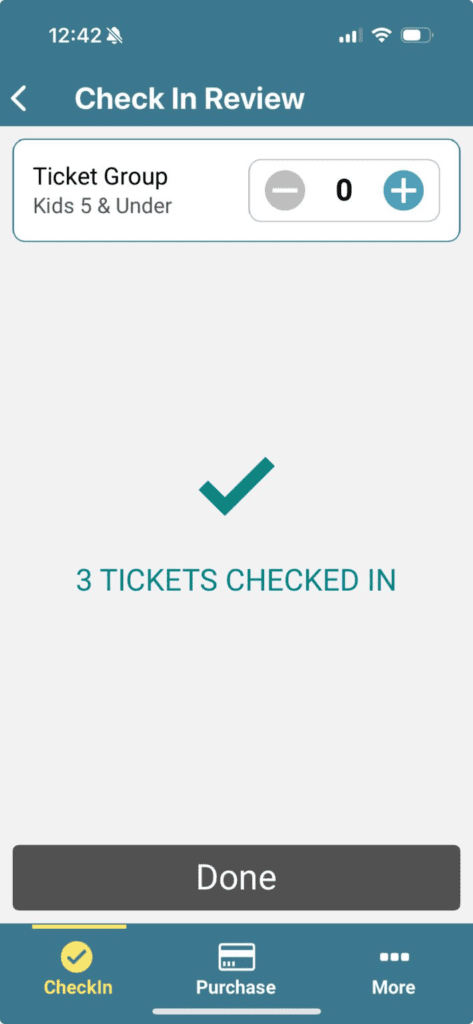
Can I print tickets or labels on-site?
Yes. Print paper tickets from the app when needed. The app also prints directly to Brother label printers, with label customization for font sizes, layout, and custom question answers.
Can I fix attendee information at the gate?
Yes. Staff can view and edit the fields you allow, including custom question answers. If a guest received a transferred ticket, staff can jump to the original purchase to confirm it.
Multi-Attraction Check-In
Can one QR code cover every attraction?
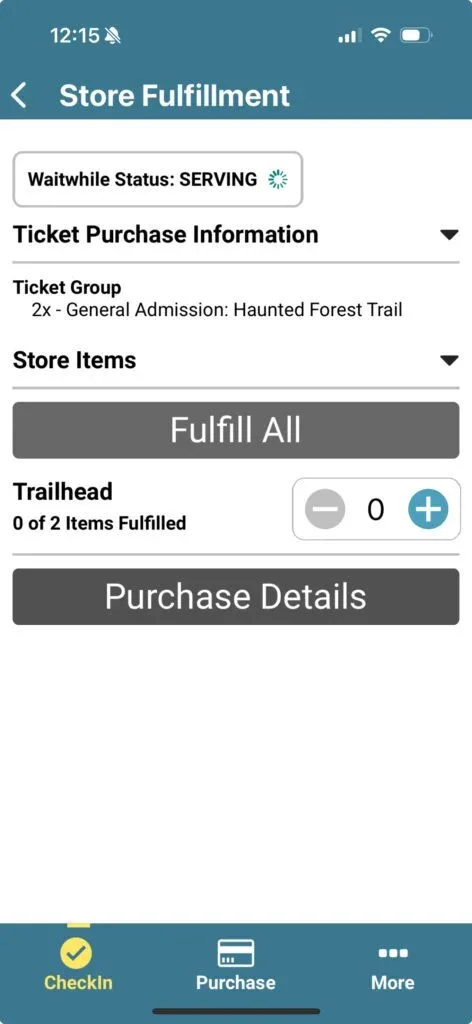
Yes. Guests check in at the main entrance, then scan the same QR code at each attraction, and the whole party checks in with one scan. Staff at each attraction can check in part of a group or use Fulfill All to check in everyone at once.
How do I sell bundles and multi-attraction passes?
Bundle attractions into a ticket, like a VIP ticket that includes all three attractions or an all-access pass that adds side attractions. Each attraction’s configuration shows staff only the attraction they’re working. The app shows uses remaining per ticket, so guests can visit attractions in any order, even the same one twice if their ticket allows. Read how haunts set this up in Faster Lines, Happier Guests.
Can I see which attractions are busiest?
Yes. Every attraction check-in is recorded, so you can see traffic at each station. “Staff scanned a single QR code for the entire party, which made the process fast and consistent across every attraction,” The Haunted Forest reported in its case study.
On-Site Sales and Upgrades
Can I sell tickets on-site?
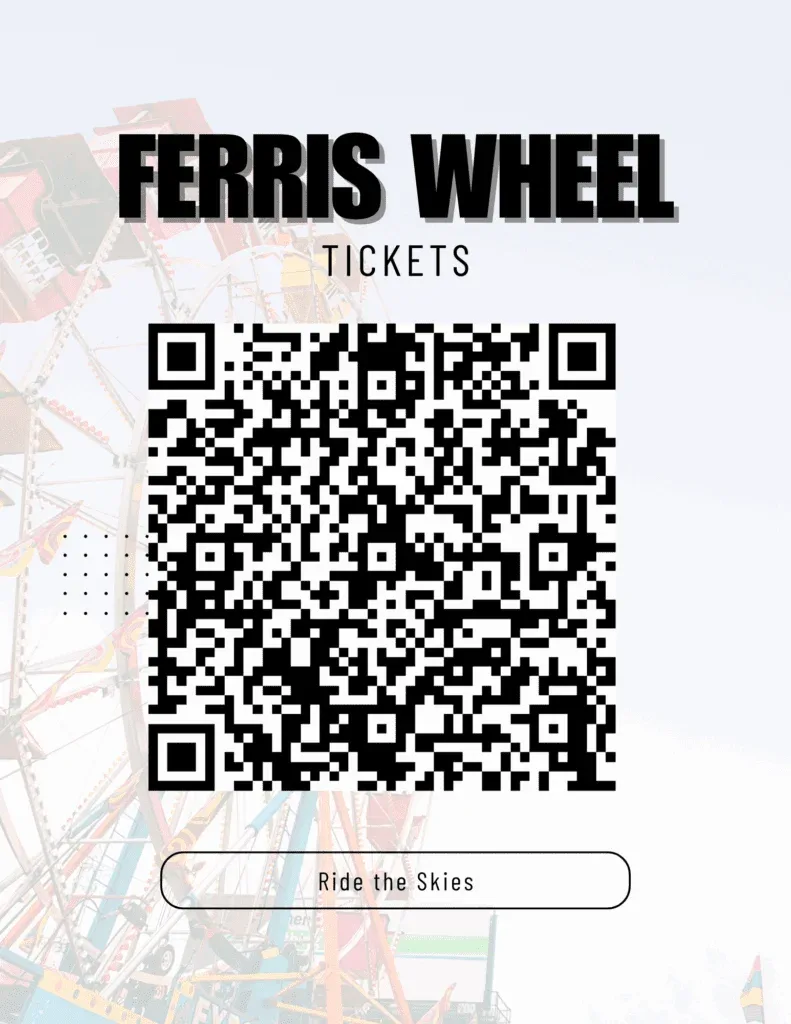
Yes, two ways. QR code signage lets guests buy online from their own phones. “The direct ticket purchase QR code makes the day of sales incredibly easy for us,” said Sarah Wilkes of Holy City Brewing. For staff-assisted sales, turn on the Square point of sale integration for card payments, or record cash. Tickets can be checked in automatically after purchase.
Can I control what staff sell and what fees apply?
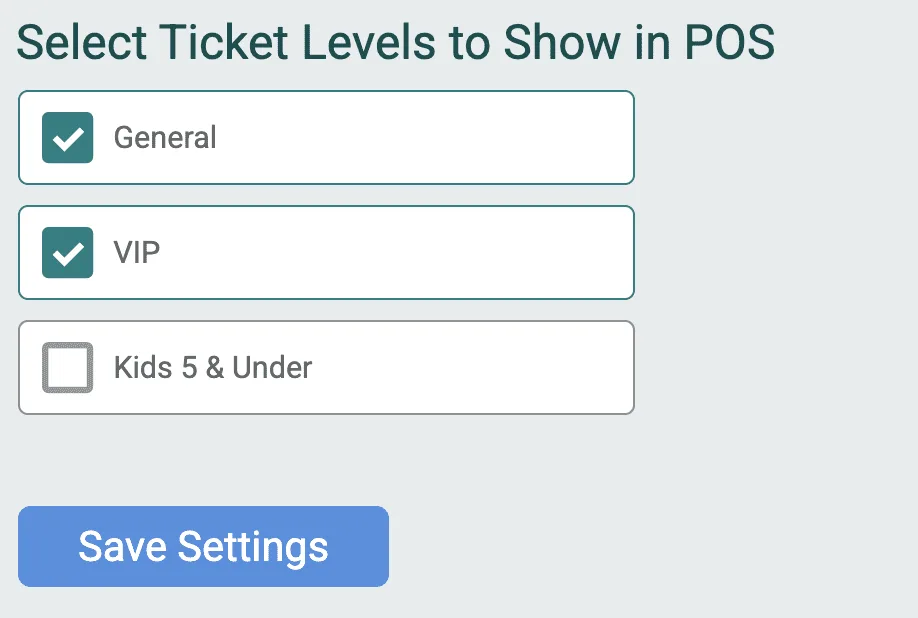
Yes. Set ticket visibility to choose which ticket types appear at the point of sale. You can also add extra fees to point of sale purchases to cover Square’s processing fees.
Can I use my existing Square account?
Yes. Connect your Square account to the Tickets App through the Square point of sale integration and sell tickets and add-ons at the gate. TicketSignup doesn’t charge anything on sales made through Square, so you pay only Square’s standard processing. Events that already use Square for food, drinks, or merch can use the same Square account for ticket sales. TicketSignup is also building a fully integrated point of sale, coming in 2027, which will give events another option alongside Square.
Can guests upgrade or buy add-ons after they arrive?
Yes. Send pre-event emails or use virtual queueing text to send direct upgrade links to every ticket purchaser (more text options coming in 2027). The upgrade shows up in the app right away. QR codes for store items work the same way for add-ons like parking, fire pit rentals, or a bonus attraction.
Add-On and Store Fulfillment
How do I hand out merch, drink tickets, or other add-ons?
Scan the guest’s QR code to fulfill items, either during check-in or at a separate pickup station. Items bought with the ticket, bundled into it, or added later all show up. “Using the Ticket App to fulfill items on site gave us a complete solution,” said Ashley Ferguson of Walking in a Winter Wonderland.
Can each station see only its own items?
Yes. Set each configuration to show only the items that station hands out. The shirt table sees shirts, and the beer tent sees drink tickets. Staff can fulfill part of an order or everything at once.
How do I track what’s been picked up?
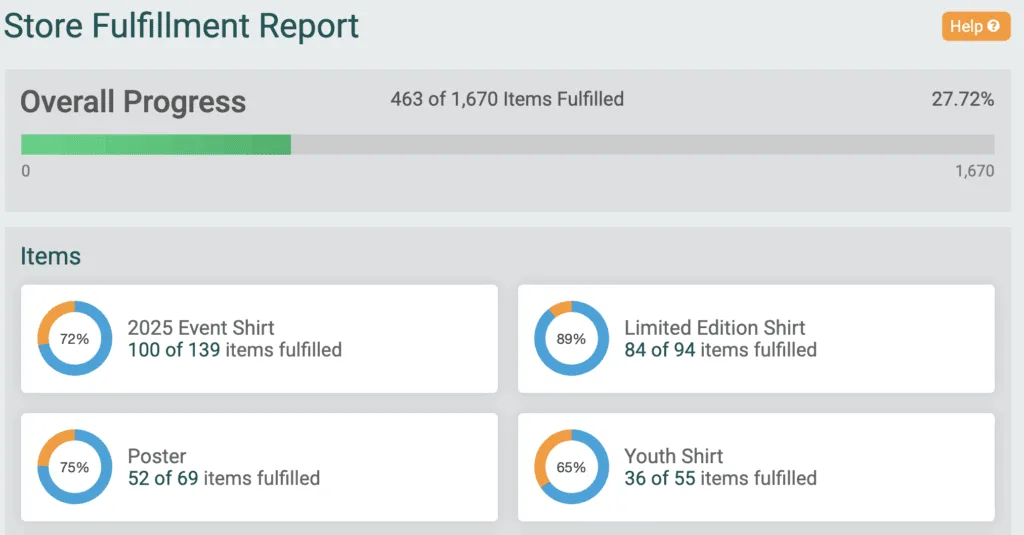
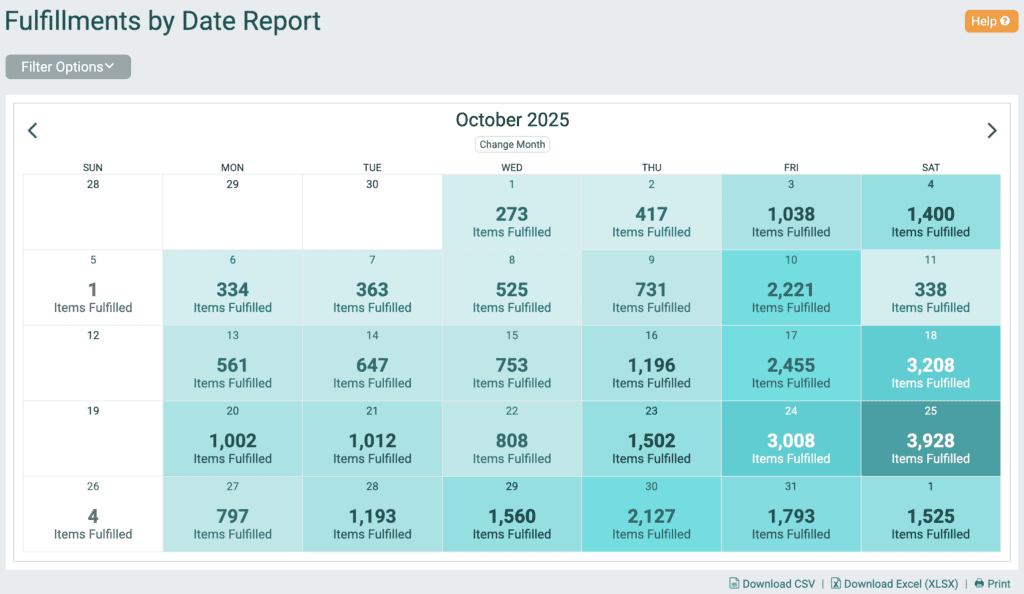
Fulfillment is recorded with a date and time. The Store Fulfillment Report shows pickups by date and interval, the Fulfillments by Date calendar shows what’s due each day, and the Store Item Summary Report compares items sold with items fulfilled. See Turn Add-Ons Into Revenue for the full store feature set.
Waivers at Check-In
How do waivers work at check-in?
Waiver collection is flexible and set by you. Guests can sign online before they arrive, or on-site as part of check-in. On-site, you choose the setup: guests sign on a staff device, at a dedicated waiver kiosk, or on their own phone by scanning a QR code staff display. Learn more in Collect Signed Waivers for Every Ticket.
Can waiver signing happen away from the entry line?
Yes. The waiver kiosk scans a guest’s confirmation and shows only that group’s unsigned waivers. Staff can see how many waivers each ticket has signed, and the app collects minor and guardian information. For walk-ups, a general waiver link and QR code lets anyone sign on their own phone.
Can waivers help grow my email list?
Yes. Indian Springs Ranch collected digital waivers through the Tickets App on days with nearly 2,000 attendees, and every new email address flowed into their TicketSignup email list. You can also collect waivers per ticketholder via online waiver signing. See Collect Optional Attendee Emails with Online Waivers.
Timed Entry, Tours, and Bookings
Can I check in guests by time slot?
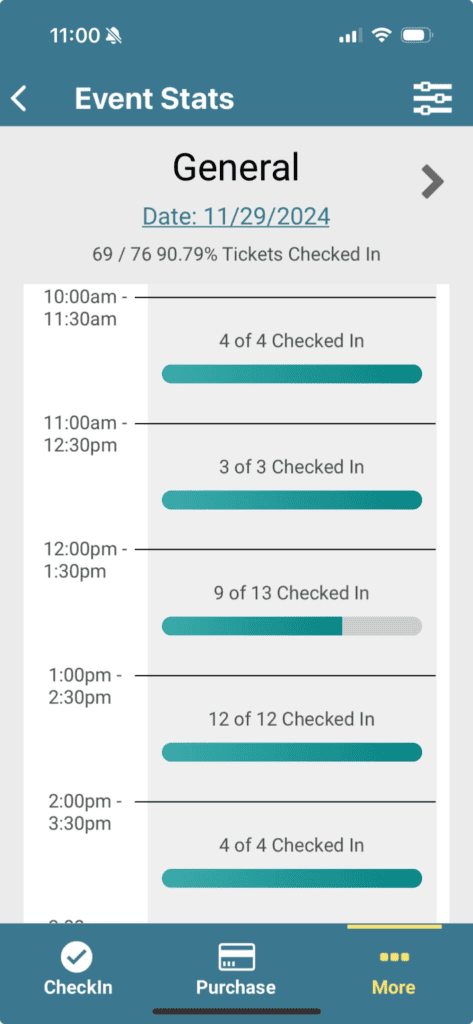
Yes. The app shows each ticket’s date and time slot. Staff can filter the list by slot and track check-in progress for each one. A tour loading its 6 PM departure can see who has arrived and who hasn’t.
Can I see check-in rates for every date and time slot?
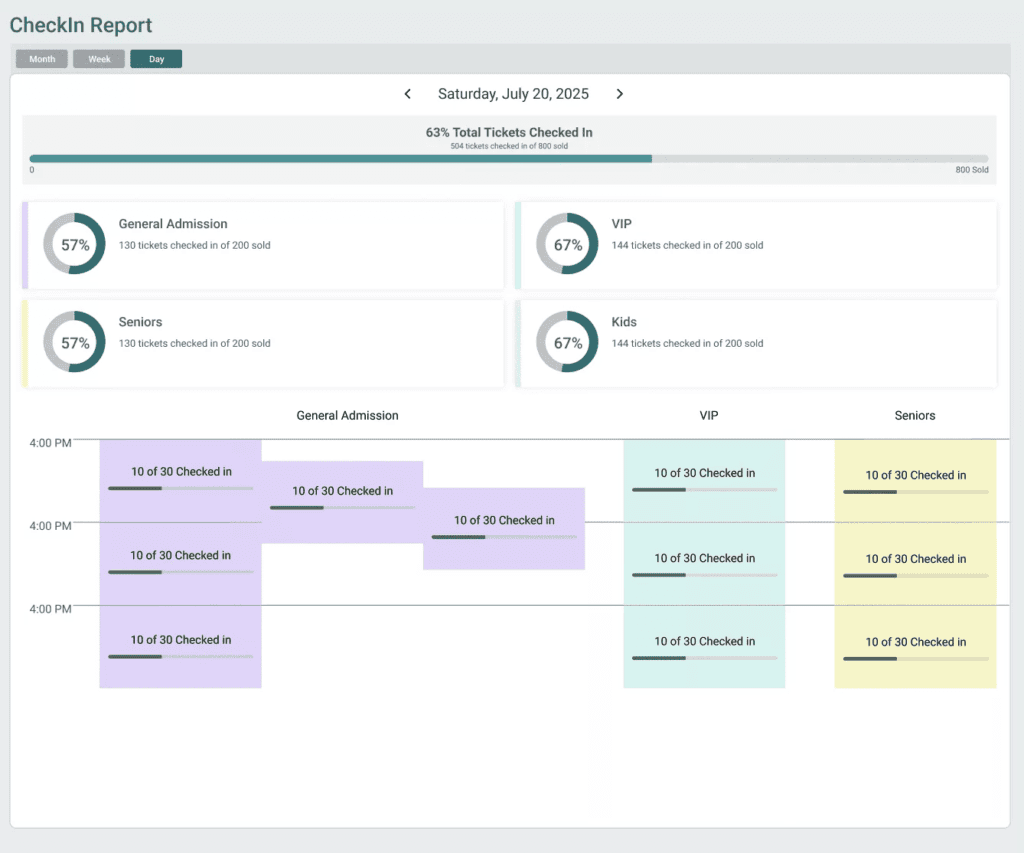
Yes. The CheckIns By Date Report shows attendance across your whole calendar. Month view shows the percentage of tickets checked in for each day, plus a total for the month. Select any day to open day view, which breaks check-ins down by ticket type and time slot. One haunt could see that its general admission trail checked in 98% of tickets on a Friday while one VIP time slot checked in 23%, then plan staffing, reminder emails, and capacity for next season. Download any view as a CSV or Excel file, or print it.
Can I see arrival patterns to plan staffing?
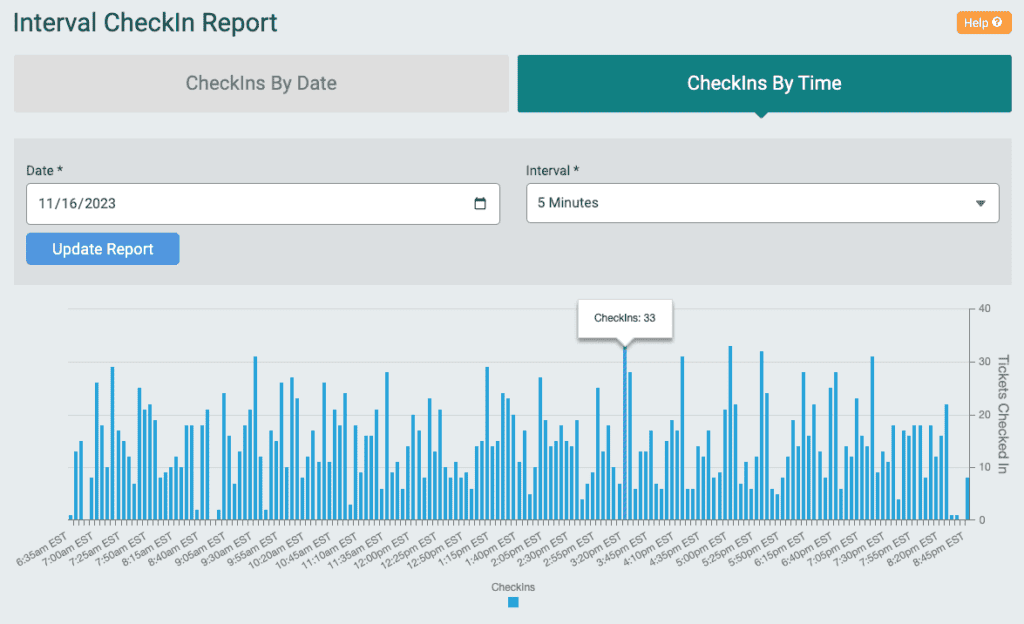
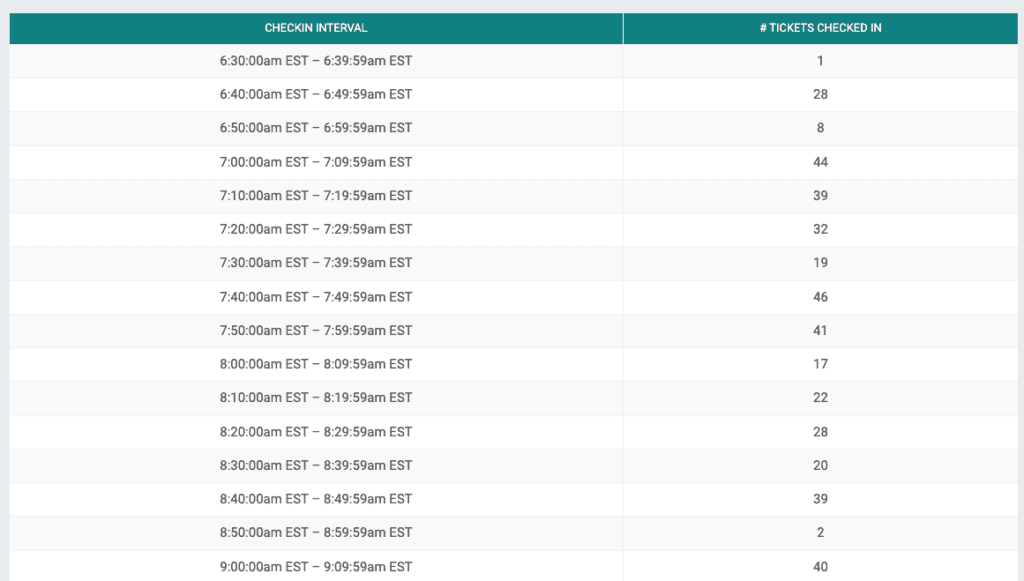
Yes. The check-in interval report shows arrivals by hour down to five-minute intervals.
Does it work for multiple activities at one venue?
Yes. Taos Ski Valley used the Tickets App to manage entry across multiple activities, and Smoke & Barrel runs entry across multiple experiences while tracking real-time check-ins from the dashboard. “I will always credit a percentage of that to how seamless the ticket purchasing and check-in process was to the Tickets App,” said Saige Mestayer, Event Director at Smoke & Barrel. Farms can see more examples in How the Tickets App Helps Farms on Event Day.
Members and Passes
Can members check in with their membership?
Yes. Members check in from their Member QR code. Staff can also scan a membership card and issue a ticket on the spot, which works well for member parking, recurring meetups, and classes. In Q4 2026 and Q1 2027, we will be releasing more membership and ticketing capabilities, including member only tickets, membership ticket discounts, and membership upsells to non-members in the ticket purchase path.
How do season and multi-use passes work at check-in?
Staff see how many uses remain on each pass. You can limit check-ins to a time window or to once per day, and check in a multi-use pass several times in one step for groups or camping passes.
Staff Controls and On-Site Data
Can I control what staff see and change?
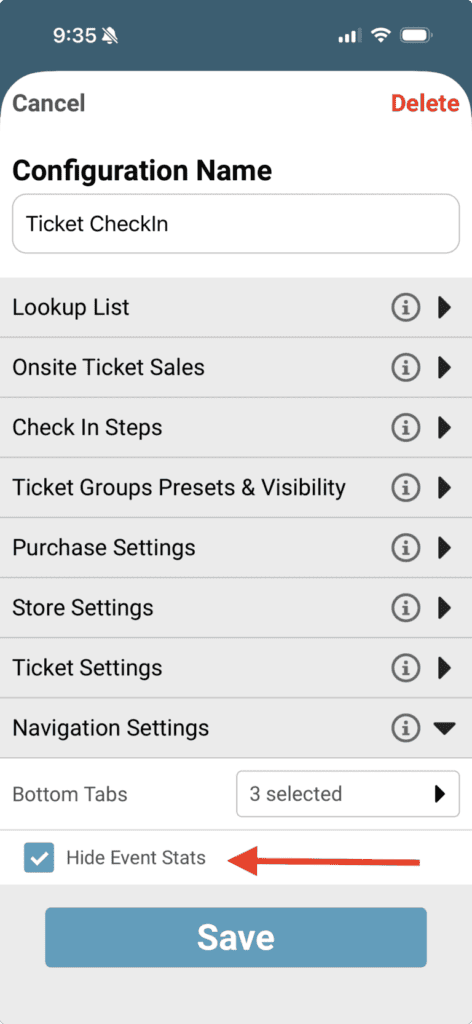
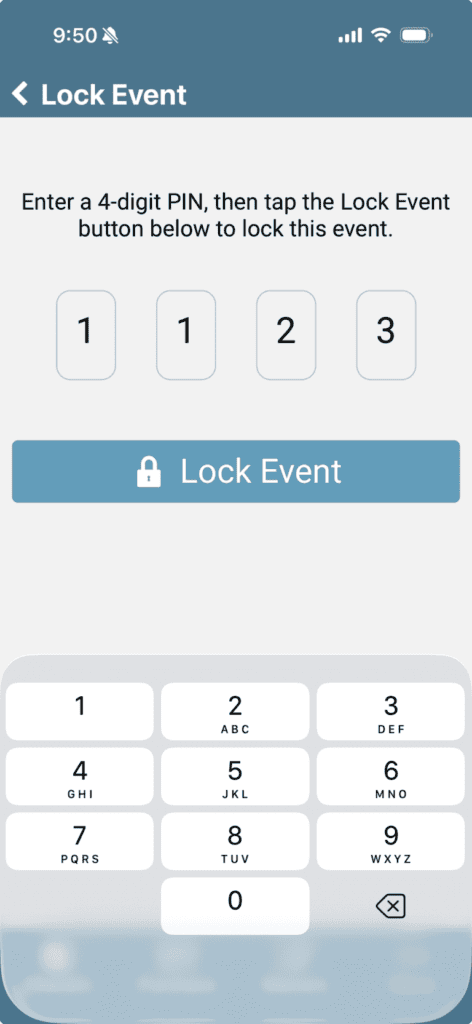
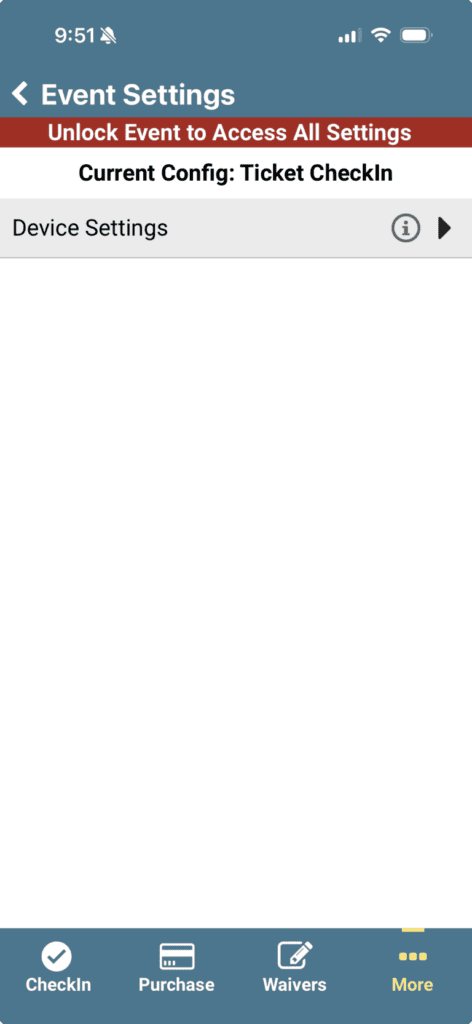
Yes. Each station gets its own configuration: which tickets and items appear, which fields staff can view or edit, and whether financial data or event stats stay hidden. Protect configurations with a PIN, set a default, and choose which configurations volunteers can load. The name of the loaded configuration shows on every screen, so staff always know which station they’re running.
How is attendee data protected on shared devices?
An edit history records changes made on each device. Once your check-in dates pass, the event drops off devices automatically.
What check-in data can I see during and after the event?
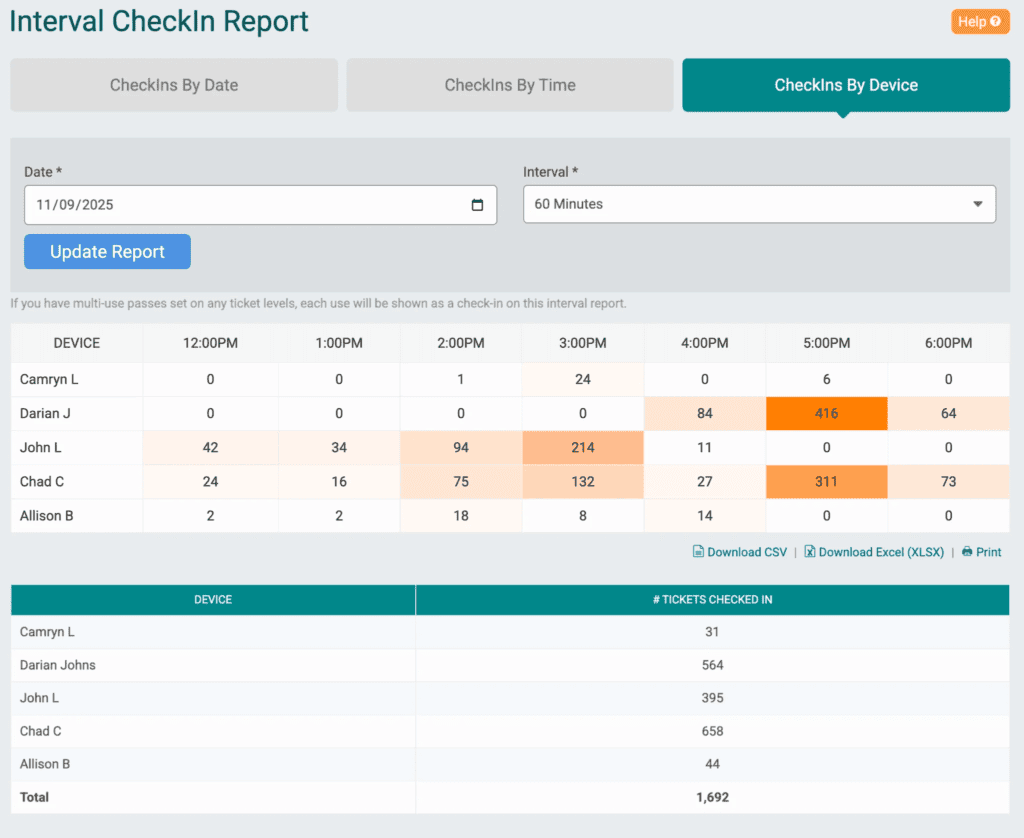
Watch check-ins update in real time from the app or your dashboard. The CheckIns by Device report shows a heatmap of each named device by time interval, so you can see which entrance is busiest and staff it accordingly. Combine it with the CheckIns By Date Report, the interval report, and fulfillment reports to plan next season.
Get Started
The Tickets App is included in TicketSignup’s 40¢-per-ticket pricing, along with free email marketing, event websites, and reporting. Download it for iOS or Android, or learn more on the Event Day page.
With the TicketSignup Tickets App, your event can more easily:
- Move guests through the gate faster, with one QR code per group and hundreds of check-ins per device per hour
- Keep running without a connection, with capacity safeguards when service drops
- Sell, upgrade, and fulfill on-site from the same app
- Collect waivers during check-in without paper or separate software
- Staff by the data, using check-ins by date, time slot, interval, and device
Create your event or schedule a call to get started.