

Most event organizers don’t realize how much they’re paying for things that should be included. The ticket fee is just the start. Then come the add-ons: a monthly charge for email, an fee to access support, payouts you wait weeks for, and sales tax that’s somehow still your problem.
It doesn’t have to work that way. Here are eight things your ticketing platform should do without charging you extra – and how TicketSignup includes all of them at $0.40 per paid ticket, plus standard card processing (2.9% + $0.30). Free tickets are always free. No monthly fee. No hidden costs.
| What you should expect | How it usually works | On TicketSignup |
| Email marketing | Monthly plan + per-recipient fees | Free and unlimited |
| An event website | A listing page, or a website that costs extra | A real website you own, custom domain & AI chatbot included |
| Calendar/timed-entry ticketing | Individual events rolled up into a calendar — slot limits, slow loads | One real calendar, one patent-pending database |
| An event-day app | Check-in mostly, on site ticket sales cost money | Free: Check-in, PoS with Square, add-on fulfillment, waivers |
| Support | An overseas help center and chatbot | 100% US based humans, 7 days a week |
| Sales tax | Your problem | Calculated, collected, and remitted for you |
| Getting paid | Money held until after your event | Weekly direct deposit as you sell (daily available upon approval) |
| Reconciliation & Chargebacks | Separate payment and ticket reporting; you fight chargebacks | One reconciled system; we fight chargebacks for you |
1. Free, unlimited email marketing
Your attendee list is one of your most valuable assets, and reaching it shouldn’t come with a meter running. Most platforms put email behind a subscription or push you to a separate tool: Eventbrite caps free sends at 250 marketing emails a day, with Pro plans running $15–$100/month depending on volume; TicketSpice charges $9/month plus 2¢ per recipient; FareHarbor and SimpleTix route you to Mailchimp or ActiveCampaign – another bill, another login.
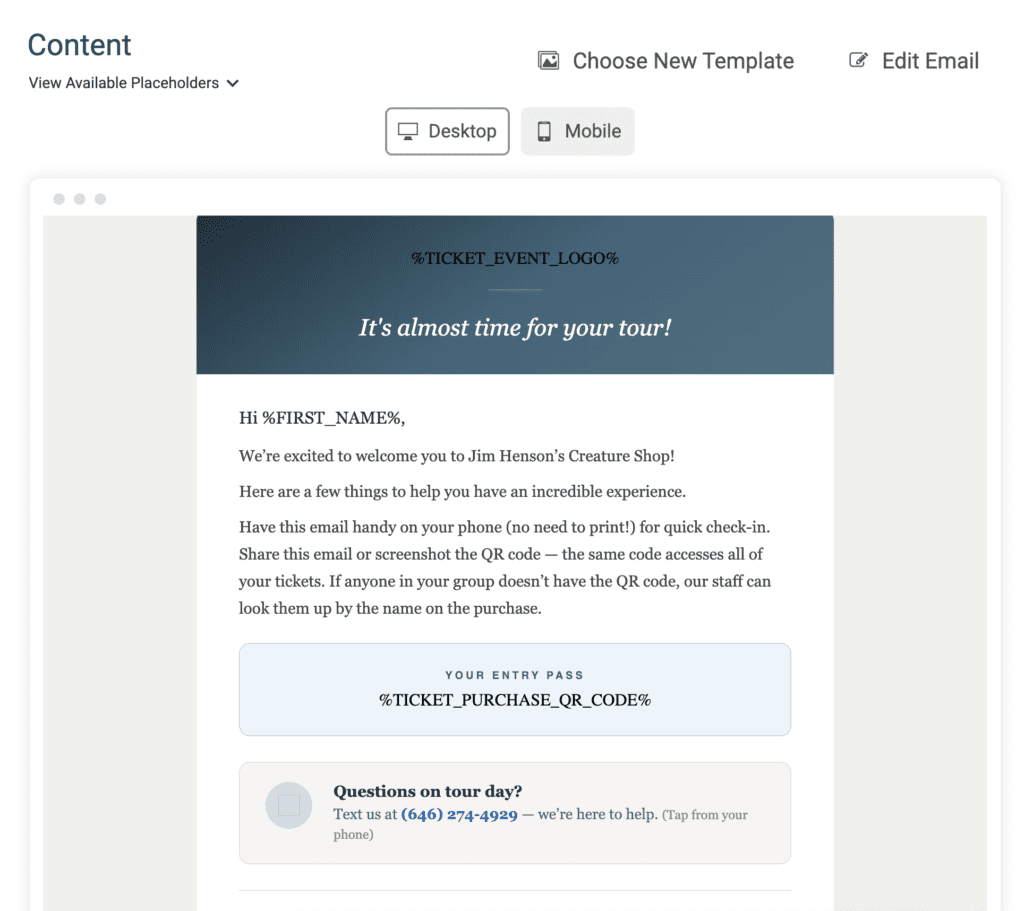
TicketSignup includes email marketing free and unlimited – built specifically for events, with replacement tags that pull in each attendee’s ticket details, prebuilt emails, and automated drip campaigns. How much is free email worth? TicketSignup customers sent over 750 million free emails in 2025 – and those emails drove 12% of transaction dollars on the platform.
2. A real event website you own
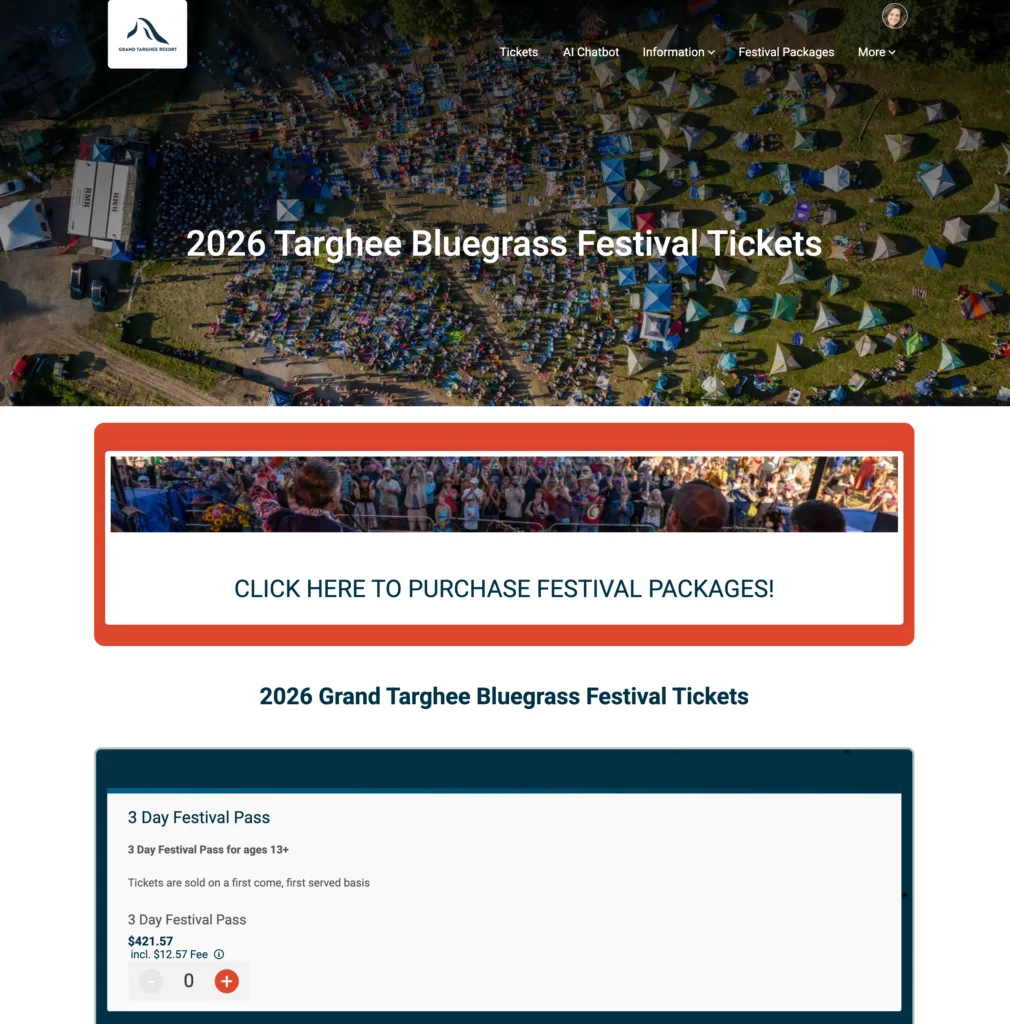
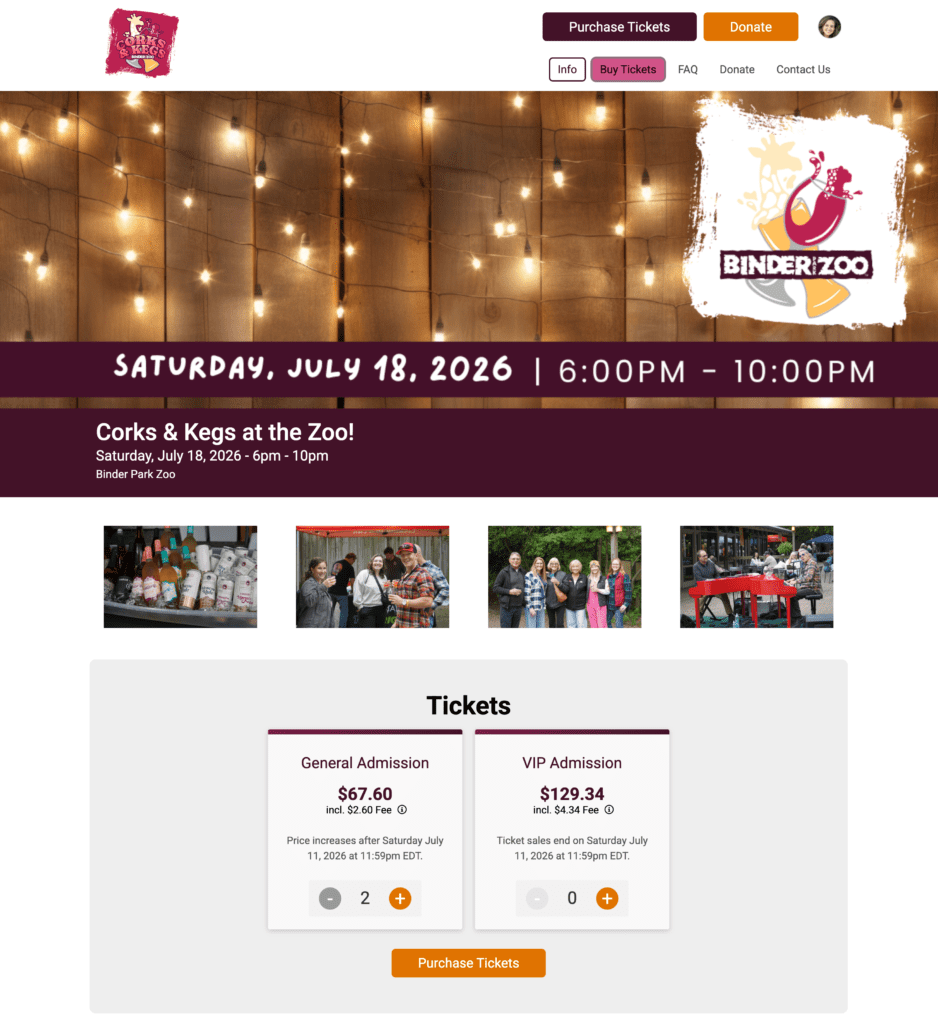
There’s a difference between an event website and a listing page. A listing page lives inside someone else’s platform, looks like everyone else’s, and points your traffic back to a site that’s also promoting other events. A real website is yours: your branding, your colors, your custom domain (or subdomain), your content – and no ads or competing events, ever. TicketSignup builds your event website automatically from your event details and you have unlimited layout and design options, including dynamic calendars, countdown clocks, photo galleries, FAQs, schedules, and even an integrated (and free) AI Chatbot to answer customer questions and reduce your time spent answering emails.
3. Calendar-based and timed-entry ticketing
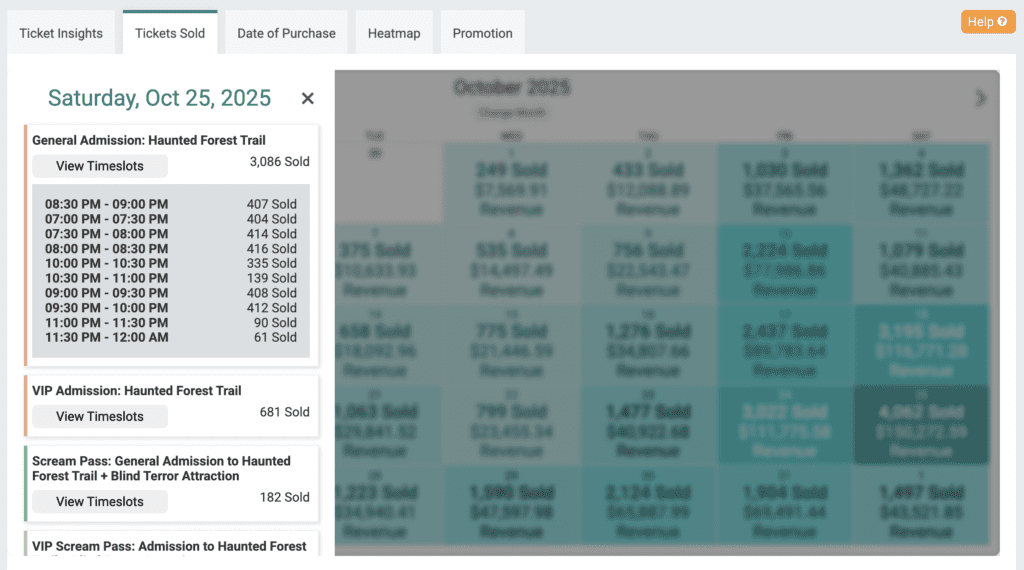
If your event runs across many dates or time slots – tours, haunts, light shows, farm visits, attractions – the way your platform handles that calendar can make or break your setup. On most platforms, your “calendar” is really a collection of individual events rolled up into a calendar view. That’s why you hit limits on how many time slots you can have, why pages load slowly once you have a lot of dates, and why every date has to be built and updated by hand.
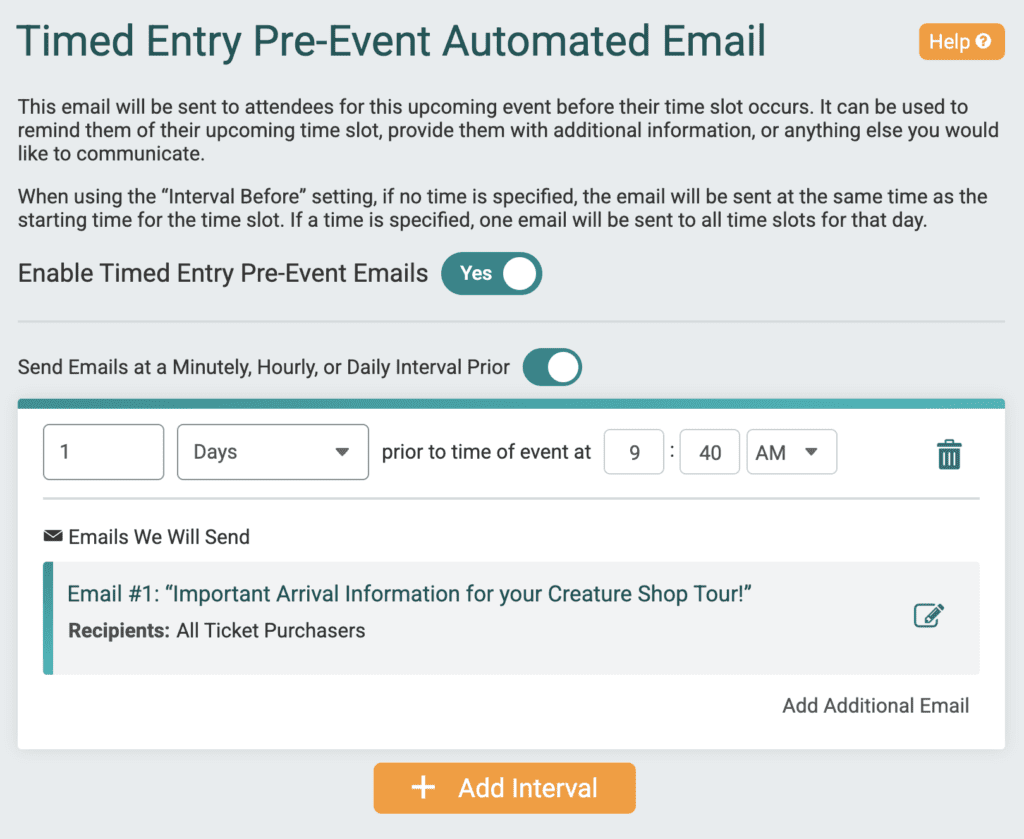
TicketSignup’s patent-pending timed entry ties every step – setup, management, purchase, and reporting – to one real calendar built on a single database. Dynamic calendars update dates, prices, times, and sold-out status automatically, with no manual edits. You can change one time slot or push bulk updates across every Saturday at once. Automated emails fire before each time slot begins; for example, an hour before guests arrive, without you scheduling them one by one. And the purchase path stays fast even with hundreds of slots.

4. An event-day app that runs your whole gate
Check-in is only part of event day. TicketSignup’s free Tickets App turns any phone or tablet into a check-in scanner, a point of sale, a merch-fulfillment station, and a real-time dashboard. Scan a QR code (or search a name) to check people in seconds, sell tickets and add-ons on site through a Square integration, redeem pre-purchased merch and drinks, validate season pass uses, run secondary check-ins for individual attractions, and collect integrated waivers. All free, synced live across unlimited devices and volunteers. Attendees don’t have to download an app; their ticket lives in their confirmation email and digital Wallet. And it works offline, syncing once service returns, so a dead WiFi signal never stops your line.
5. Real support on a platform built so you rarely need it
Good support means two things. First, a platform that’s self-serve and user-friendly, because plenty of people never want to talk to anyone: organizers set up events, websites, and email on their own without a sales call, and attendees handle their own transfers, upgrades, and cancellations right from their confirmation email – no login, no support ticket, no “can you move my ticket?” emails landing in your inbox.
Second, real help when you do want it. TicketSignup’s support team is 100% US-based and available 7 days a week, including late evenings when events actually happen. And because TicketSignup is 100% employee-owned, the people answering know the product deeply: employees have 500+ years of combined experience here, and 20% have been with the company more than a decade.
6. Automatic sales tax
Sales tax shouldn’t be a liability you carry alone. On many platforms it still is: TicketSpice leaves the whole job – calculation, collection, and filing – to the organizer. TicketSignup calculates sales tax based on each buyer’s location across 9,000+ US tax jurisdictions, collects it at checkout, remits it to the right jurisdiction(s) as a marketplace facilitator, and generates the reports. It keeps your events compliant, and eliminates a time consuming burden. Read more about some of the nuances: item-level taxability for tickets vs. merch, amusement taxes, and nonprofit exemptions.
7. Get paid as you sell
Cash flow shouldn’t wait until the event is over. Eventbrite’s default payout arrives three business days after your event ends. But organizers need money up front for deposits, marketing, and vendors. TicketSignup pays out weekly by direct deposit, so your sales reach your bank account on a steady schedule as they come in, not after the gates close. We also offer daily payouts (by request and with approval).
8. Financial reporting that actually reconciles
On a lot of platforms, your ticketing data and your payouts live in two different places, and matching them up is a manual chore. That chore gets worse the moment refunds and chargebacks enter the picture. TicketSignup is a full payment solution, so there’s no messy reconciliation: every transaction ties cleanly to the deposit it landed in. Because TicketSignup handles merchant processing, chargebacks come to us, not you. We fight them on your behalf with an over 80% win rate, with no action needed on your part.
The bottom line
Add it up and the “free” platform often costs more than the one with a transparent fee, once you count the email subscription, the domain charge, the cash flow you wait on, and the time you spend reconciling payouts and fighting chargebacks. TicketSignup includes all eight of these at $0.40 per paid ticket plus standard card processing. Free tickets are free. No monthly fee. No hidden costs.